Hello Tim!
Perhaps it’s just me but download seems to be broken. Please let me know if it’s a ME issue.
Hello Tim!
Perhaps it’s just me but download seems to be broken. Please let me know if it’s a ME issue.
Hi Hector!
Thanks for letting me know. I migrated my server to Debian 12 today and broke my download counter. I have corrected the issue, so the downloads should work now!
Best wishes,
Tim Parnell
Thanks Timi!
 Happy New Year!
Build 211
I hope everyone had a great holiday season, and to get back into the swing of things I have a new release. My favorite new feature is domain grouping on the Domains & Subdomains view. Lifeboat will now automatically group subdomains underneath the root domain, and allow users to collapse and expand the subdomains, retaining the state of the view.
In addition to my favorite feature, there are also several other handy new tools. Static Files configurations now officially support WordPress. There’s a new disclosure arrow on the Reverse Proxy setup that opens a menu, allowing users to select a running Web App as an upstream proxy source. It is now super easy to create domain-synonyms for Web Apps without duplicating instances.
Changes for Build 211
New: Web addresses now grouped by root domain
New: Static Files mod_rewrite support for WordPress
New: Reverse Proxy assistant to select existing Web Apps as an upstream source
New: Helper Runtime Exceptions can now be reported in-app
New: Optionally disable nginx access.log for high-volume servers
Fixed: Changing a web address no longer causes an upstream collision
Changed: View web address logs safety check is now more forgiving
More information about Lifeboat:
https://strawberrysw.com/lifeboat
Download Lifeboat and try it out free of charge!
https://strawberrysw.com/lifeboat/get
Happy coding!
Build 228
Git ready for HAProxy!
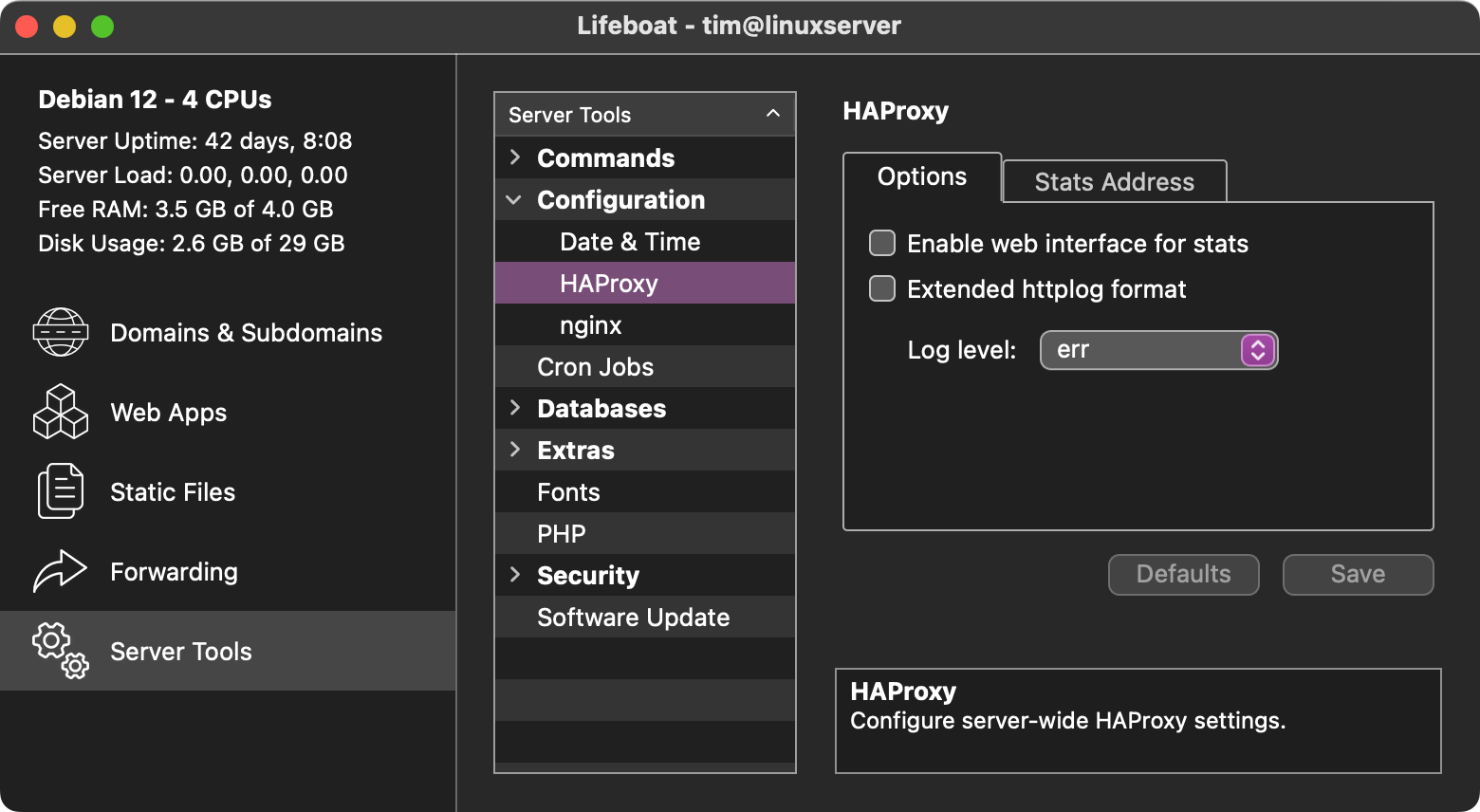
Today’s release comes jam-packed with exciting new features and improvements all around. Load balanced Web Apps are now distributed with HAProxy for more fine-tuned control over the balance settings. Thanks to HAProxy, end users with multiple connections on one IP address can now be balanced to different instances. REST APIs can bypass HAProxy by using the new “HandleURL only app” setting. Apps that are not balanced (Instances: 1) are not directed through HAProxy either.
Also new in Build 228 is a tool to install your own Git Cloud! Migrate off of commercial Git providers and take control of your source code with automated Forgejo setup. Lifeboat will go through the steps necessary to set up and configure both Git and Forgejo. I myself use this feature to host remote copies of my own repositories.
SFTP uploading has received some love too. Both Web App and Static File uploads will now retry a few times when they get disconnected to keep the upload going. Uploads should now feel a little more reliable when connectivity wavers.
Changes for Build 228
New: Load balance with improved session persistence using HAProxy
New: Self-host a Git-cloud with automated Git and Forgejo installation
New: Server windows now remember their positions
Fixed: SFTP retry system works harder to avoid failing
Fixed: Safety check for web paths now checks Forwarding configurations
Fixed: Can no longer attempt to change SSH port to invalid values
Fixed: PHP Update Modules button now appears without resizing the window
Fixed: Renaming cron jobs works again
Fixed: A handful of FolderItem RuntimeExceptions have been resolved
Changed: Web App View Logs button to quickly get from detail view to logs
Changed: Deployment process will no longer start apps that were not running
Changed: Adjustments to the on-server temporary file system that should make it operate more consistently
Removed: CentOS 7 is no longer supported (unable to backport new features)
Removed: Lifeboat no longer requests email address for Lets Encrypt (who are no longer sending expiry notifications)
More information about Lifeboat:
https://strawberrysw.com/lifeboat
Download Lifeboat and try it out free of charge!
https://strawberrysw.com/lifeboat/get
Happy coding!
I seriously LOVE Lifeboat! Yesterday I had a great experience having Lifeboat do the heavy lifting of configuring a new server and deploying an App.
Good job @Tim_Parnell !
Lifeboat really is that great. The automatic archiving feature which I have just turned on is particularly neat.
Kudos points to Tim for an excellent app.
Steve
Build 239
Focus fixed for a snowy day
It is actually snowing here today, but this is also my first “Snow Lifeboat” release that focuses mostly on fixing and improving the major changes from the previous version. Overall this version should be more stable and have a smoother user experience.
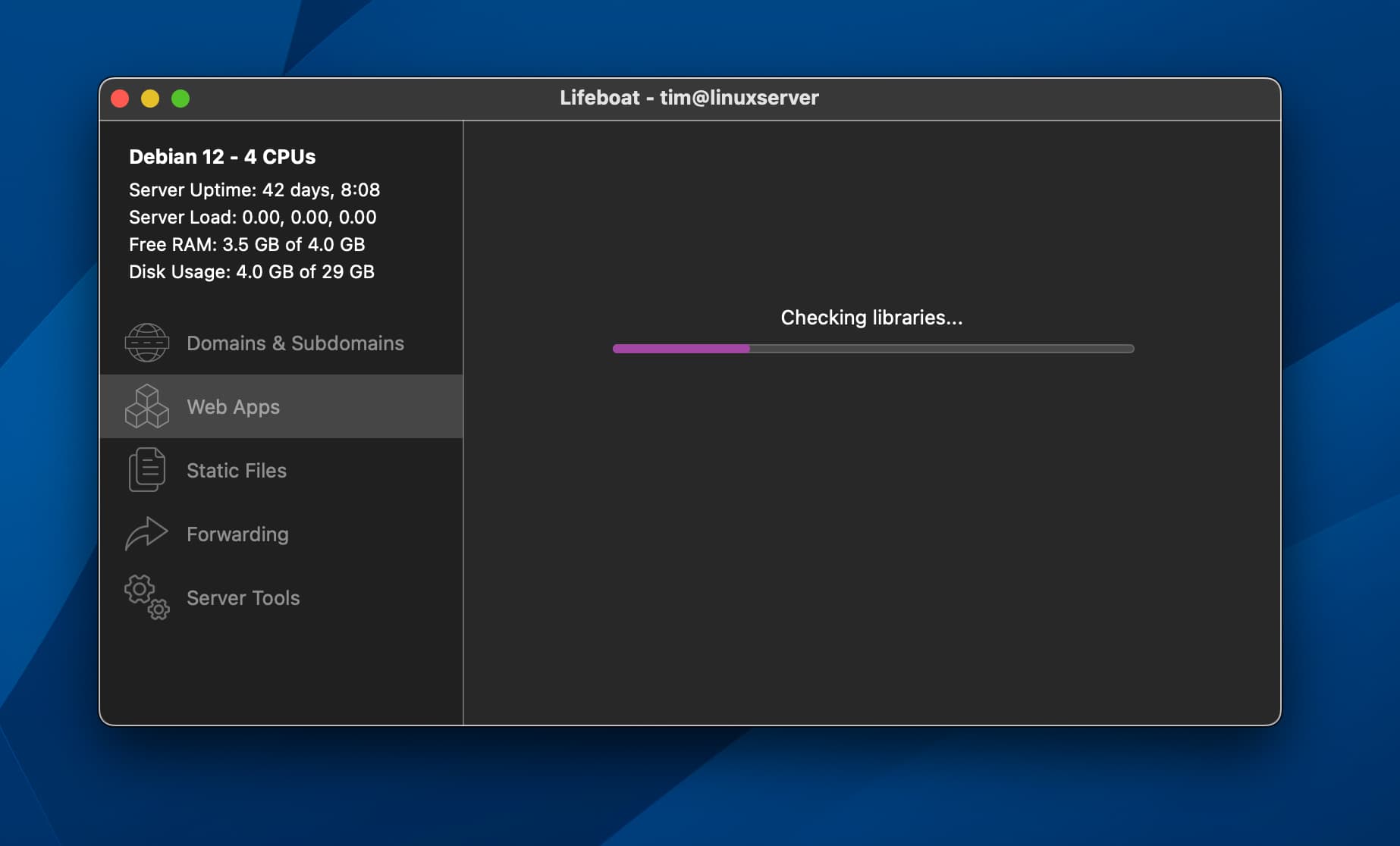
But that’s not to stop cool new features! This latest version of Lifeboat now scans the web app for missing dependencies. Blink of an eye and you’ll miss it fast, this check will help reduce the severity of events in the future where Xojo unexpectedly adds new library requirements.
Changes for Build 239
New: Deployment process checks for missing libraries
New: Manage ssh authorized_keys
New: mod_rewrite support for Easy!Appointments
Fixed: No longer crashes for some Mac users
Fixed: Remote disconnection no longer opens five alerts
Fixed: HTTP/2 setting no longer inverted
Fixed: Saving connections once again shows the error message when test fails
Changed: Sidebar uses color on macOS
Changed: Live App Files tab is now hidden when there are no remote files
Updated: Forgejo 10.0.3
Removed: Debian 10 is no longer supported (HAProxy too old)
More information about Lifeboat:
https://strawberrysw.com/lifeboat
Download Lifeboat and try it out free of charge!
https://strawberrysw.com/lifeboat/get
Happy coding!
Very nice Tim!
Keep updating an already excellent product - I appreciate that!
Tim
Thanks Tim. A great product, recently purchased.
Build 241
Automated auxiliary library installation
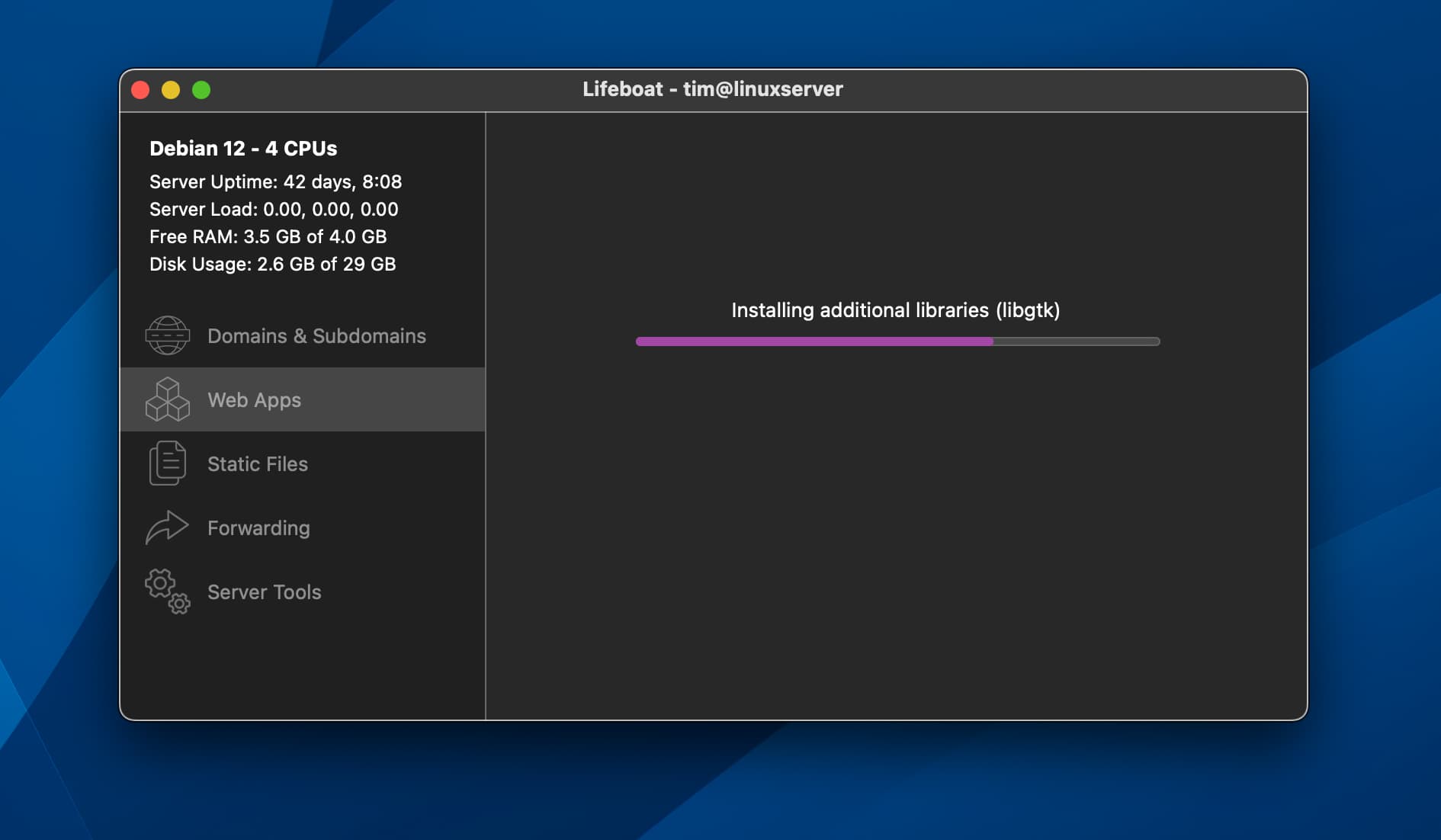
Today’s update refactors the process for installing auxiliary libraries that some (but not all) Xojo Web apps use. Additionally, Lifeboat now checks for and installs libiodbc and will install libsoup-3 if both the Xojo Web app and Server support the update. This release also includes various bug fixes and updates Forgejo to version 11.0.1.
Changes for Build 241
New: Installs libsoup-3 if both the Web App and Server support the upgrade
New: Documentation page about server migration
Fixed: HAProxy load balancing directive "source" now works as expected
Fixed: Developers may now upload a Web App named "libs"
Fixed: Web App upload no longer fails on apps with spaces
Fixed: Dynamically install libiodbc only if a Web App needs it
Changed: Bad Bot Blocker will now be disabled if a config file fails to download
Updated: Forgejo 11.0.1
More information about Lifeboat:
https://strawberrysw.com/lifeboat
Download Lifeboat and try it out free of charge!
https://strawberrysw.com/lifeboat/get
Happy coding!
Good deal! Lifeboat is an essential part of my toolbox. Great product & superb support!
Build 245
It’s been some time since the last update, but that’s because things have been sailing smoothly! Today’s update has some minor bugfixes and improvements that have been added over the past couple of months. There’s also an update for Forgejo.
An important change is that the Smart Upload feature is now controllable from the Advanced panel in Settings. The Smart Upload feature is what checks for unchanged files on the server and skips uploading them. Users have reported wildly different performance for this feature, so it can now be disabled from Settings.
If the “Determining files to upload” step has been taking too long for your liking try skipping Smart Upload. Web Apps with large numbers of files may see an improved deployment speed.
Changes for Build 245
New: Checks hostname is configured correctly during connection to prevent operational issues
Fixed: Improved reliability of Static Files directory listing for thousands of nodes
Fixed: Configuring Forgejo options once again works as expected
Changed: Skip Smart Upload file hash step is now in Advanced Settings
Updated: Forgejo 11.0.3
More information about Lifeboat:
https://strawberrysw.com/lifeboat
Download Lifeboat and try it out free of charge!
https://strawberrysw.com/lifeboat/get
Happy coding!
Thanks Tim!
Build 250
We’re gonna need a bigger (Life)boat
There are so many great things in today’s update it’s hard to summarize them, but I’ll try 
Debian 13 support is here! You may have noticed that Debian 13 “Trixie” is available now on Digital Ocean. Lifeboat 250 is ready for Debian 13 today.
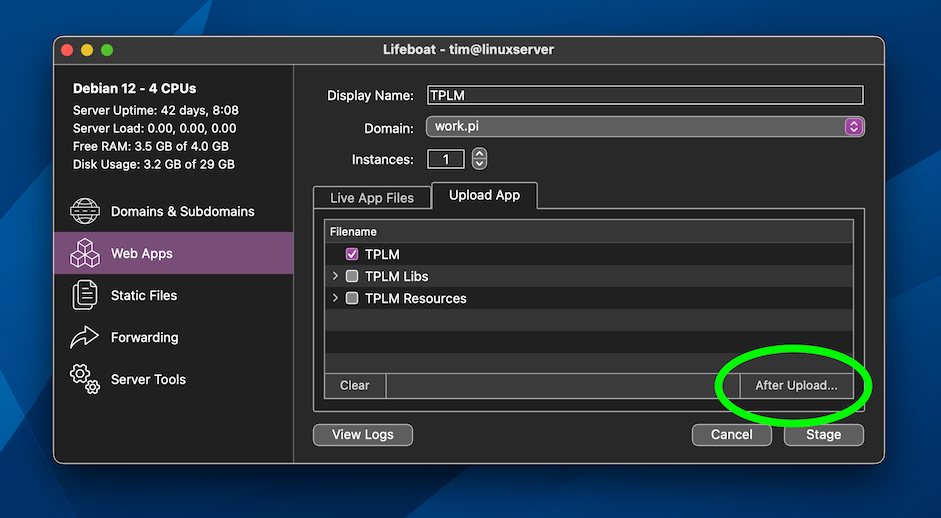
Another highlight is the addition of powerful new after-upload options. With these tools, Lifeboat can now automatically clear the logs, start or stop the web app, and launch the app in your browser. For the first time, you have explicit control over the start / stop behavior, which previously happened only behind the scenes.
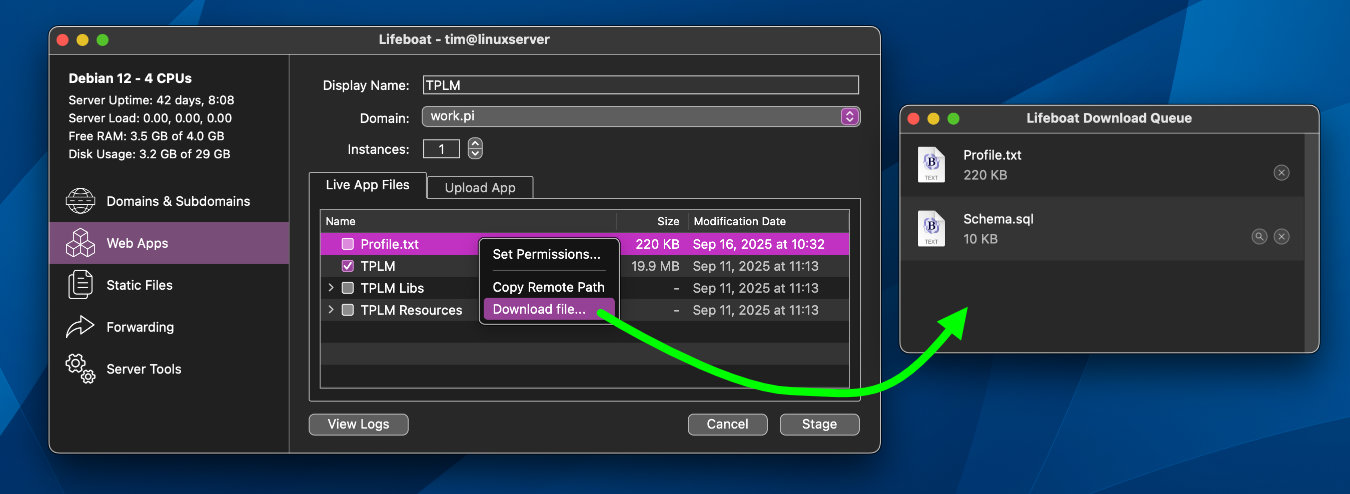
This release also makes it easy download the Xojo Code Profiler output file Profile.txt directly with Lifeboat. Any remote file can now be downloaded through Lifeboat, both remote Web App files and the Static Files SFTP manager. As a friendly reminder, runtime data should be stored in a child of SpecialFolder.ApplicationData!
Changes for Build 250
New: Debian 13 "Trixie" support
New: Automatically set executable flags for helper apps (macOS only)
New: Download remote files from Web Apps and Static Files
New: Added HTTP 308 to Redirect status codes
New: After-upload automation options
Fixed: Removing SSL certificates no longer gets stuck
Fixed: SSH Exception no longer occurs when uploading manual certificate parts out of order
Fixed: Can no longer launch or copy invalid Forwarding URLs
Fixed: Redocly now available on all supported Flavors and Versions
Fixed: Redocly version check no longer includes Node.js warnings
Changed: Cleaner list values for Static Files & Forwarding entries with no Domain assigned
Updated: Forgejo 11.0.4
More information about Lifeboat:
https://strawberrysw.com/lifeboat
Download Lifeboat and try it out free of charge!
https://strawberrysw.com/lifeboat/get
Happy coding!
I can affirm that LifeBoat is an outstanding tool. It is a literal life-saver as it does the install and prep for web apps for the user, and I use it VERY well with DigitalOcean droplets (server spin-ups) and it works so well that I have stopped all self-hosting and have moved all my hosting to DigitalOcean until I can get a “real” data center set up (I just purchased real estate for this purpose and may be breaking ground on my first structures next year).
LifeBoat has saved me many hours of work.
Absolutely correct! It is a really great tool, one I use very very often!
Tim
Build 254
Happy New Year! 
It has been a while since the last update, but that just means things have been operating smoothly. Today’s release features some tweaks and fixes all around. Some important and helpful PHP features as well as usability improvements.
Download Lifeboat and give it a try for free! Deploy your app in minutes, it’s easy and there’s no lock-in.
Changes for Build 254
New: Can now set the PHP max upload size
New: Additional PHP mod_rewrite option for general purpose use
Fixed: No longer restores window positions that are off-screen
Fixed: Sorting SFTP files list by size or date is no longer lexicographic
Fixed: Static Files mod_rewrite options are now radio buttons instead of checkboxes
Fixed: Save / Cancel buttons no longer get stuck disabled if Static Files Error Pages are misconfigured
Updated: Forgejo 11.0.8
More information about Lifeboat:
https://strawberrysw.com/lifeboat
Download Lifeboat and try it out free of charge!
https://strawberrysw.com/lifeboat/get
Happy coding!
Build 262
Don’t panic, Watchdog support is here!
Lifeboat has configured web apps that crash to re-launch since day one, but today’s release brings support for Watchdog, a tool to recover frozen web apps that have stopped responding. Watchdog requires code in your web app, but Lifeboat has you covered. There is a sample project in the user guide with a drop-in class and one-line activation.
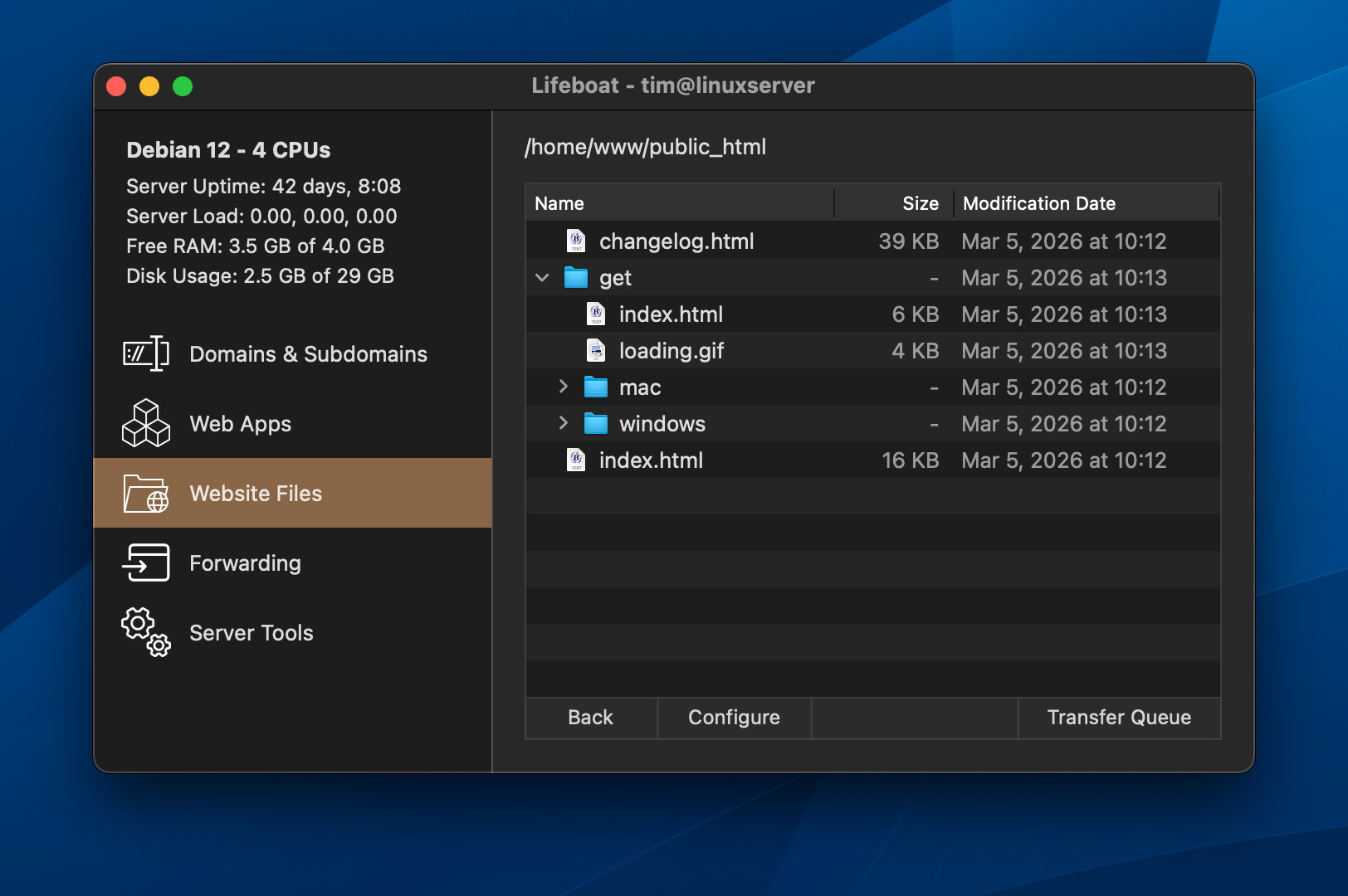
The sidebar has been updated. New icons and phrasing help clarify the sidebar selections. “Static Files” is now “Website Files” to more specifically convey that Lifeboat can host your regular websites, too!
Managing website files is now much easier than before. The SFTP view in Lifeboat has had a significant overhaul and now behaves like a file manager. Drag & drop files to upload and relocate, rename, set permissions, download files, asynchronous transfers, and ICONS!
It is now possible to manage your website entirely with Lifeboat. I am extremely proud of this update, a lot of work and testing went into building a better experience. Please download Lifeboat and try it out for free!
Changes for Build 262
New: Overhauled Website Files SFTP view and functionality
New: Web App hang detection with Watchdog service
New: Option to allow nginx to pass underscores through Headers
Changed: Clearified sidebar icons and terminology
Changed: Log viewer text area padding on macOS
Changed: Menu item ellipsis usage now consistently indicates "further input required"
Fixed: Web App History list now localizes the Date Deployed
Fixed: Web App History list size column is now consistent with other file lists
Fixed: Web App Live Files list now sorts sizes and dates correctly
Fixed: SFTP Files Copy Remote Path no longer downloads the target
Fixed: SFTP Files Remote URLs are now properly URL Encoded
Fixed: Configuration failure that could occur with new Web Apps
Fixed: Changing a forwarding address no longer leaves a stale configuration at the old address
Fixed: Typo'd the word irreversible in an embarrassing number of places
Updated: Forgejo 11.0.11
More information about Lifeboat:
https://strawberrysw.com/lifeboat
Download Lifeboat and try it out free of charge!
https://strawberrysw.com/lifeboat/get
Happy coding!
This is a cool feature, Tim!