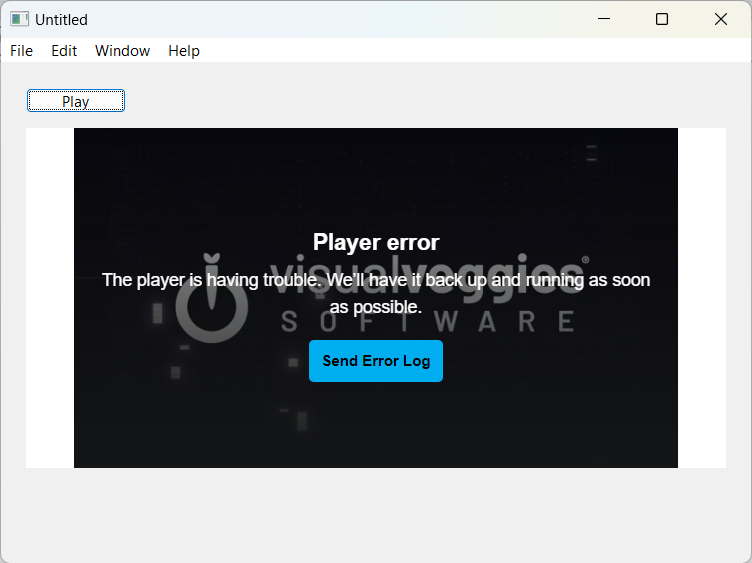
I recently heard from two customers who are seeing “Error 153 Video play configuration error”. I have an HTMLViewer for playing an embedded YouTube video. The issue seems to be Windows-related, and more specifically build number 26100 on Windows 11. I tried to update my Windows machine to this but cannot get past build 23something. I searched online and see 26100 is rolling out slowly to only a few users at a time, so I cannot confirm this as I cannot update to it. My version of Windows is playing the videos just fine (Mac too)
Has anyone updated to version 10.0.26100? Maybe if you have, can you test it out?
I’m looking for any alternatives that may help. I thought of using a MoviePlayer to play the URL, but I think that is looking for an actual movie file and cannot play via YT URL
I’ll look into this. Problem is that I can’t seem to update my Windows machine to this build, so I wouldn’t have a way to test it other than posting a sample project here first others to test for me
I, too, just got the 26100 update and am willing to help. If the YouTube link is something you can share, please post a sample project here (extract and isolate the problem in a separate, new project). You don’t have to compile anything.
I’m interested in this problem, but have been working to migrate videos to my own hosting. Some of our colleagues have experience setting up a CDN if you’re interested in that route too (i.e. expecting high worldwide demand). There are a plethora of issues around YouTube that make it difficult to use for small commercial applications.
I’ve been contemplating an alternative to YouTube and have been considering Vimeo. I’m not sure if switching to Vimeo or other video host would help with this Windows version issue, but I like how I can have more control over the player in Vimeo (such as preventing the ability to copy the video URL), which is something YT lacks
IMHO the biggest issue with using YouTube embedded in an app (technical stuff aside) is that they are getting increasingly aggressive about advertising, and you don’t want your users to have to sit through an ad.
For me, that makes the annual Vimeo subscription well worthwhile.
Obviously your own hosting gives you far more control, but you’ll also need to create your own html player and manage codec support via operating system, dynamic bitrate and resolution support based on throughput detection, so there are significant engineering challenges to overcome if you want to do it right.
Another option is to include the videos in your application bundle. I’ve done that too, using Quicktime for MacOS and WMV for Windows.
Problem with this is that I have over 120 videos with a total size of 400+ GB
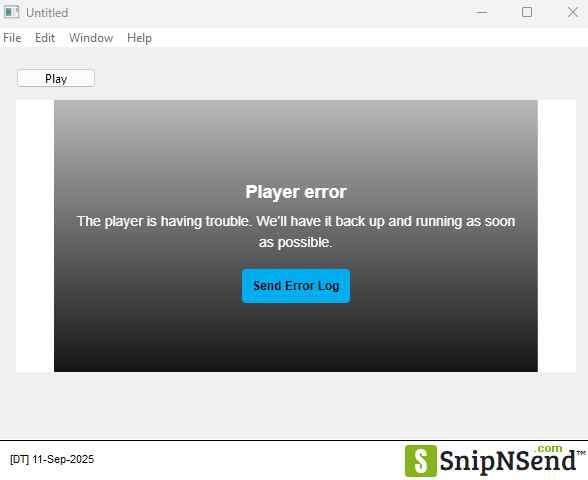
I am testing out Vimeo as a potential alternative. Is there a trick to get this to work (embedded into desktop app) on Windows? I get a Player error on my Windows 11 build version 22631
Hmm, thanks for testing this Wayne. I wonder if it could be something else on the customers’ computers that’s preventing the vids from playing
@SteveP - is that the Vimeo sample I sent this afternoon, or the YouTube one from this morning? If it’s the Vimeo one, it could just be that I set something up wrong. Worked on Mac though
Since this is still a problem 2 years later I think it’s worth creating a ticket about. Ticket #79876.
This won’t be very helpful due to this issue, but here is a reusable Vimeo component with events and methods. Works well on Mac but it could be adapted to use WebView2MBS on Windows.
Just circling back on this topic. It seems the issue is now starting to affect Mac users too. So far I’ve had two Windows users and today was the second Mac user who sees the configuration error when playing an embedded video in a desktop app via YouTube
Oddly enough, on my Mac, I have my app which my users use, and that plays the videos just fine. I also have my business app (Xojo-built) I use for customer management and also for creating content in my apps. One of the parts in my business app is the list of videos, and I have a Preview button so I can preview it. I do see the YouTube error here in my business app but not in the user’s app, both on the same Mac. The preview button in the business app used to work some months ago (I don’t use it often), so I’m not sure when that started not working. Both the users’ app and my business app have the same code to play the video in an HTMLViewer, so I don’t think that’s the issue
This is starting to become a puzzling situation. I wonder if YouTube has made some changes they’re slowly rolling out which affects embedded videos in desktop apps
I have a bandaid solution for my customers experiencing this issue until I can work on a permanent solution, whether that be continuing to use YouTube for videos or an alternate source
I’m open to anyone’s feedback or experience who also might have deployed desktop apps that utilize YouTube embedded videos
YouTube is indeed making drastic changes as they try to lock-out third-party clients that are enabling things like downloads and ad-blocking. One of the changes is a drastic increase in the complexity of the javascript challenges used to validate the official player. This may or may not have something to do with what you’re seeing.
Per @William_Yu‘s comment on the issue, the Vimeo issue is a different one. Vimeo uses DRM and encrypts their content and the HTMLViewer lacks the required component to decrypt it. I was not able to successfully sideload the decryption component into the runtime, but since WebView2 uses Edge, which ships with the component, it will be able to play Vimeo out-of-the-box.
Thanks for sharing the Issue. I saw there was a sample project William posted. I tried to run it on my Windows and got this error. Looks like my Win meets the Windows version requirement, but it just goes into an event loop after displaying that error
I got around to playing with the WebView2 project posted by William in the Issue. It seems as though the Windows 10/11 setting needed to be switched on in the Windows build settings in the additional gear settings. This worked with getting the Vimeo videos to play on Windows
An oddity I noticed while testing. In the XAMLContainer1.Opening, if I comment that out and call the XAMLContainer1.Navigate(Vimeo URL…) via a button press on the same window, the video loads and begins playing, but the Vimeo controls on the screen do not respond. As a workaround, I had to make a public String variable in a Module for my txVidID, save the Vimeo ID there, and open a new window with the XAMLContainer.Opening like this
Posting in case this helps anyone else out who is struggling with the YouTube embedding issues, wanting to switch to Vimeo, and is using William’s WebView2 project here https://tracker.xojo.com/xojoinc/xojo/-/issues/79876
I would also be curious if anyone knows how to get the player controls responsive when the call to the XAMLContainer is made on the same window via a button press. I will upload a sample in a moment