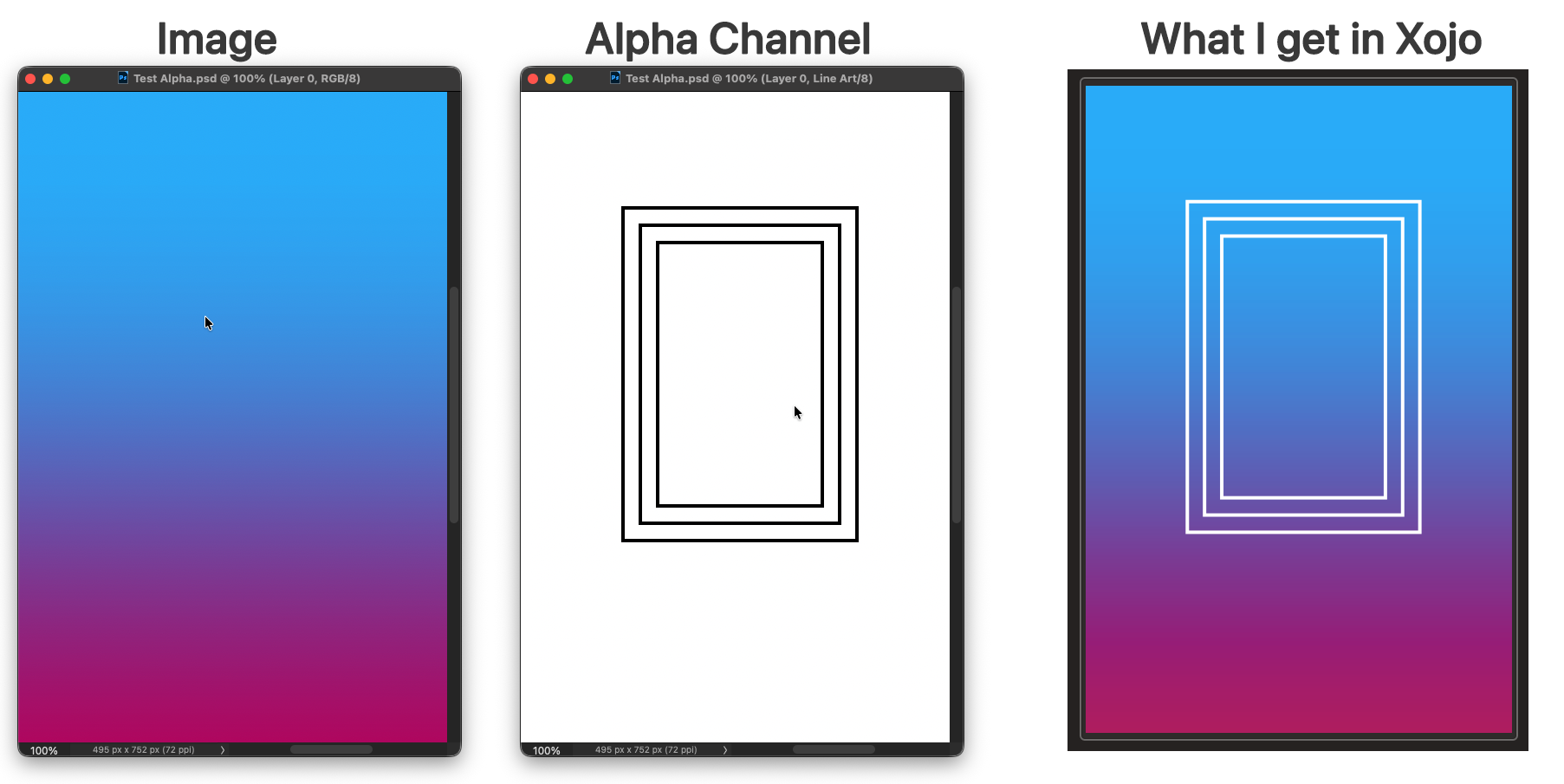
I still get the alpha channel coming though.
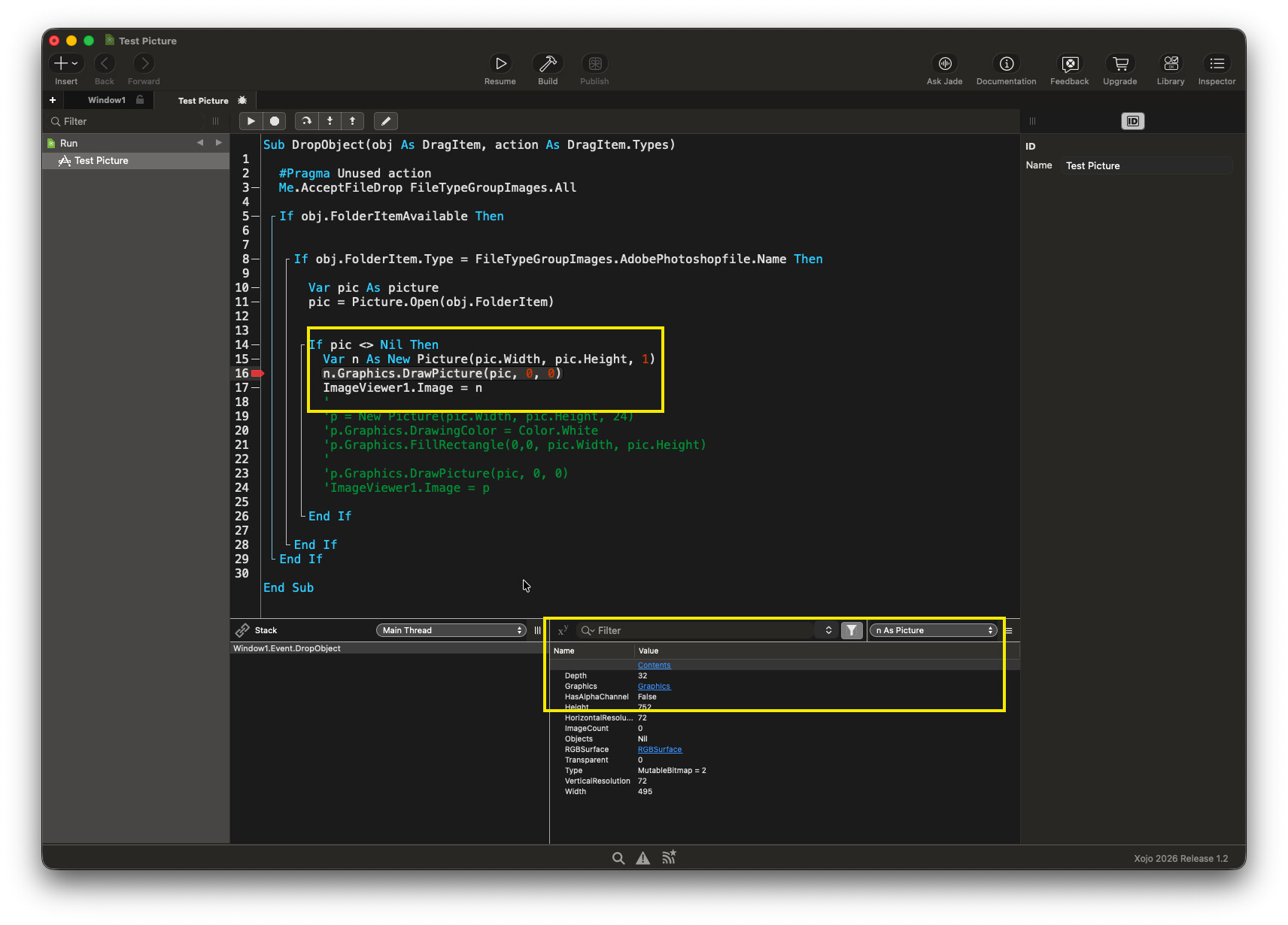
No matter what you set the bit depth to when using new Picture(pic.Width, pic.Height, 24) Xojo ALWAYS sets it to 32-bit.
Var pic As picture
pic = Picture.Open(obj.FolderItem)

If pic <> Nil Then

  var n as new Picture(pic.Width, pic.Height)
  n.Graphics.DrawPicture(pic, 0, 0)
  ImageViewer1.Image = n

End If
I think I understand what you’re trying to do now. You want to use a PSD as a mask for a Xojo picture object? If so, you can draw that to the Picture.Mask graphics context if creating a picture with a defined depth, or use ApplyMask otherwise.
Yeah, but it is still true that specifying a depth (any depth; 24 is just a reminder of the fact that you are dealing with three RGB channels with 8 bits each) gives you a picture without an alpha channel whereas omitting the depth parameter creates a picture with an alpha channel. That’s according to the documentation and it’s actually true as revealed by checking Picture.HasAlphaChannel.
This is what multiple people in this thread have said is not true. Since very few people here test things before writing, I’m not really sure who to believe.
You can also check the Mask property of the picture. If it’s Nil then it’s a new style picture with alpha channel, either created by omitting the depth parameter or using Picture.Open/Picture.FromData. If it’s non-Nil then it’s a Picture object that has been created using the Depth parameter.
It is true that the Depth of all picture objects, regardless of whether the depth parameter was supplied, is 32, which I didn’t expect and is probably a bug that I doubt they’d fix.