Thanks for checking! I really appreciate it, thank you.
In Xojo (or was it still REALbasic back then?) it was originally the case that you could specify a depth of 8 or 16 bits and get a picture with 256 or thousands of colors. But then again, when did we last deal with pictures with less than 24 bits (except GIFs)? So the 8 and 16 bit pictures were removed at some point, but that happened long ago and I’m not sure with which version. Anyway, from then on any specified depth gave you 24 bits for RGB, and with a 4th byte for transparency (i.e. the alpha channel) this makes for a total of 32 bits.
Here’s some code I used to test with:
var depths() as Integer = Array( 8, 16, 24, 32, 0 )

var current as Picture
for each i as Integer in depths
  current = generatePicture( i )

  System.DebugLog( "--------------------" )
  System.DebugLog( "Creating with Depth: " + i.ToString( "#" ) )
  System.DebugLog( "Depth: " + current.Depth.ToString( "#" ) )
  System.DebugLog( "HasMask: " + if( current.Mask is Nil, "False", "True" ) )
  System.DebugLog( "HasAlphaChannel: " + current.HasAlphaChannel.ToString )
next
Public Function generatePicture(depth as Integer) As Picture
  var result as Picture
  if depth > 0 then
    result = new Picture( 10, 10, depth )
  else
    result = new Picture( 10, 10 )
  end if

  Return result
End Function
Results
           : --------------------
           : Creating with Depth: 8
           : Depth: 32
           : HasMask: True
           : HasAlphaChannel: False
           : --------------------
           : Creating with Depth: 16
           : Depth: 32
           : HasMask: True
           : HasAlphaChannel: False
           : --------------------
           : Creating with Depth: 24
           : Depth: 32
           : HasMask: True
           : HasAlphaChannel: False
           : --------------------
           : Creating with Depth: 32
           : Depth: 32
           : HasMask: True
           : HasAlphaChannel: False
           : --------------------
           : Creating with Depth: 0
           : Depth: 32
           : HasMask: False
           : HasAlphaChannel: True
Yeah, I remember that well, and lobbied at the time for them to not drop support for limited color depths as we still needed them in some cases. There was a compromise, but what I can’t remember is if it was an internal change or something we needed to do in our own code. Old man brain fog and all that.
1 Like
Btw I suppose 32 bits are used even in the absence of an alpha channel because it is simpler to deal with 4 rather than with 3 bytes.
2 Likes
Quite probably.
Tried that. It’s still black where the alpha channel has information. I wonder if using Picture.Open is baking the alpha channel into the RGB Color channels?
I’m looking through MBS examples to see if I can find anything that removes Alpha channels, or can fill the alpha channel with white.
To fill the alpha channel white using MBS you should be able to do something like:
Dim p As PictureMBS

p = New PictureMBS(np, True)
p.AlphaChannel.FillRect(255)
That changes the alpha channel information, but it’s still black where the alpha channel had solid black when the app opened the image. I think Xojo is baking the alpha channel information right into the RGB channels.
When I use the code below, it returns the color &c00000000 before, and then &c000000FF after.
That area is a solid blue color in photoshop, and the alpha is 100 black.
Var surf As RGBSurface = pic.RGBSurface
Var p1 As Color = surf.Pixel(0, 0)
I did another experiment with a psd, where the alpha channel had blocks of black from 0% to 100% solid.
70, 80, and 90% had very very slight color changes. 100% is solid black. 60% and under had no visible change.
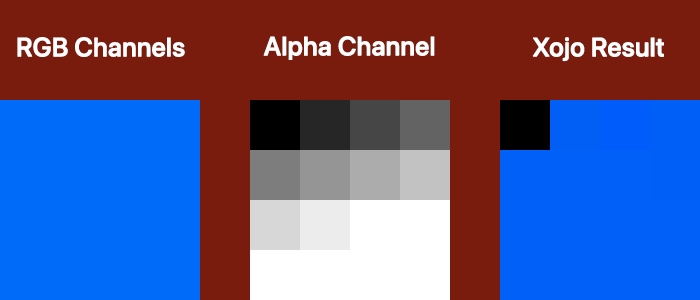
I think what you are trying to do, is handling of layers or channels, like in Photoshop, but Xojo can’t do this.
If the pixels are still black then it probably means they are really black in the foreground RGB channels and the alpha channel is hiding them.
There is no black in the original Photoshop RGB channels. None. Nada. Zip. Absolutely no black at all.
Xojo is adding black to the RGB layer when it opens the image because that portion alpha layer is 100% solid.
If you don’t believe me - here’s the photoshop file.
Test Alpha.psd.zip (3.8 KB)
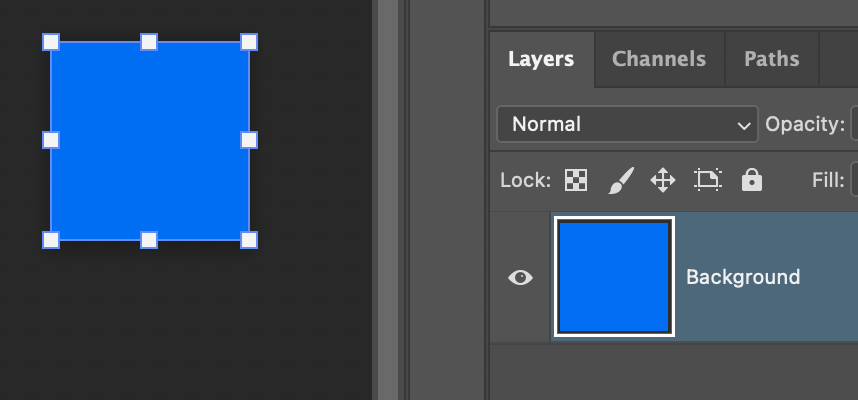
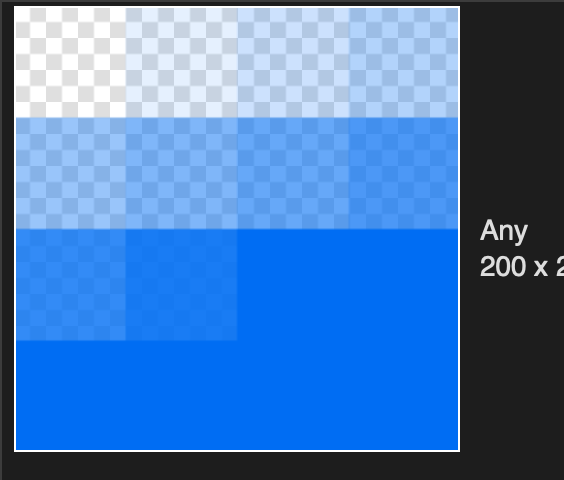
There’s just a blue background layer in that file…but Xojo renders it partially transparent. That’s wild.
In Photoshop:
In Xojo:
A couple of tests:
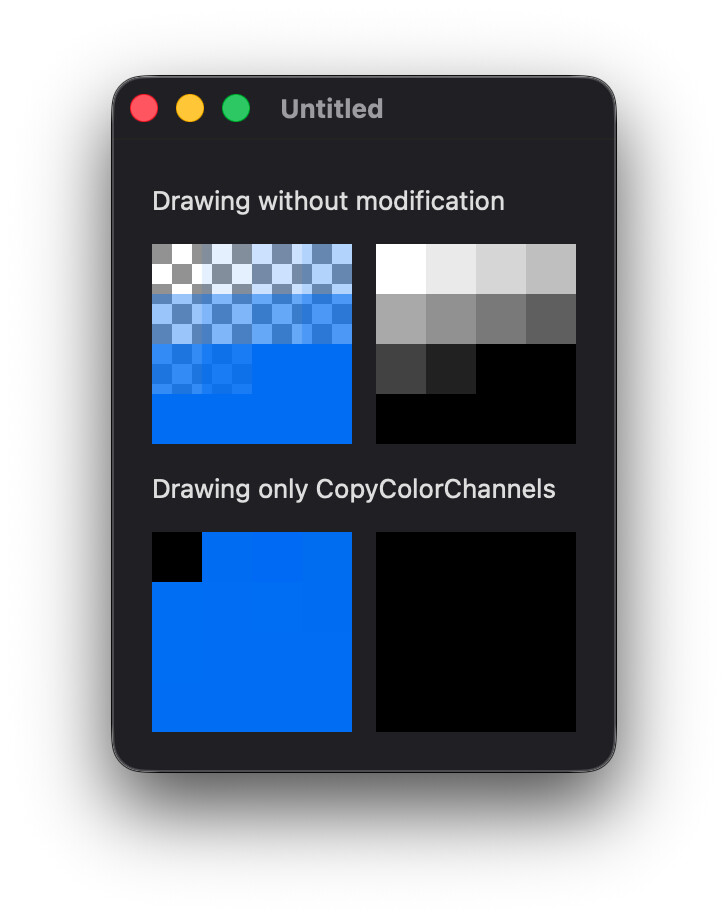
So, what this tells me, is that macOS is somehow rendering this differently than is intended, because Xojo relies on macOS to render this file type.
From what I can remember, Photoshop file support is a feature of CoreGraphics so the problem might not be Xojo’s fault.
What happens if you open the image in Preview?
It’s not only a blue layer, there is also an alpha channel named “Line Art”.
1 Like
Ah, yeah, I always forget to check the channels, even when editing my old PSDs. 
So macOS is rendering the disabled Line Art channel. Removing that channel produces the expected result:
1 Like
Well, if I save the files as a tif with an alpha channel, using TiffPictureMBS works to get rid of the alpha channel without affecting the colors of the RGB layer.
Now if Christian could add a PsdPictureMBS plugin…
I know that PSDs can get complicated with dozens of layers, multiple alpha channels, Smart Objects, layer masks, Shapes and more… but Xojo not being able to properly open a flattened RGB file with one alpha channel? 
It’s important to remember that PSD isn’t an officially supported format in Xojo. It just “works” because the OS returns something Xojo can use.
1 Like
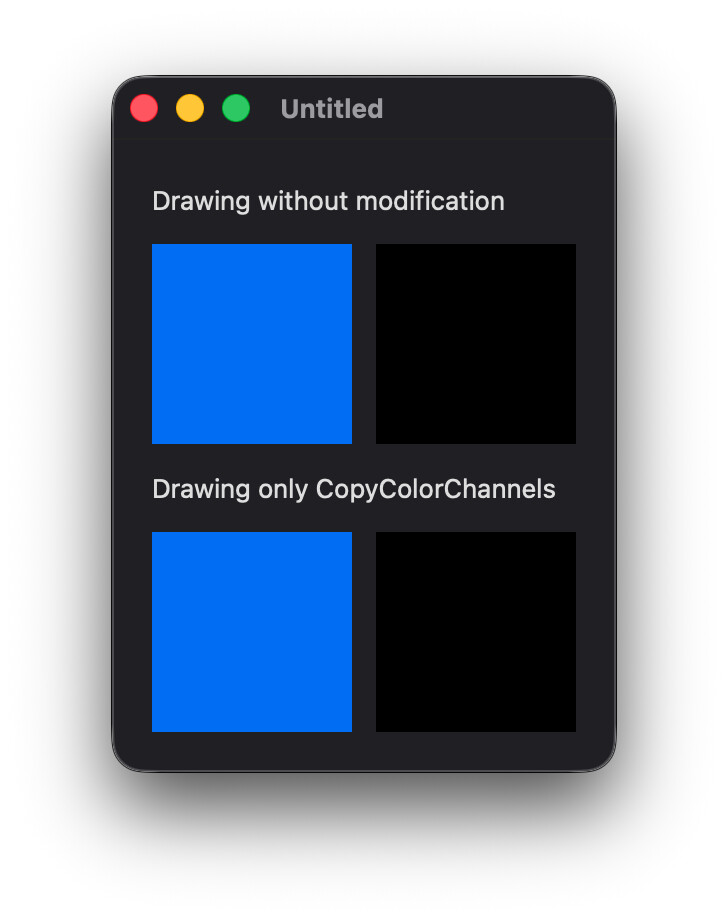
It’s strange … When I use CopyColorChannels, i.e.
var p as picture
p = pic.CopyColorChannels
ImageViewer1.Image = p
then the app displays black rectangles. When I use my own suggestion of drawing into a supposedly alpha channel-less picture, i.e.
var p as New Picture(pic.Width, pic.Height, 24)
p.Graphics.DrawPicture(pic, 0, 0)
ImageViewer1.Image = p
I get three white rectangles – but never a completely opaque picture. This suggests the rectangles aren’t really baked in because it that case the result would always be the same, not sometimes black and sometimes white rectangles where the alpha channel had been. But there is something strange going on anyway.
Out of curiosity I’ve opened the PSD file in GraphicConverter and deleted the alpha channel. Much to my surprise the result wasn’t an opaque picture but an overlay of black rectangles. Then I opened the file in Photoshop, saved it again in TIFF format, and deleting its alpha channel in GraphicConverter produced the expected opaque image. But still no luck with Xojo; opening the TIFF rather than the PSD file changed nothing.
Looking at your sample file - that’s an anomalous file, or at least it is being read by a system that is making assumptions about how to interpret the Line Art channel. That channel is tagged as “selected areas” in Photoshop; it isn’t supposed to be an alpha channel or a mask. My hunch is that some code in the operating system assumes that any extra channel is an alpha channel or mask and is treating it as such.
You may have to look at some system that will strip off this channel before your Xojo code even sees it. It’s possible that you could get your hands dirty with CGImage and friends and figure it out natively, or take a shortcut and use some command line tool to isolate the color data from the extra channel(s) - look at the ‘sips’ command on macOS or go whole hog and install ImageMagick.