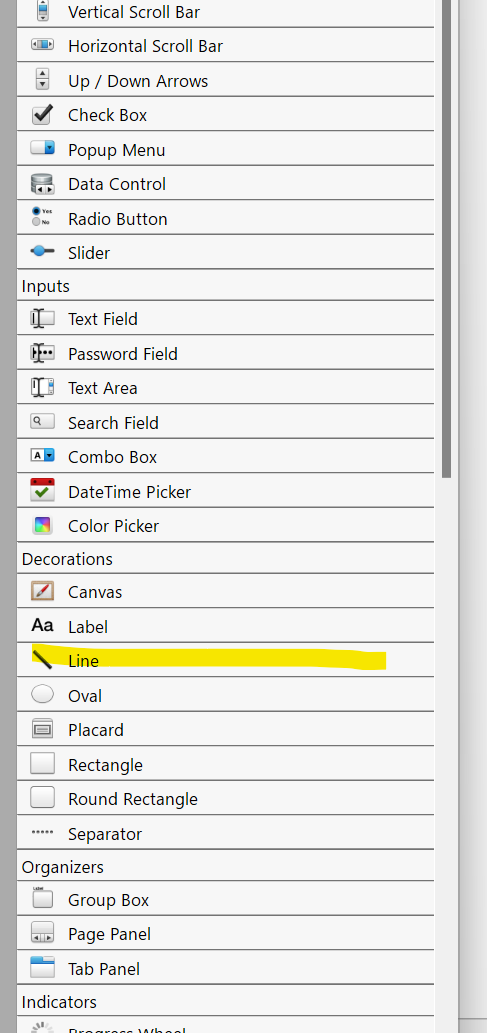
In one instantiation of Xojo the line control is missing. Search yields no result.
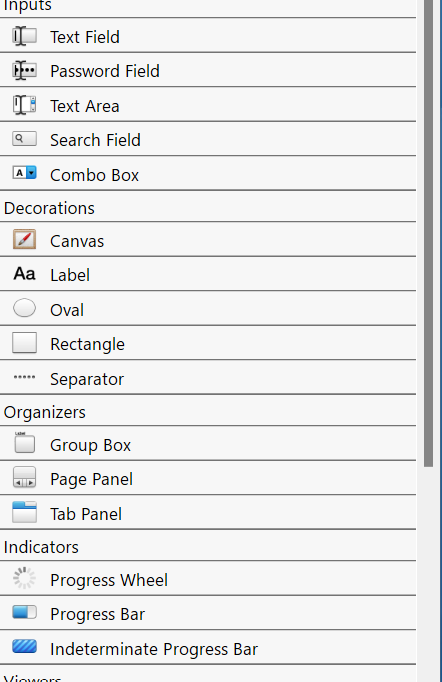
In another instantiation the line control is present. How is that possible?
In one instantiation of Xojo the line control is missing. Search yields no result.
In another instantiation the line control is present. How is that possible?
Different Xojo versions?
In General I would suggest to configure this list to sort by Alphabet and without the group headers.
No both 2021 release 3. I try a reinstall
Fresh reinstall solves the problem, but when I open a specific project, line control is gone. Strange.
Has one project been converted to Desktop API 2 and there is no line available for API 2?
That is a possibility. But, 2021.3 is standard API2.0 right? So a fresh install has the line control, I load my project, the line control disappears and with a new project it does not reappear. It is gone forever…
So:
Old project = api 1?
new project = api 2?
Projects created in a version before R3 is still api 1 if you open it in R3 and have not converted anything.
On my R3 for windows with a new R3 project the Line is gone, but if I open a project created in an earlier version, the Line is there.
So Line is gone for Api 2
Aha, didn’t know that the line control was deprecated…
Strange decision… how to draw a colored line?
That is something I want to know too 
Drop a canvas and draw a line there.
Maybe draw a rectangle with a height or width of 1…
Maybe… not tried it myself…
TC
Yeah, the canvas. Complicated for small containers.
What do you mean?
I have some small containers I use for buttons. A selected button shows a colored line, but the buttons are small. I just ran a quick test and a rectangle with 1 pixel height works.
Sugar, yes, the line disappears after converting to Desktop API 2. I use some lines to align controls. Those changes are really annoying.
Now, I remember:
I stopped using lines because sometimes its display aas erratic.
I replaced that with g.DrawLine in Window1.Paint.
Another squashed bug.
Yep. They, don’t know how, created a simple line control that sometimes showed as a straight line and sometimes as a crazy diagonal line, messing the design and never fixed it. It was a “random line control”  , so I was forced to removed it from the layout. I think that they preferred to drop it instead of fixing it, I don’t know why.
To be clear, it is removed from the library when the super of the Window is changed to DesktopWindow because the library now shows the new Desktop controls.