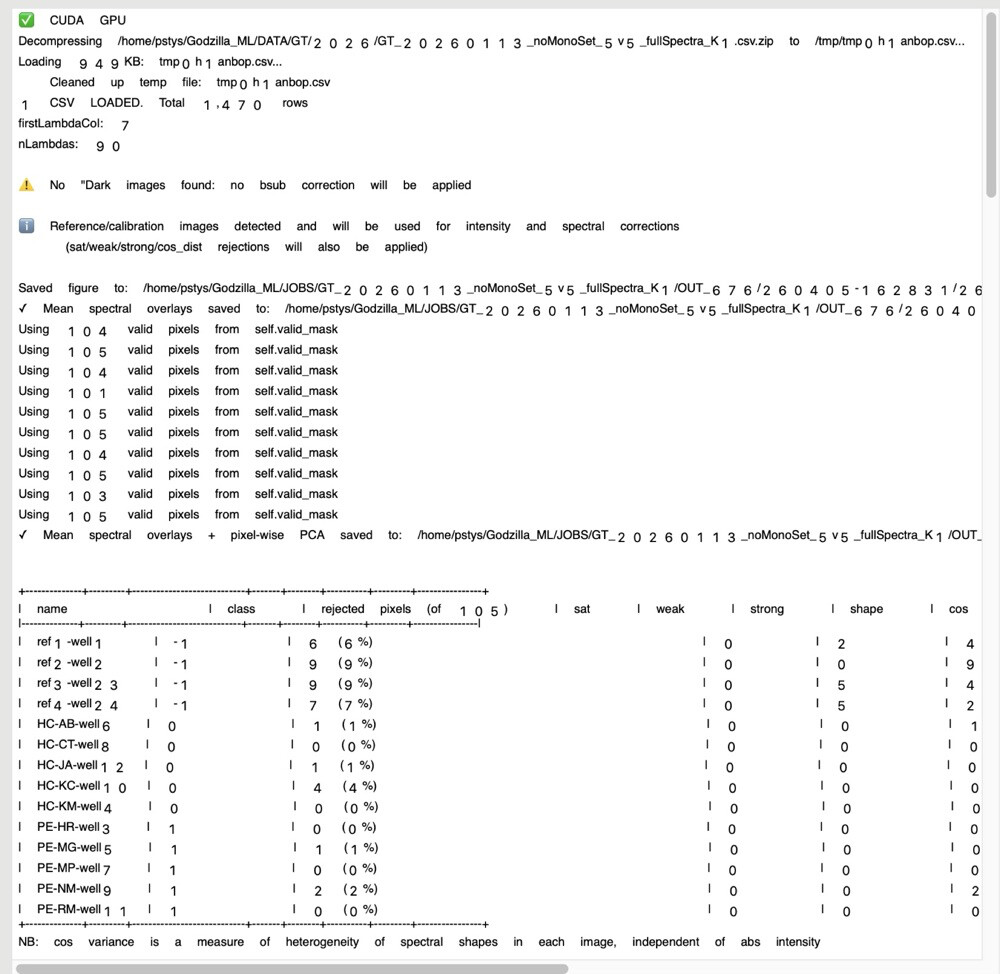
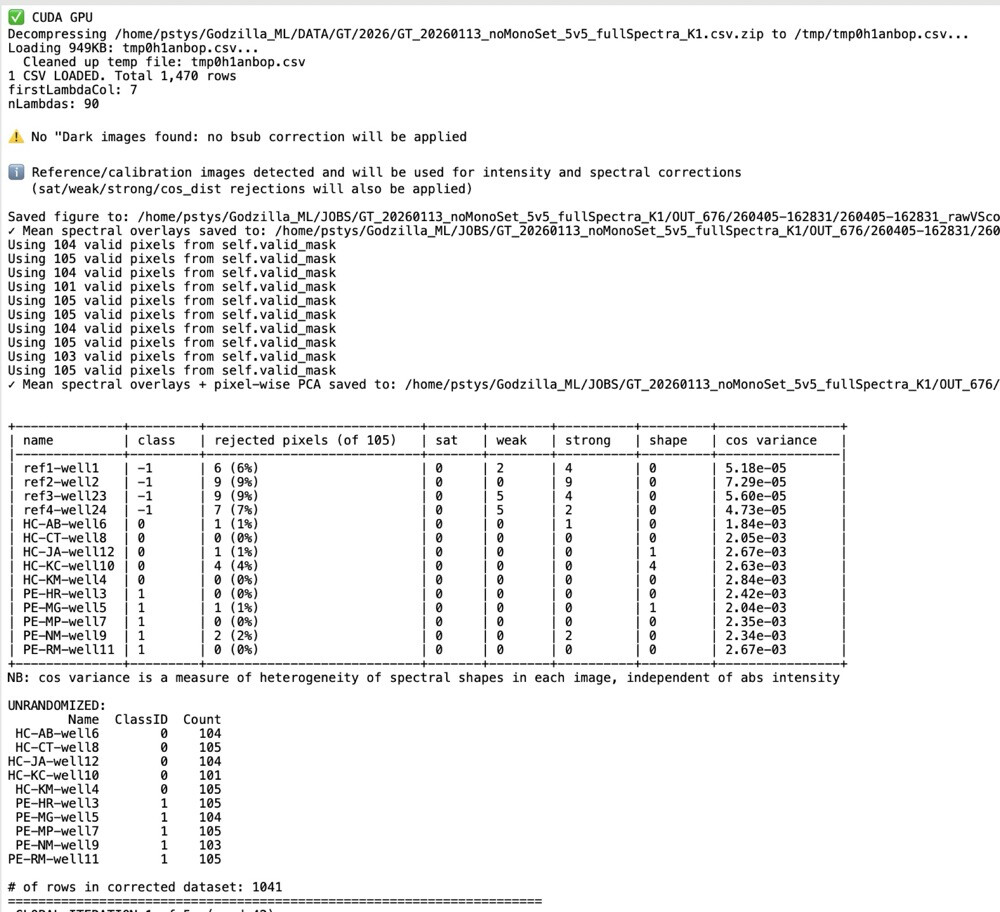
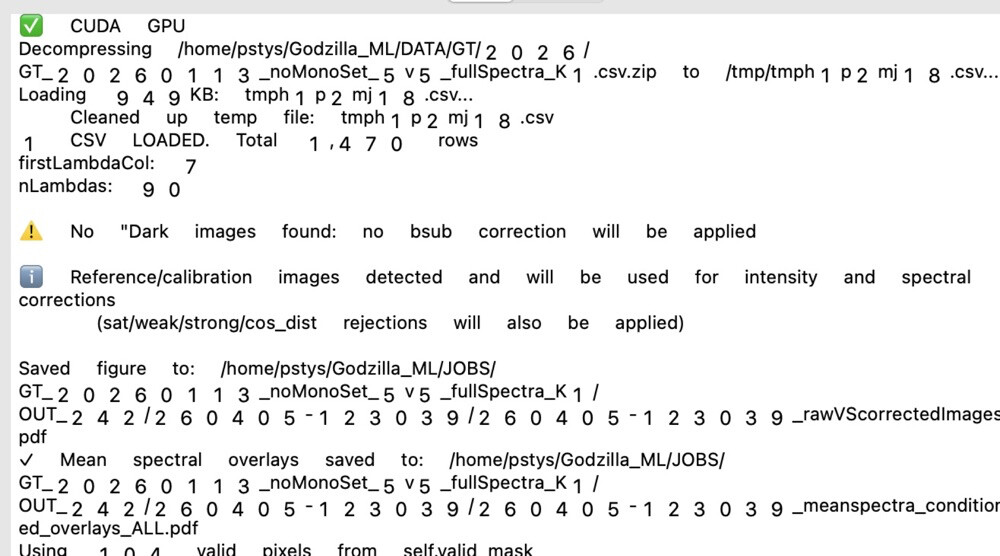
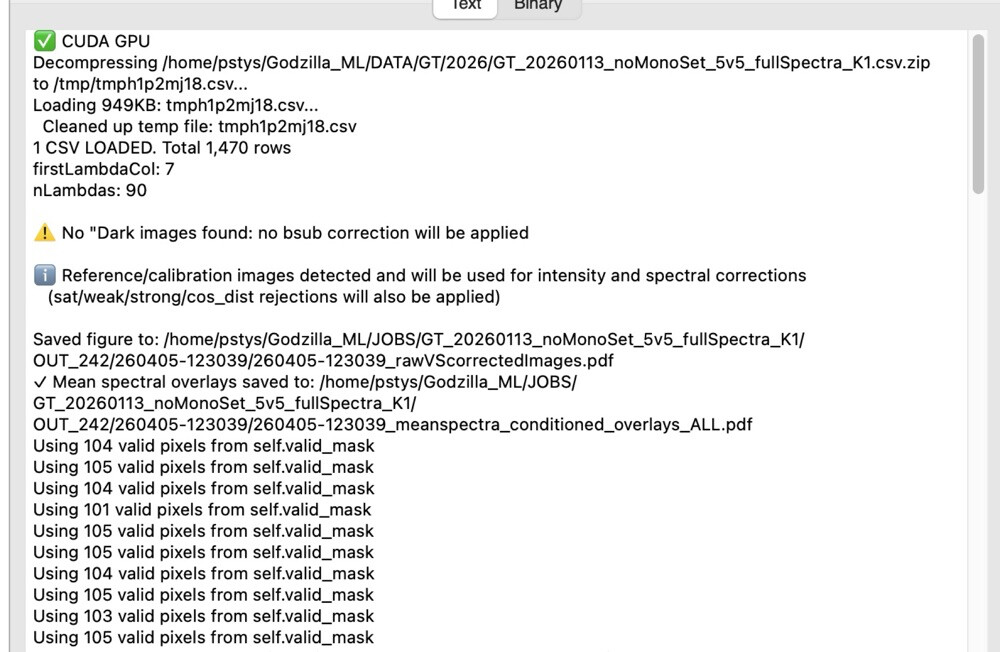
If I strip all non-ASCII chars the rendering is always correct.
Does anyone have a tip on how to force a correct rendering? Obviously Xojo knows how, but often chooses not to (seemingly at random because this is not always like this, in fact while my job is running many lines of output that include emojis display fine, then all of a sudden the rendering gets mangled and stays that way).
it’s output written to a text file by a python script running on a compute server, copied locally via rsync every x seconds, then displayed in the client app’s DesktopTextArea. The remote or local copy of this output file displays just fine in BBEdit, so the file contents are intact.
This shouldn’t be necessary – once you’ve read the text in via the TextInputStream with the encoding defined as UTF-8, it will carry that encoding as the string moves through your code. And if you DO need the DefineEncoding, you’ve got a problem somewhere between the read and pushing the data into the text field that is causing the text to lose its encoding.
I’d suggest you remove the DefineEncoding and see what happens.
i agree, i was adding random stuff to try to work around the issue. This did not make any difference. What did “solve” the issue (so far anyway, still testing with other jobs):
I just tried various random things out of desperation and this seemed to work. Don’t ask me why, but when you switch to another app and then back to xojo and the debugger string inspector field magically re-renders correctly, anything is possible. But clearly there is a rendering issue with multibyte emoji chars.
I get that with TextEdit, with pasted URLs that I took from Firefox.
Sometimes only, and with Tahoe only (I never get that previously).
I was thinking at gremlins characters, so I pasted the url in Xojo Code Editor, but get no warning (as Xojo can do when it detect some gremlins chars), and when I Copy (from Xojo) / Paste (back in TextEdit): the trouble still is there.
I do not see that since a week or more…
I agree that there MIGHT be an issue, but what I’ve seen so far doesn’t prove it. Perhaps you could upload a cut down project that we can look at, ideally also with an unmodified data file that it reads.
but look just at the example of the debugger string inspector field’s screenshots i included originally, and how the rendering changes after i switch to another app then back to xojo, same string data. this tells me there is a rendering issue.
I would say its encoding issue making assumptions about the encoding.
Rendering issue is not something it could be since the DesktopTextArea is native Apple control on macOS, Xojo does not render anything. So unless you think Apple has bug (which would then affect all applications on macOS) then you can safely assume the issue is what your feeding it, if you feed it something that has been promised to be of different encoding than it actually is then you will get things incorrectly drawn and in some cases you will get crash.
Recently, I get an entry in a window opened in the Finder (Tahoe) who was drawn as Bold text when the other entries were as usual (List Mode).
It was a folder created by JDownloader2 to store data from Internet (from You Tube).
I do not had time to make a screen shot; when I wanted to do it, the behavior disappeared.
Bjorn, pls re-read my example pertaining to the debugger’s string inspector field at the start. How can switching from/back to xojo and seeing a different rendering in that field be an encoding issue? it’s exactly the same string. I don’t know who’s doing the rendering, whether Apple or Xojo, but whoever it is, can’t do it reliably.
who knows maybe ur right, but so far the below kludge has resolved the issue after multiple test runs, further raising my suspicion of a fundamental rendering problem:
Great that you’ve found a workaround that happens to fix your particular situation, but it would still be helpful if you could provide code and data so we can determine if there really is something wrong under the hood. Personally, I think that’s unlikely, in which case we may be able to improve your code; but there’s no way to tell without further information.
To me it looks like the TextArea is just using the wrong font for rendering (Helvetica instead of Menlo). The symbols are correct, right? Have you tried setting the font after setting the text?