I kept running into the same annoyance: the IDE’s help only reaches the documentation of the version
it belongs to. I have 30 Xojo releases installed, and the docs for the older ones may as well not
exist — the pre-2019 sets are in a SQLite format nothing opens any more.
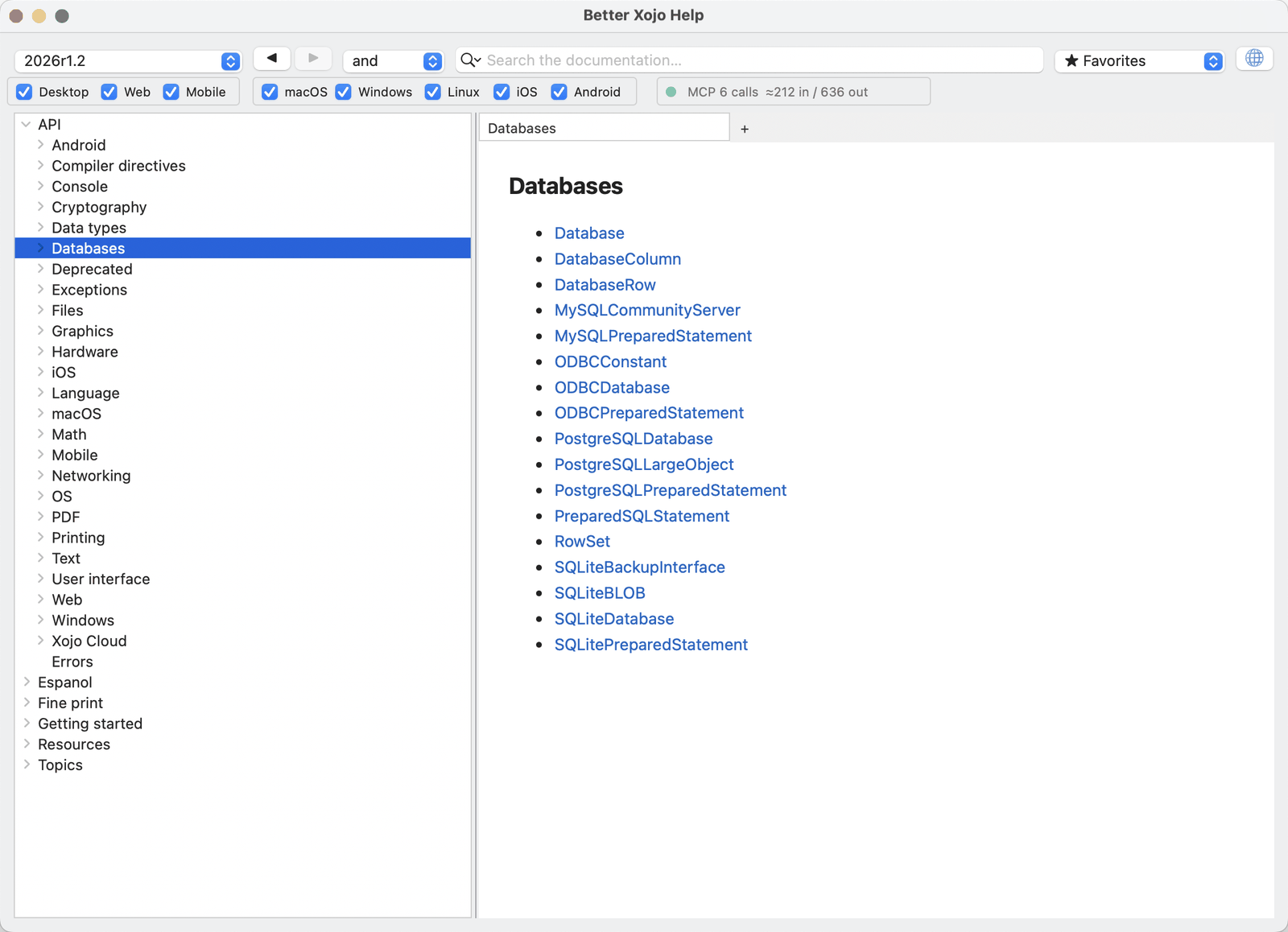
So I built Better Xojo Help, a small Xojo desktop app that reads all of them from one window,
with a popup to switch releases.
But the real reason I kept working on it was search. I find it genuinely hard to locate the exact
thing I want in Xojo’s own help — I know the class, I half-remember the method, and I still end up
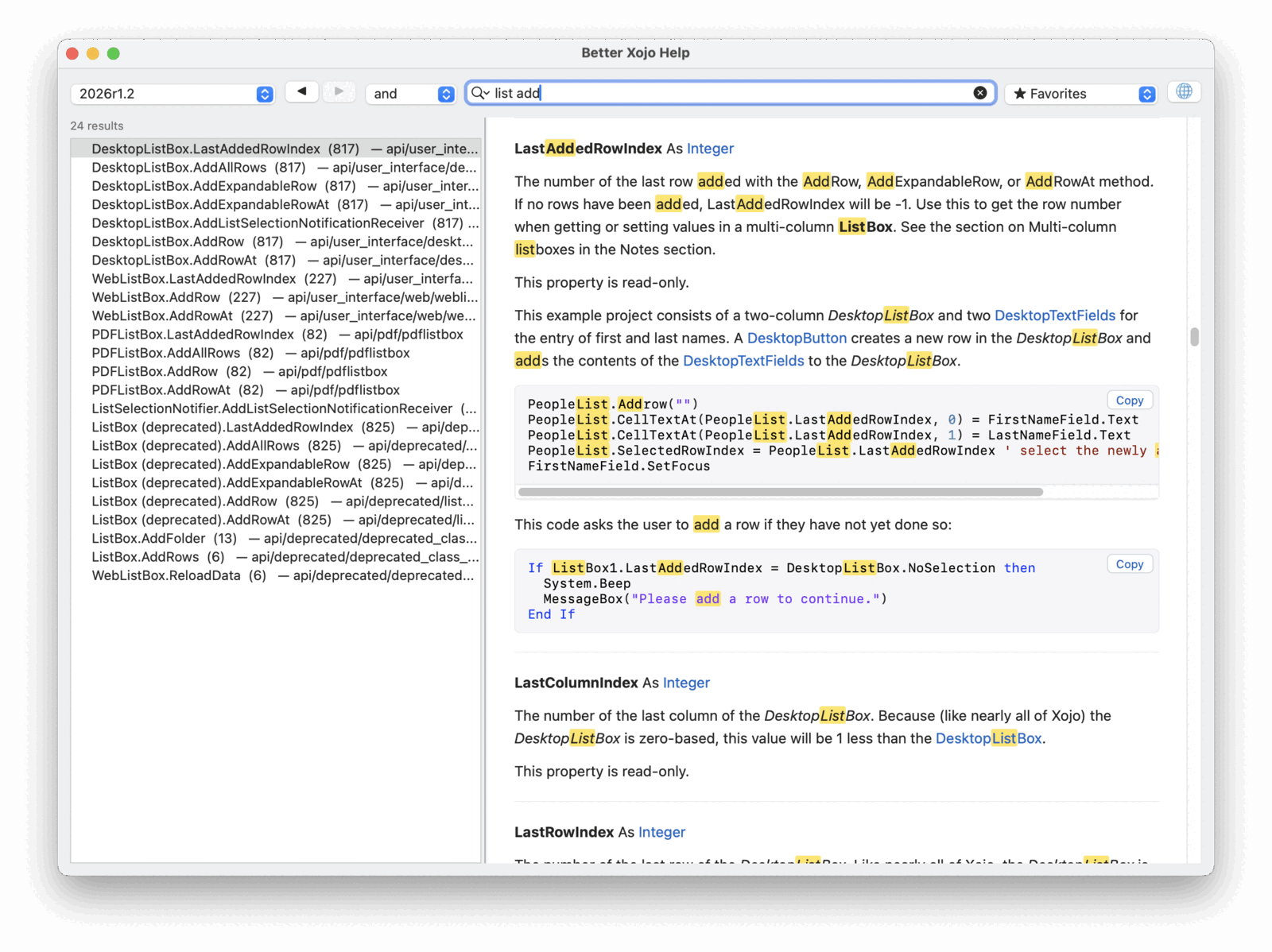
scrolling. The and / or / exact popup next to the search field fixed that for me: type
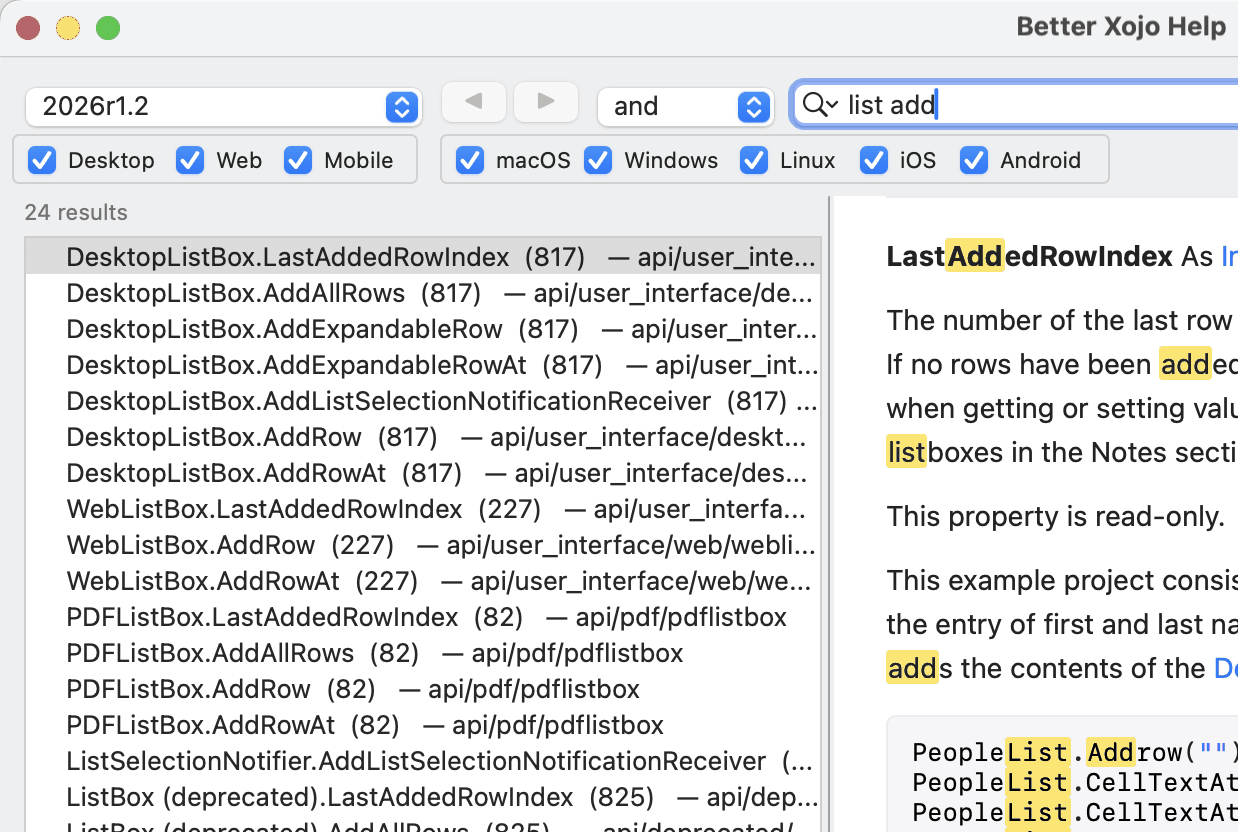
list add, leave it on and, and you get the DesktopListBox members that match both words,
wherever they sit in the title or the path.
It is also fast: there is no index to build on first run, because both formats already ship one
and the app reads them in place. Results come up as you type.
list gives 200 results — the cap — and you are scrolling again. list add gives 24, with the
DesktopListBox members that add a row at the top and everything deprecated at the bottom:
What it does
- Reads both offline formats: the Sphinx HTML sets from 2022r1.1 onward, and the old
XojoLangRefDBSQLite sets from 2015r2.1 to 2019r1.1. (The 2013 MediaWiki dumps are out of scope —
they store unrendered wikitext.) - Searches titles, paths and members. That last part matters more than it sounds: in the modern
docs only a deprecated member gets a page of its own, soDesktopListBox.AddRowis a section
inside its class page and page-level search cannot see it. The app harvests those — 15 502 of them
on 2026r1.2 — so searchinglistbox addrowactually finds it. and/or/exactfor multi-word queries, which is the feature I use most.- Deprecated results sort last, whatever their score. Counting occurrences otherwise ranks them
first, because a deprecated page repeats the name of whatever replaced it. - Links, tabs (Cmd-click), Back/Forward, favourites, and a globe that opens the current page on
documentation.xojo.com. - Fully offline. The pages are re-rendered locally with the app’s own stylesheet, so nothing is ever
fetched from a CDN — the shipped HTML references jsdelivr and Google Tag Manager, and none of that
is loaded. - Read-only against your Xojo installation. It only ever writes inside its own Application Support
folder.
One thing to do first
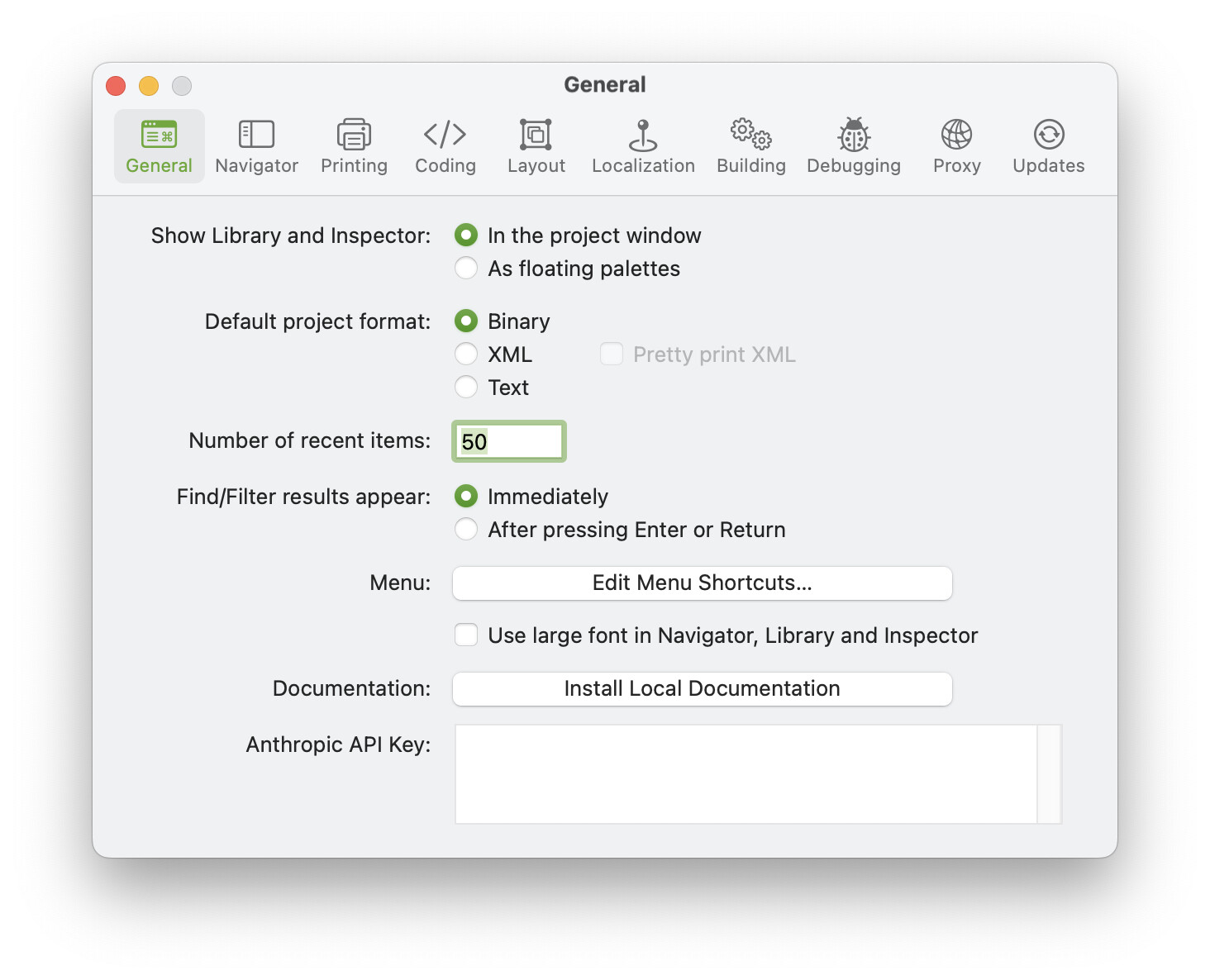
Xojo does not install its documentation by default, so if the app says it found nothing, that is
almost certainly why. In Xojo: Preferences → General → Documentation → Install Local
Documentation, and repeat it in each version you still have installed — every release keeps its own
copy, and this app reads all of them at once.
(2019r2 through 2022r1 shipped no local docs at all, so those will never show up whatever you do.)
A few things I learned that might save someone else the time
- Xojo’s
searchindex.jsisSearch.setIndex({…})— strip the wrapper and it is valid JSON. But only
4 of the 15 shipped files actually parse: the rest use unquoted keys, so I slice out the arrays I
need rather than parsing the document. - The legacy FTS4
MATCHhas to sit in a subquery. Joining a virtual table onMATCHdirectly
returns nothing at all, silently. HTMLViewer.LoadPage(source, base)cannot show local images, whatever base you give it — Xojo
writes the string out asindex.htmland the result is refused read access to its neighbours. The
arrangement that works is to put the assets in a folder you own, write the page into that same
folder, and use theLoadPage(FolderItem)overload.
MIT licensed. Built with Xojo 2026r1.2, API 2.0 throughout. macOS only for now — there are
per-platform paths for Windows and Linux in the scanner, but I have not tested either, and I would
welcome a report from anyone who tries.
Happy to hear what breaks.