Hi all.
I’m trying to get all of the links from a webpage, so I can analyze it. If a image, document, etc has an item that is linked (the page shows a image for example, but the real image is linked to it) I want the linked item.
I can’t seem to get it to work, and reading from other threads, it appears that I might have to write the link to the file, but i can’t seem to append to my file.
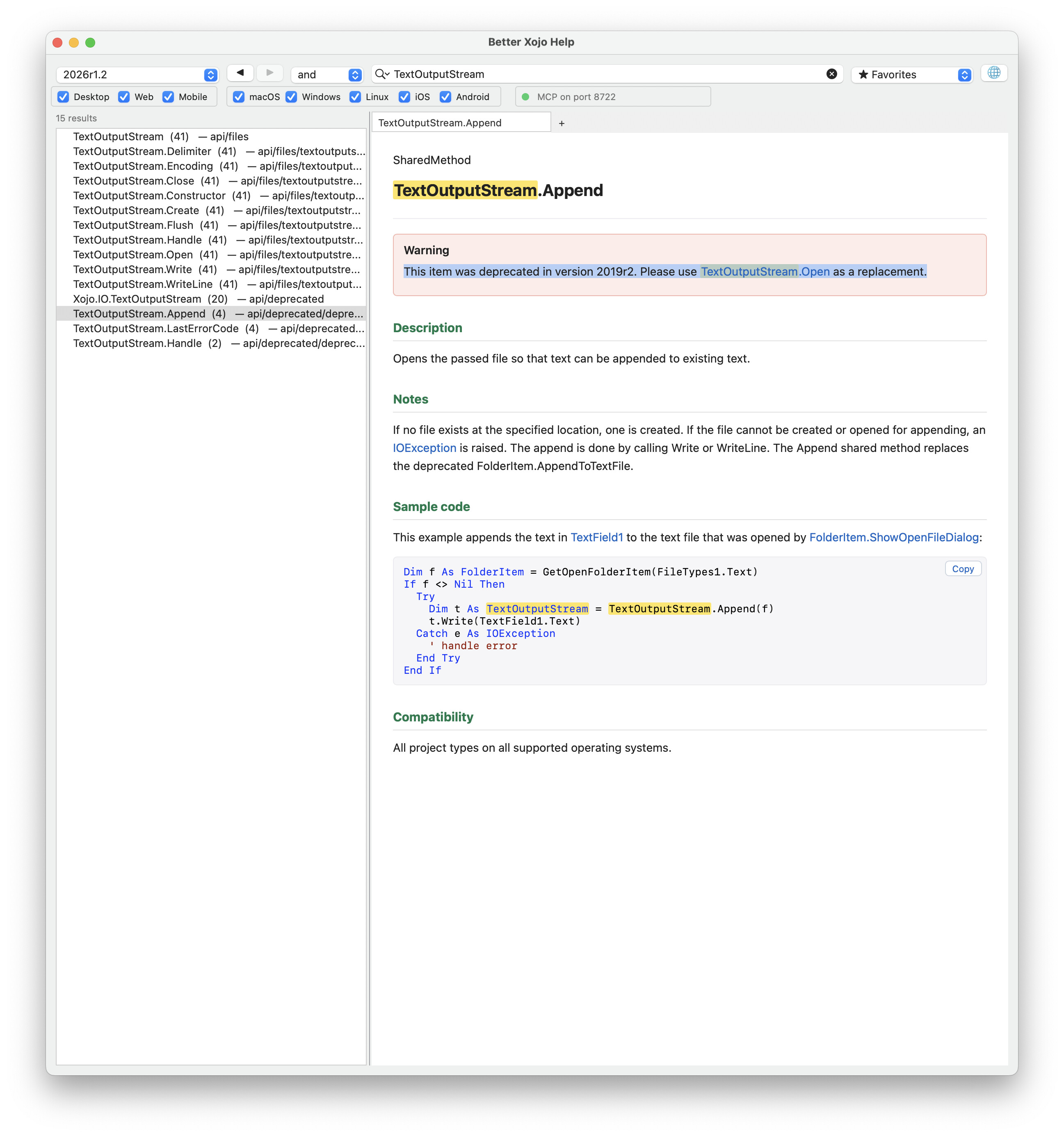
Once upon a time I remember, maybe incorrectly, that TextOutputStream.Append was the command, but in the documentation, I can’t find it.
How do I do that?
Here is a copy of my code (right now I am just looking for images, but am hoping to progress further once I solve this mini mystery…)
I get the text version of the webpage:
If AsyncRB.Value Then
WebConnection.Send(“GET”, URLField.Text)
Else
Var content As String = WebConnection.SendSync(“GET”, URLField.Text, 30)
ContentArea.Text = content
End If
Write it to a file:
Var f As FolderItem  //create a folder item

f = FolderItem.ShowSaveFileDialog(myTextDocuments.myTextFiles.Extensions, “”+URLField.text+“.txt”) //show only text files
If f <> Nil Then
Try
Var t As TextOutputStream = TextOutputStream.Create(f)
t.WriteLine(ContentArea.Text)
t.Close
Catch e As IOException
// handle error
End Try
else

End If
And then look for the images:
// Button.Pressed

// Select file
Var f As FolderItem = FolderItem.ShowOpenFileDialog(“”)
If f = Nil Then Return

// Read file
Var tis As TextInputStream = TextInputStream.Open(f)
Var html As String = tis.ReadAll
tis.Close

// Regex based on your grep
Var rx As New RegEx
rx.SearchPattern = “([

:space:\s”“'>]+.(?:jpg|jpeg|png|gif|bmp))”
rx.Options.CaseSensitive = False

Var match As RegExMatch = rx.Search(html)

// Clear ListBox
ListBox1.RemoveAllRows

Var seen As New Dictionary

//select the file you want to add the items to
var theFileWithTheStrings as FolderItem = FolderItem.ShowOpenFileDialog(“”)

While match <> Nil

var writeTheImagesStrings as TextOutputStream
Var imageURL As String = match.SubExpressionString(0)

writeTheImagesStrings = TextOutputStream.Open(theFileWithTheStrings)

// Avoid duplicates
If Not seen.HasKey(imageURL) Then
seen.Value(imageURL) = True
ListBox1.AddRow(imageURL)

// write the images to a folder... for now...

writeTheImagesStrings.WriteLine(imageURL)

End If

match = rx.Search
Wend

MessageBox(“Done! Found " + ListBox1.RowCount.ToString + " images.”)
Can anyone see where I am going wrong or point me in the right direction?
Regards