XPackager — free macOS installer builder, written in Xojo

XPackager — signed and notarized macOS installers

If you have ever tried to notarize a Xojo-built app and had Apple refuse it, you know the
dance: the binary is ad-hoc signed, it has no Hardened Runtime, and it still carries the
com.apple.security.get-task-allow debugging entitlement. Apple rejects all three.

XPackager builds the .pkg and fixes that on the way: it re-signs a copy of your
payload with codesign --options runtime --timestamp, strips the debugging entitlement,
signs the package with your Developer ID Installer certificate, sends it to Apple and
staples the ticket. Your original files are never touched.

What it does:

  • Payload composed by dragging from the Finder, permissions per item
  • Several components → custom installation with checkboxes and pre/post-install scripts
  • Requirements: minimum macOS version, architectures, file presence, available memory
  • The installer’s four screens in a rich text editor, background image included
  • Multilingual installers: screens, title and choice labels per language, with a
    reference language as fallback
  • A command line tool, xpackagerbuild, that builds the same package from the same
    project file — for a delivery script or a Xojo build step

On first launch it checks your machine — Xcode tools, both Developer ID certificates,
notarytool profile — and tells you what is missing and how to fix it. Those are the things
that otherwise only fail after a two-minute build.

It is written in Xojo, with native AppKit controls through
VDSTools — no plugin, no compiled
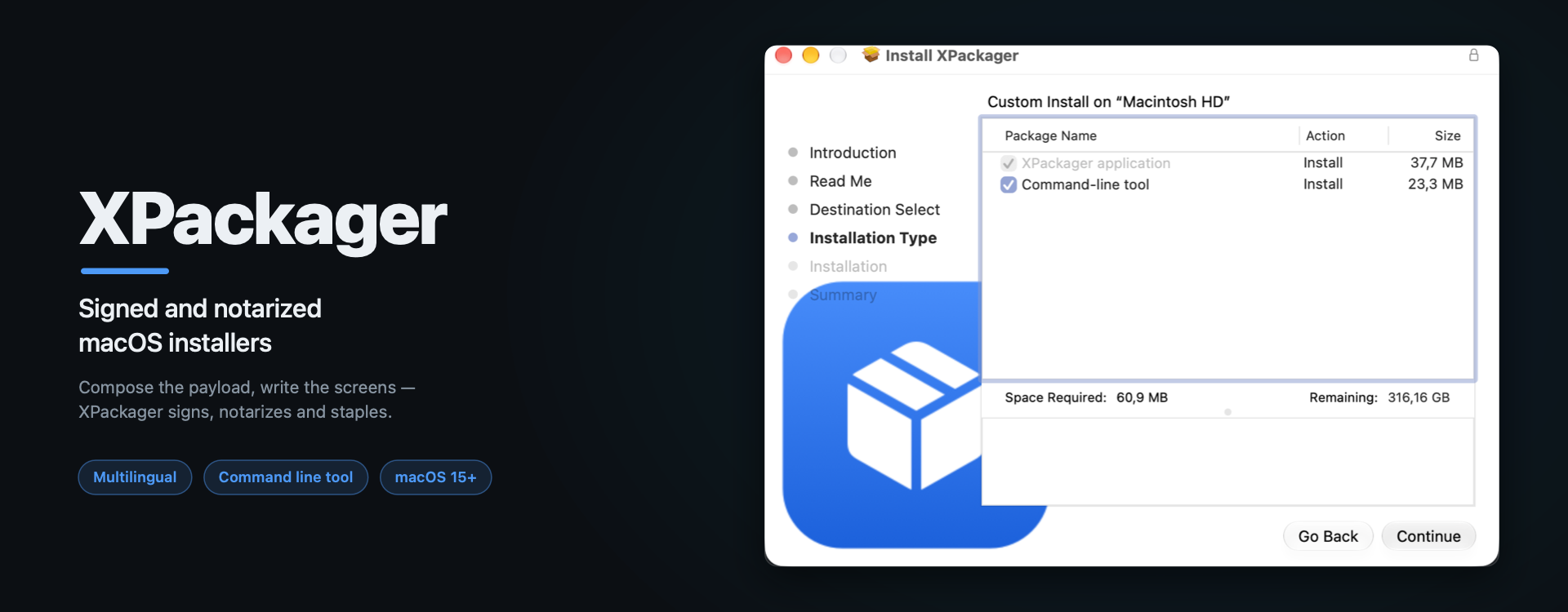
Objective-C, only Declares. The installer in the banner above is XPackager’s own, built by
XPackager.

Free, donationware. Requires macOS 15.

Download and guide: GitHub - Valdemar-VDSC/Xpackager: Create signed and notarized macOS installers for your apps · GitHub

The getting-started guide covers the long part — getting the certificates from Apple — step
by step, in English and French. Feedback welcome.

This is really cool, thanks for sharing! I had just been searching for something to do this, Packages has been showing its age lately.

I’m using AppWrapper: can anyone provide some comparison information?

Fair question — they sit at different points of the chain, and they compose.

App Wrapper is a post-build processor for the application: entitlements, sandboxing,
hardened runtime, Info.plist, icons, Help Books, architecture stripping, and that checking
engine which catches problems before Apple does. It also packs the result — Zip, DMG or an
Installer — notarizes and staples it, and submits to the App Store. If your app needs any of
that, nothing here replaces it.

XPackager does the other half: authoring the installer itself. A .pkg with several
components, each with its own install location, pre/post-install scripts and optional
checkbox; install-time requirements (minimum macOS, architectures, free space, a file that
must be present); and the four Installer screens, optionally localized. The payload is not
limited to an app — a command line tool in /usr/local, a plug-in in /Library, support
files anywhere.

Put plainly: App Wrapper packs your app into an installer; XPackager is for when the
installer itself is the deliverable.

One thing worth separating: App Wrapper’s Universal Binary splitting also yields several
installers, but that is one per architecture — the same single app, split for Intel and
Apple Silicon. XPackager’s components are a different axis entirely: several payloads inside
one package, each landing where it belongs — the app in /Applications, the tool in
/usr/local, resources in /Library.

Two details that may matter:

  • Optionally open the app when the install or update finishes. The generated
    postinstall launches it as the console user through launchctl asuser, never as root,
    and does nothing at all if nobody is logged in.
  • The .pkg deploys through Apple Remote Desktop for a managed network — flat, signed,
    notarized, no GUI needed. Which is exactly why the launch step is written that way:
    unattended, it stands aside. (Optional components install at their default selection,
    since nobody is there to tick the boxes.)

They overlap on signing and notarization — if App Wrapper has already hardened and signed
your app, untick that box in XPackager and it packages it as it is.

I use App Wrapper myself on other projects. XPackager is donationware: no licence, no
subscription, nothing per seat.

(I am going by App Wrapper’s feature list rather than daily use of its packing side — happy
to be corrected.)

Does XPackager support sub-packages? Valentina Server still uses the old Packages but the app is still Intel. I need to repackage the Valentina Server files because I can’t resign the pkg file and my installer contains some other files.

Not at the moment. XPackager builds each component from a payload tree, so accepting a
prebuilt .pkg as a child package would take a bit of extra work. XPackager covers my own
needs and is given away as donationware, so I add things as they earn their place — but
this is a reasonable thing to want, and I will keep it on the list.

In the meantime you can expand their package and rebuild its payload as one or more
components of yours, each with its own install location and scripts. You then ship a single
package, signed and notarized by you, and the question of re-signing theirs goes away.

One caveat either way: notarization inspects the binaries, not the wrapper. If the
Valentina executables are not signed with a Developer ID and the Hardened Runtime, Apple
will refuse the package whatever you wrap around it.

1.3.0 is out — three additions, two of them asked for in this thread.

  • Choice hierarchy. A component can be a choice group: it installs nothing and
    gathers other components under a single checkbox. Groups nest, so larger installers get
    the two-level list you would expect.
  • Owner and group per payload item. Left empty, an item belongs to root:wheel as
    before. Filled in, the owner is applied at the end of the installation, to the item and
    to everything inside it, with items below able to override their own subtree. Enough to
    ship a daemon.
  • Install on the startup volume only. A checkbox in the requirements, for anything
    living in /Library.

Plus three fixes. Full notes, in English and French:

(The feature list in my first post describes 1.2 — the three above are on top of it.)

@Beatrix_Willius — the last two are exactly what your Packages project needed. I have the
.xpackager ready for you; send me a line and I will mail it over.