I have a Method (see below) that is passed a FolderItem and it compresses the file/folder and returns the resulting Zip FolderItem. It is working well, so I’m testing the edge cases and finding it fails with most Aliases and macOS Apps.
If I perform the same zipping via macOS compression or the Shell ‘ditto’ command, it works. But I want Xojo to work 100% of the time so it is cross platform and I can put my apps in the App Stores.
What fails in Xojo Zip:
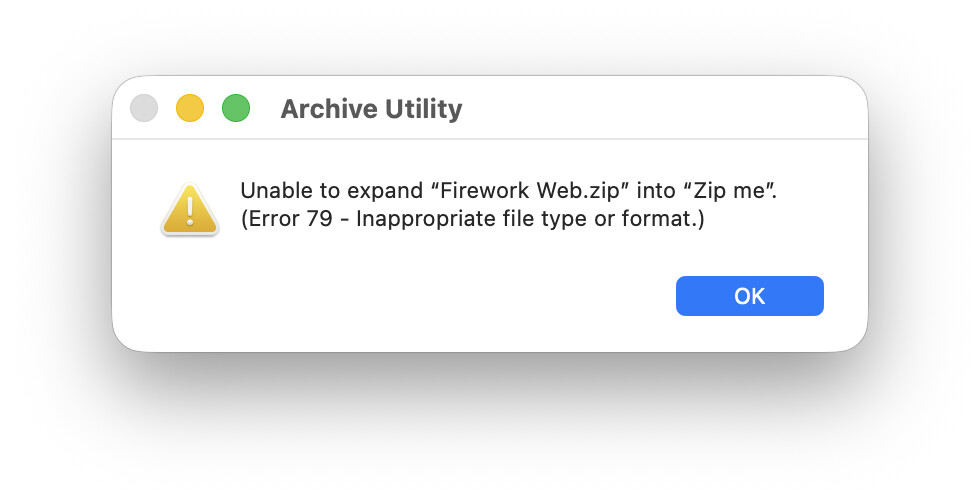
Compressing the ‘Zip me’ folder produces a zip file, but when you try to open the zip file in the Finder it gives an ‘Error 79 - inappropriate file type or format’ error. If you unzip via Xojo it unzips without complaint, but the file aliases are not working (see next line), yet the aliases within the macOS App ‘Frameworks’ package are working fine!
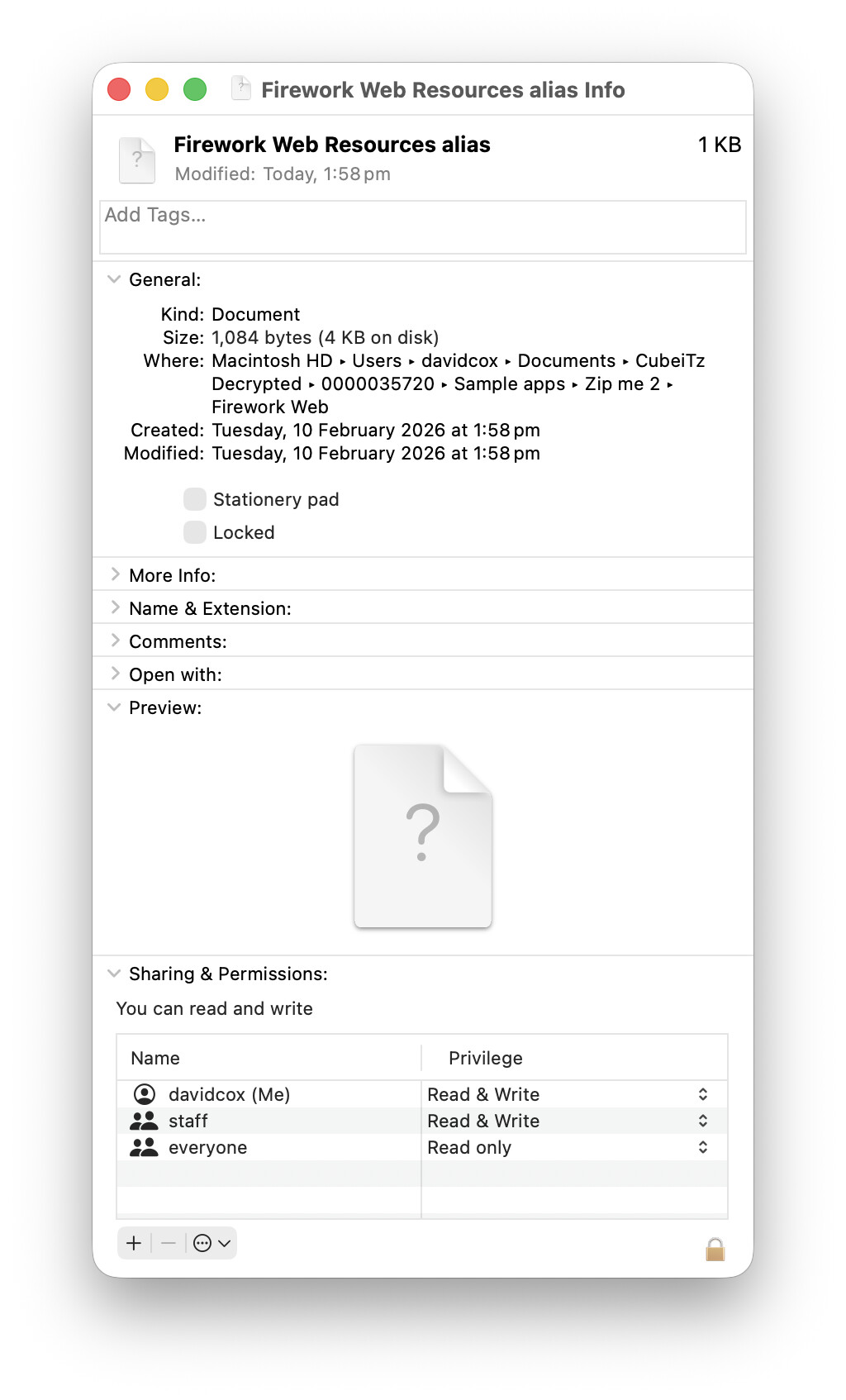
If I remove the macOS App and try again the zip file is able to be unzipped in the Finder, and the aliases have the correct file length, but are reduced to amorphous versions of themselves.
How can I correctly zip folders containing macOS Apps and both internal and external alias files using Xojo’s Zip command? And how can return the unzipped amorphous alias back to its correct alias state?
…
'Var ZipCompressionType As String = "Best"
'Var tempFolderItem As FolderItem 'source
'Var Dest As FolderItem 'destination
'Var ZipPassword As String
Var tempZipCompression As FolderItem.ZipCompressions
Select Case ZipCompressionType
Case “Best”
tempZipCompression = FolderItem.ZipCompressions.Best
Case “Fast”
tempZipCompression = FolderItem.ZipCompressions.Fast
Case “None”
tempZipCompression = FolderItem.ZipCompressions.None
Case “Normal”
tempZipCompression = FolderItem.ZipCompressions.Normal
Case Else
tempZipCompression = FolderItem.ZipCompressions.Normal
End Select

Dest = tempFolderItem.Zip(Dest, True, tempZipCompression, ZipPassword) 'only Zip the contents not the enclosing folder
End If
…
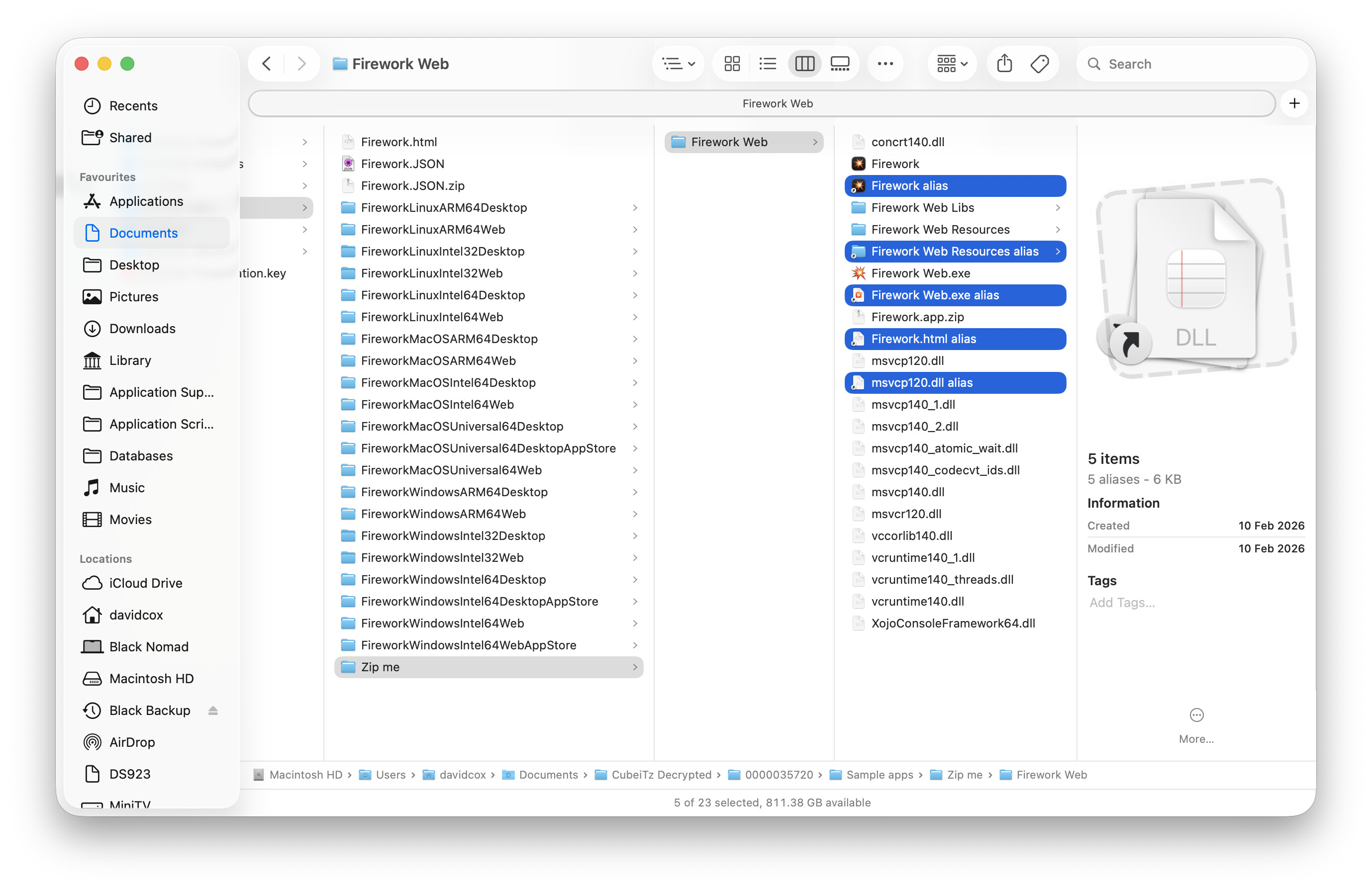
My source folders to Zip included a Windows Web app build with a few of the items with Alias counterparts, plus an alias to a file that was outside the main folder (Firework.html alias), plus a macOS App (Firework) and an Alias to this App):
I don’t think you can because macOS apps are special kinds of bundles. You can use macOS command line utilities to pack them correctly or launch Archive Utility.app and instruct it to create the zip (I’m a bit foggy on how, but I think I’ve done it before).
Fwiw, this bundle / alias issue is why macOS builds are tarballs (.tar.gz) on Windows.
I have this command laying around from an old build automation. The parameters for ditto here keep the macOS app architecture in-tact. You’d have to ask AI to explain why and how, I’m just trying to help get you operational (I know you were excited about this).
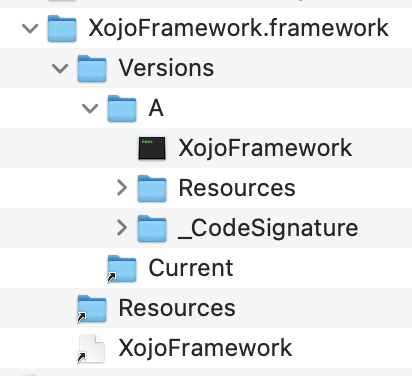
Since there is only ever a single version of the framework inside a given Xojo app, this is kind of pointless complexity.
It is possible to flatten this dylib / framework format by moving the XojoFramework.dylib and Resources back into an app’s root Contents/Frameworks and Contents/Resources folder.
Then you can zip the app and not have any symlinks to worry about.
You will still need to deal with the file flags, so that when you unzip the app the properly executable permissions are set.
Thanks @Mike_D,
My only concern is that if I have to examine the source input and zip output file by file, it will slow things and I may introduce errors. I tried this previously with MBS and eventually just left aliases out.
Also, if I need to run shell to adjust the files, I might as well just use a Shell to compress/uncompress using ditto (as it works).
I can’t think of a way to tell an unzipped alias blob file that it’s really an alias without maybe reading the file content and recreating the file.