hi, where on the menu is WebStyle so i can add color to my conteiner.
this web xojo is so complicate then the old version
thanks
hi, where on the menu is WebStyle so i can add color to my conteiner.
this web xojo is so complicate then the old version
thanks
We don’t use WebStyle objects anymore, for larger projects that started to get really cluttered and cumbersome.
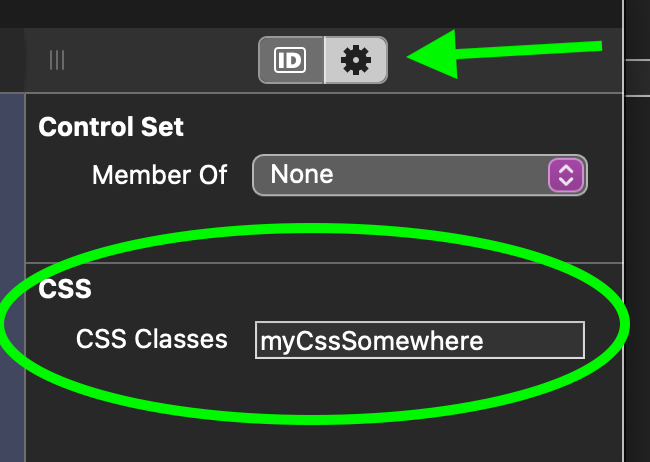
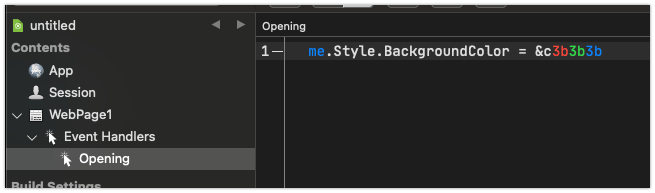
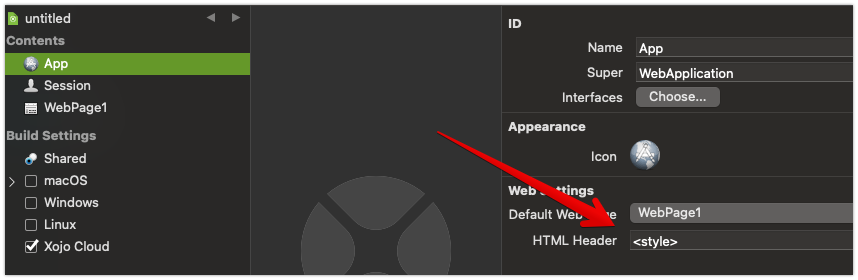
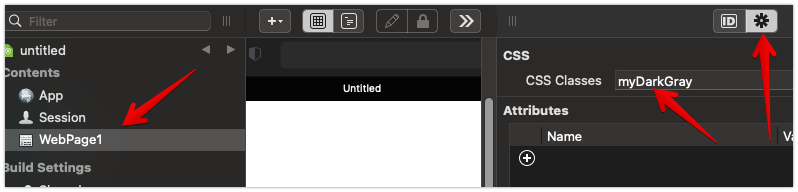
You can apply custom styling in an object-oriented manner during the Opening event or you can apply classes in the designer on the Advanced tab.
Sub Opening() Handles Opening
  me.Style.BackgroundColor = &cff00ff
End Sub
ok
thanks
how i can add a dark gray on the Web app
thanks it works
hi
on WebTextField1 no have color property ?
thanks
For anything outside of the framework defined properties, you can set CSS properties but this requires you know how to use CSS.
WebUIControl.Style.Value(“color”) = “#ff00ff”
You might want to spend some time playing around with Web 2.0 to learn how it is different before jumping in on a project. Web 2.0 requires more experience with web development than the previous Web 1.0 framework.
At least you have, BackgroundColor, BorderColor and ForegroundColor:
me.Style.BackgroundColor = color.Red
me.Style.BorderColor     = color.Blue
me.Style.ForegroundColor = color.White
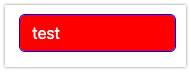
Red, blue and white defined and look like that.
Do you need something else?
in the webtextfield.opening event handler, you can write something like
me.style.backgroundcolor = color.rgb(128,128,128) (@AlbertoD beat me to it)
If all your textfields should be colored or behave the same way, a global CSS file may be a better choice. It would apply the style to all your textfields automatically. My CSS file handles color, bordercolor, backgroundcolor, hover and selected properties ( the backgroundcolor property for hover or selected is not the same as the regular color), size, and a few others. In the attached example screenshot, notice that the city (“Ville”) field is selected. It is light blue with a dark blue border. Other textfields are just white background and light grey border. A similar styling applies to the listbox above.
wow thanks for the big help.
The global CSS file needs to be called bootstrap.min.css. Xojo supplies one by default, but you can replace it. I began building mine at this website: https://bootstrap.build/app. There are others, most likely equally good. I am only saying that I started there. I made changes to settings on the website and downloaded the resulting bootstrap.min.css . I then finished editing it with a software called Stylizer available here: http://www.skybound.ca/. Then, it was a matter of using the Chrome developer tools to inspect every control of the running app and to figure where (which classes) in the bootstrap.min.css file to make the changes. At the beginning, it was a lot of trial and error and pretty tedious work. Today, it is somewhat easier and faster.
The good news is that you can reuse a CSS file in as many apps as will use the same or similar styling. Now, for exceptional cases, I also use the manual settings as shown by @Tim_Parnell and @AlbertoD. Using the !important tag, your specific settings will generally supercede settings from the global css file.
It is a learning curve. I was not too keen on Web 2.0 when it came out and it was quite difficult at first, but through learning, results finally came. I would not go back to web 1.0. There are many people on this forum who helped generously with the learning process.