I assume you’re using a Desktop Mac app with a touchscreen here?
You’re probably right that this isn’t an existing feature so you’d need to request it. Most touchscreen apps are mobile based so this is more niche and hasn’t been a priority for people so far.
I don’t have a touchscreen setup so I’m curious to know. Does the OS allow you to do what you’re asking with other app windows already?
Quantity does not have to be accounted here: I use that macOS feature for years (so long ago that I forget since when), many times per hour !
Absolutely, even Firefox is able to do that.
More than 40 years ago, the priority (from US developer at least) was not to account for non US people (check it their application works on their QWERTY keyboard, never know about diacriticals (because they do not use them) and measurements were imperial…
I remember, in 1986 (and maybe since 1984-01-24 — what computer ? - ), most software (and the OSes 1) were international (for use outside of USA).
Sticky Keys are here for int’l people (mostly)…
Both Apple II AND Macintosh were int’l ready.
PS: for the US leaving people, try to write Espanã and you will understand.
I would love to have trackpad zoom in the IDE as well, but it’s probably a lot of work to implement and I wouldn’t hold my breath waiting for Xojo to implement it.
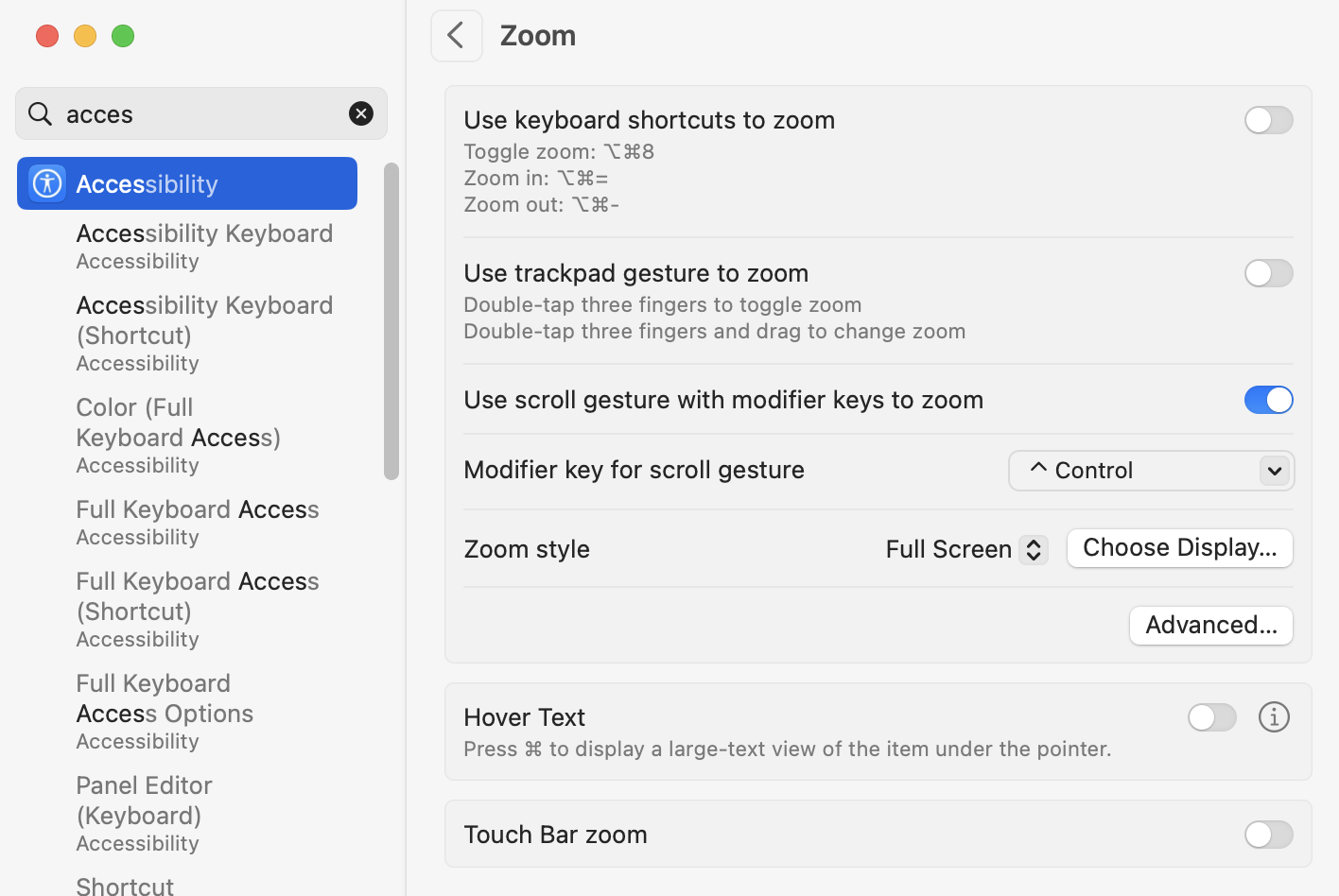
@Emile_Schwarz you can always get overall screen magnification by holding control and scrolling up/down with the trackpad. It’s good for temporarily reading something small but not a real solution for workflow as it magnifies all parts of the screen.
This forum allows me to enlarge its text|images, even with Cmd-- (Resize Down) Cmd+ (Resize Up). Cmd-0 reset the display to nominal.
Control+Two Fingers (up | down) do nothing in Firefox | Finder | TextEdit…
Enlarging with two fingers in the TouchPad + Control: nothing is down except scroll, eventually…
Combinations with the Mouse (I am sure this worked some times [years ?] ago) and scroll does nothing.
But scroll / Shift-Scroll moves the image in Preview.
I remember Norman and I looking into this. It’s certainly not trivial. The layout editor is already a canvas so that helps, but all of the things that make the layout editor work would need to be updated to support the scaled offsets. Not impossible, but certainly a lot of work.
Then it works everywhere, every application, system-wide. But it enlarges not just the working area of the front application, but the entire screen - menubar, dock, etc. Still I use it a lot for quick looks.
All MS Office apps support it - Excel, Outlook, Word, and I think PPT. Most PDF viewers as well, but maybe you consider them to be “graphics”. I sure wish ALL apps supported it, especially my outliner and BBEdit. I think Circus Ponies did back in the day.