Yes, you can do it from code.
I’m saying change the current defaults for a more realistic current OS values, the community could find proper values and suggest a change. For a more OOTB (out of the box) natural experience. Later, for those wanting a custom experience, they will change in their code.
I just fixed and added requested things…
Ver. 1.13
Added Features:
- Added the possibility to move columns by dragging them with the mouse.
Added Properties:
- AllowMovableColumns - Allows you to set whether the user can move grid columns by dragging.
- AllowResizableColumns - Allows you to set whether the user can resize the grid columns.
- ColorHeaderDrag - Allows you to set the color of the column move placeholder.
Fixed:
- Just One click to change the value of a checkbox (previously it was with double click)
- When you use AutoDarkLightMode, in addition to the colors, the size of the scrollbars and progressbars are also automatically set. You can intervene in the DarkLightModeChanged event and change other colors if you don’t like the automatic ones.
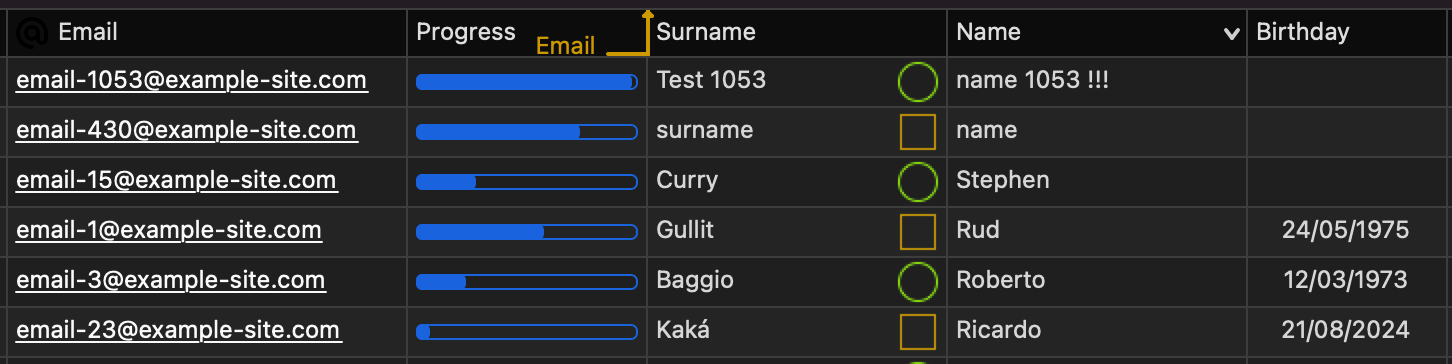
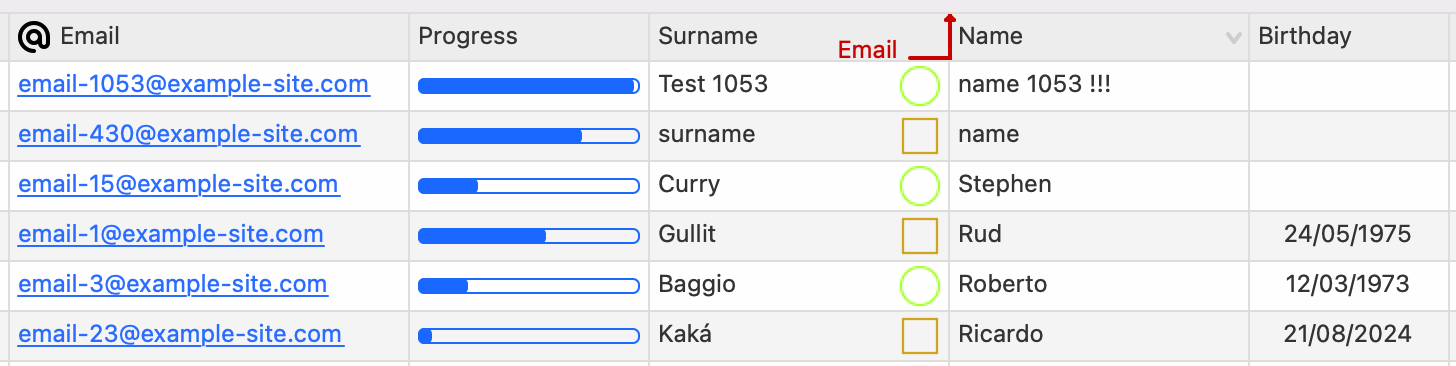
And still no native smooth scrolling in macOS.
Wake me up when it is added.
Why so … ? 
I just posted a new version with some fixes and some additions…
Ver. 1.14
Added Methods:
- GetColumnFromField - To get column object class from field name.
Added Properties:
- Container - Set DesktopContainer control if the component is into a Container. If the component is directly inside a Windows you have to leave it to Nil
Fixed:
- With Container property you can set a DesktopContainer to fix Left and Top position of editing fields.
- After sorting the grid no longer moves all the way to the left but remains in the same position
- Dragging columns after dragging rows is now correct.