i start to made a WebApp on Mac and then i move the WebApp to windows to continue workin on it and when try to test the app error show #183 i know what is the problem.
I think the question is why??? If you run on Mac, you can just open a browser on windows and access it.
No, the problem is I star on Mac then copy my project to windows and try to run and no works it show error #183. So know way
Thanks
Can you create a sample projects that shows the problem?
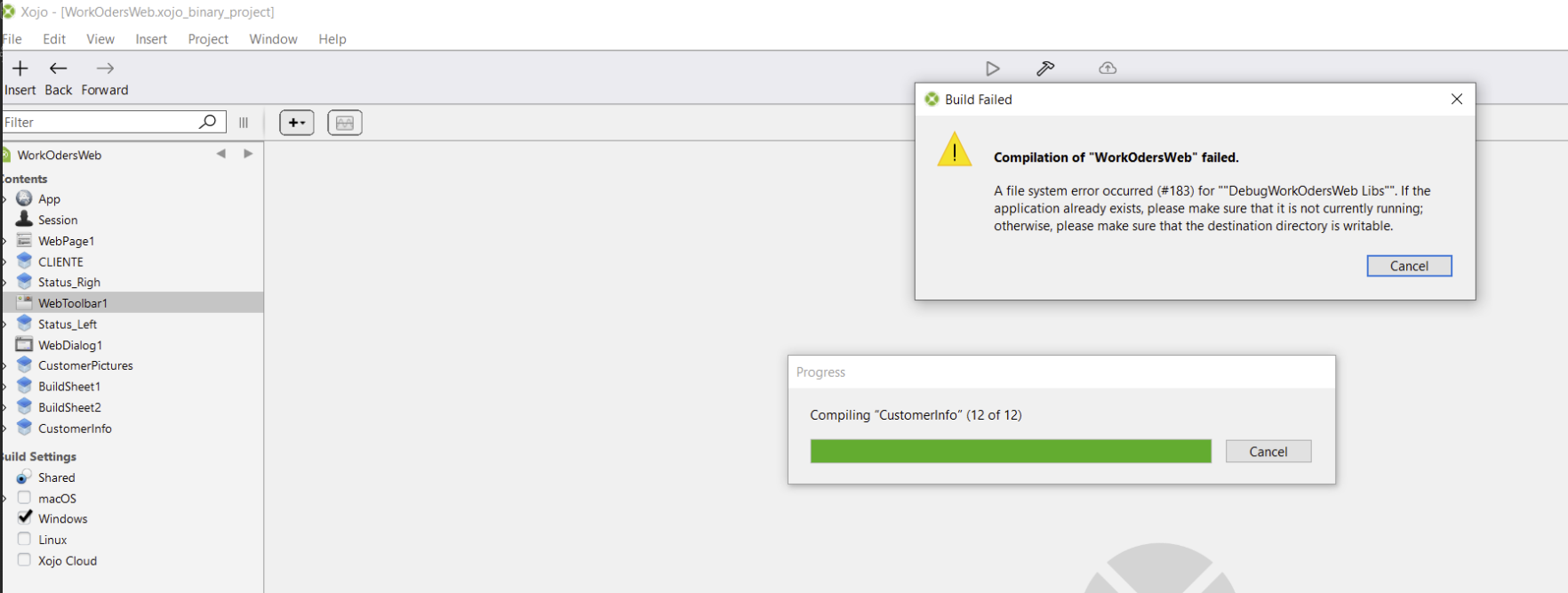
I don’t know where error #183 shows, is that with Xojo (you may have a screenshot), or the browser?
Is the error connecting to a database? Where is the database?
Depending on the error, could be firewall differences?
Can you explain in your first language with more detail and then use a translator? Maybe post both versions (first language/English) to the forum.
Can you also explain how you moved your project (and associated files) from macOS to Windows ?
Hi everyone,
I created a web project on intel Mac and copied the entire folder to Windows. The program only has one page and a few containers with no code yet and it works on Mac but not on my Windows machine.
So when I get home I do screen shots
Thanks! The description is much better. Things to check: does a minimal project work? Something like just a button with “hello world”? Do you get to the first line of code in your project or does the error show up later?
hi
the only way i fix the problem is make a new project on windows and then open the one with the problem and copy and paste all to the new projects and it works.
thanks to all help
If this is a link to a project, zip it and drop the zip in this forum window.
This is far more easy to do for all.
I was not able to get the shared object.
That may indicate some corruption in the original project.
What is the type of the project ?
(Binary, xml, Xojo)
The mass storage disk have troubles: cannot be correctly read.
The user have to fire the HDD / SSD utilities application to correct - if possible - that.
Not a Xojo error as you can read.
This is odd:

notice how in the error message, the folder name is double-quoted.
I wonder if there are actual quotes in the filename, which is causing the error?
Hi
After working for some time this error came back, I’ve continued working on Windows, not on a Mac. The file type is Binary project.
i found how to fix it, delete the debug folder and works.
Was just about to suggest that. Error 183 means it already exists. Why it can’t overwrite it is a mystery.
What may have happened is that the debug executable never exited properly. This can happen if you copied your project via OneDrive and left it within the cloud folder when you ran it. OneDrive can keep files and folders open as it attempts to sync them, preventing Xojo from overwriting them on the next run.
Try to move your project outside of the OneDrive folder. Failing that, open Task Manager, go to the Processes tab, and force quit any apps with “Debug”.
To a Windows MACHINE, or to a folder in a windows VM held on the same Mac?