I’m very close to releasing my first ever desktop app.
I have zero experience releasing an app for sale on Windows and I wonder if anyone can point me to how they build an installer? I don’t want customers to have to place the folder with the executable and all the Xojo frameworks somewhere so I would like to have a formal installer.
I second Jeff regarding InnoSetup. I’m sure his script is wonderful, but InnoSetup itself has a wizard that will walk you through. Essentially you will recursively add the Libraries and Resources folders (the wizard will do a wildcard for this.) Then you will manually add each and every .dll that is alongside the .exe in the top level, as well as the .exe itself. That’s the slightly more tedious part and I’m guessing Jeff’s script will be helpful there.
I advise creating a folder to hold all the files for a compiled app.
Xojo creates a folder named for the project name, and if (like me) your project name changes over time, then trying to have the source folder in a script becomes a nuisance.
So I have a folder like
C:\Compiled App\
and copy all the compiled stuff into it.. exe and libs and resources
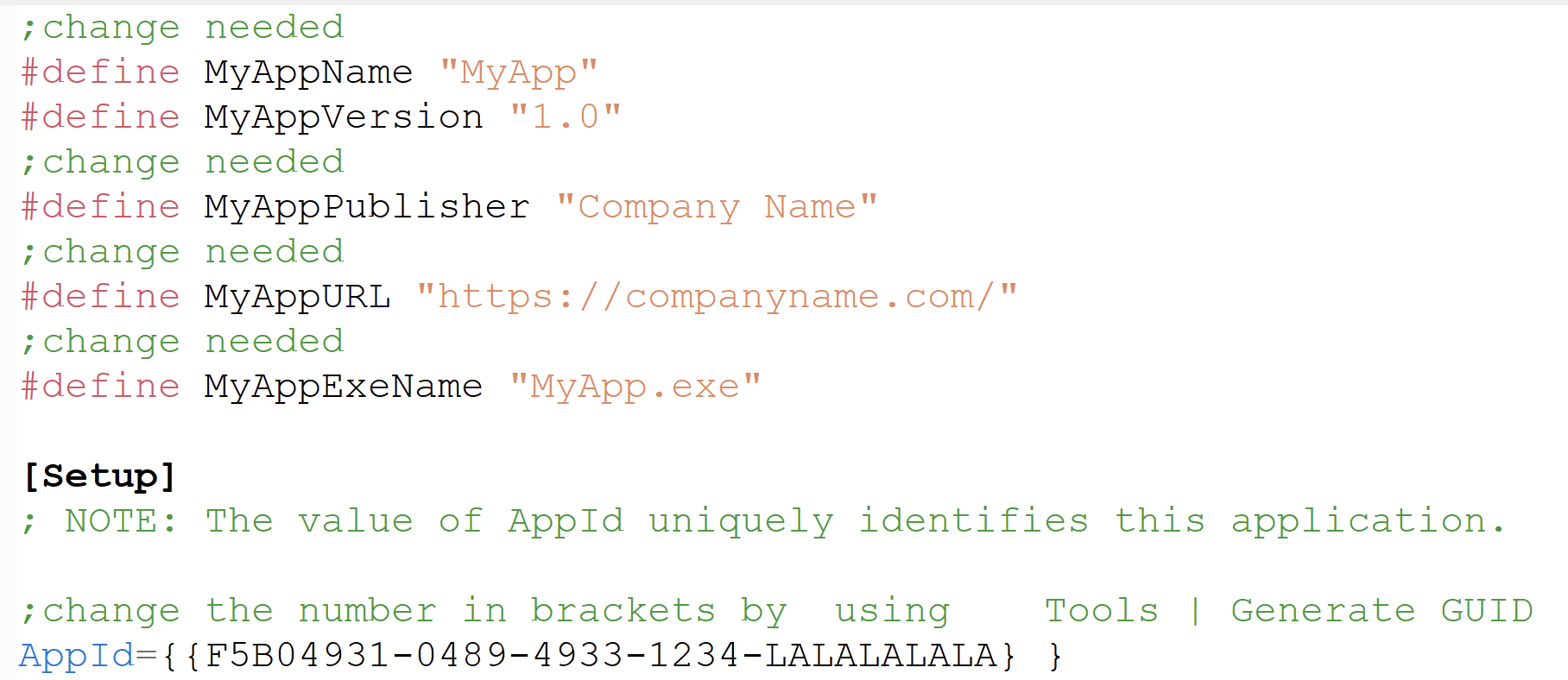
After that all that is needed in the script is to change the names of your company, the app name, and the GUID.
Thanks for sharing. I had given up on using Windows installers years ago, and your share can potentially trigger a new attempt for me to try again (it’s not on my priority list, but…).
WIth Docker installed on your macOS machine, you can build the windows installer right on your Mac. A “universal InnoSetup Script” is included (one script for all Windows Targets: Intel 32bit, Intel 64bit, ARM 64bit), all fully automated into a Xojo Post Build Script.
And if you have a CodeSign certificate for Windows (or an Azure Trusted Signing Account), that’s covered for, too - again: you can even build the codesigned InnoSetup installer on macOS (obviously also on Windows or Linux - the host machine doesn’t really matter as long as you can install Docker).
You could make this even more universal (see the above GitHub Project). The AppID doesn’t necessarily need to be a GUID. And if you show the AppVersion in the installer text(s), you also want that to by dynamically updated.
That’s why you can use Parameters… and a PostBuild Script which retrieves all that information right from your Xojo Project so that you don’t need to touch the .iss script at all. I’m using that .iss script for all my released example projects (well, the ones with an installer) - without a single change needed
And you also want other settings in your .iss for Intel-64 and ARM-64 builds. Just in case a customer downloads the ARM build/installer and tries to install it on an Intel machine. So if you don’t want to use different .iss scripts - just drive them by parameters.
The Wizard will get you started, but leaves a lot to be desired.
He’s my setup that builds both a combo installer (contains all versions) and architecture-specific versions. On browsers that support client hints, like Chrome and Edge, I offer users the correct version for their system. On Firefox and other browsers that don’t support client hints, I offer the combo installer. This saves on bandwidth costs for me and download time for them. The auto updater also always uses the architecture-specific versions.
I just run the Build.bat file, and away it goes. It pulls the version information and does all the signing for me.
I standardize my project naming and folder structure to the extent that I can define a couple of constants in my Inno script and by using that in the Source/Dest path statements, the boilerplate works in any of my projects without modification.
Like most of the replies, I already have a system that works well for me, and I don’t have 29 apps to build
The general script I put up here was simply to allow Gary to have an install working in 10 minutes.
It’s great to see all the Wizard and batch file solutions that people have come up with, though. I may steal an idea or two myself if I decide to review my process at some point.
I’ve managed to successfully package up Zotto using Jeff’s script.
Thank you to everyone who has chipped in. I will look at some of the more complicated approaches here to improve automation but right now, I’m just working furiously to get this app out of the door .
I’ve never understood exactly what the AppID is for and why it’s a GUID, but I play along. I assume it’s for mass distribution on commercial channels, which I don’t do
I do have a good baker’s dozen so parameterization is very helpful.




 oops) the installer will find the wrong target and install into the wrong place.