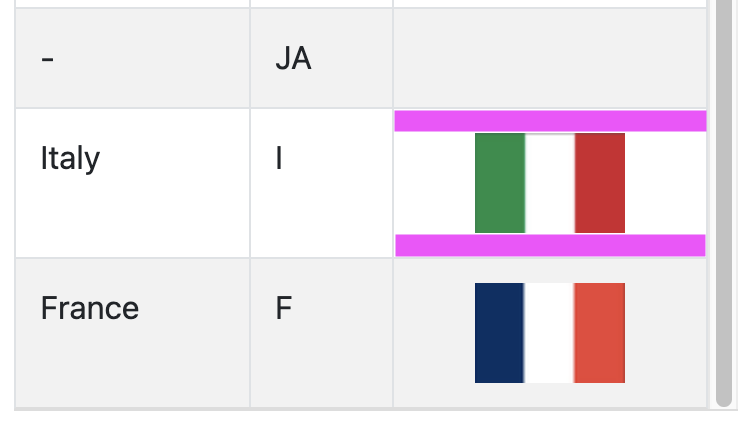
Xojo 2020r21. See the screen shot.
When I use WebListBoxImageRenderer to assign an image to a listbox cell I end up with unwanted padding top and bottom. Magenta in the screenshot. Anyone know a CSS or JS trick to get rid of it?
I’ve tried adding the following style overrides in the App HTML header but it’s not made a difference
<style>
.no-border-img {
    border: none !important;
    outline: none !important;
    padding: 0;
    margin: 0;
}

.borderlessTable tbody td {
  border-top-width: 0 !important;
}
</style>
I’m aware that this is fixed in a later version of the Xojo. Oh how I laughed when I clicked the Build button and reaslised I’d spent all day using a later version that I don’t have a licence for.