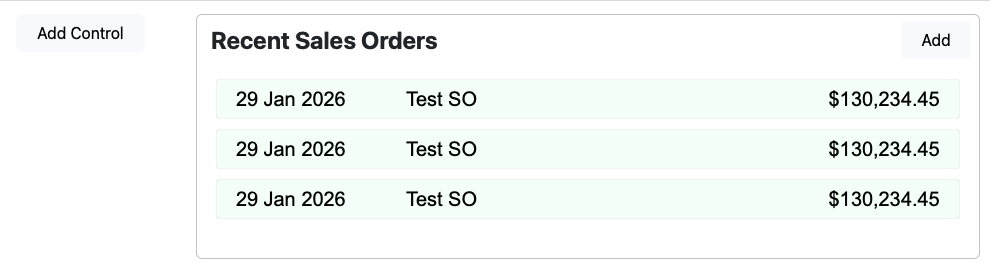
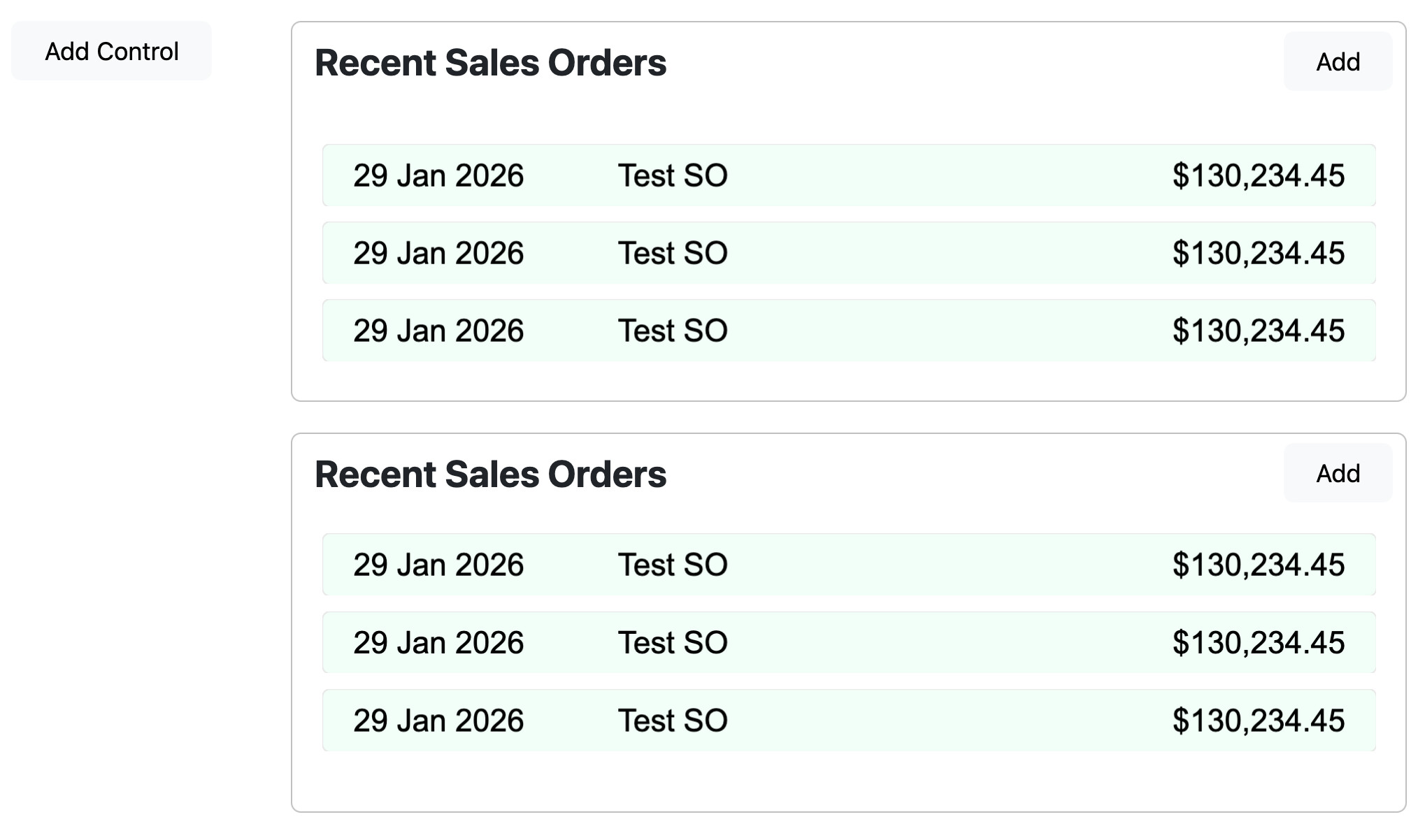
I have a web container control that dynamically adds web canvases to itself using AddControl(). When the container is added to a web page in the IDE, it behaves as I would expect it to:
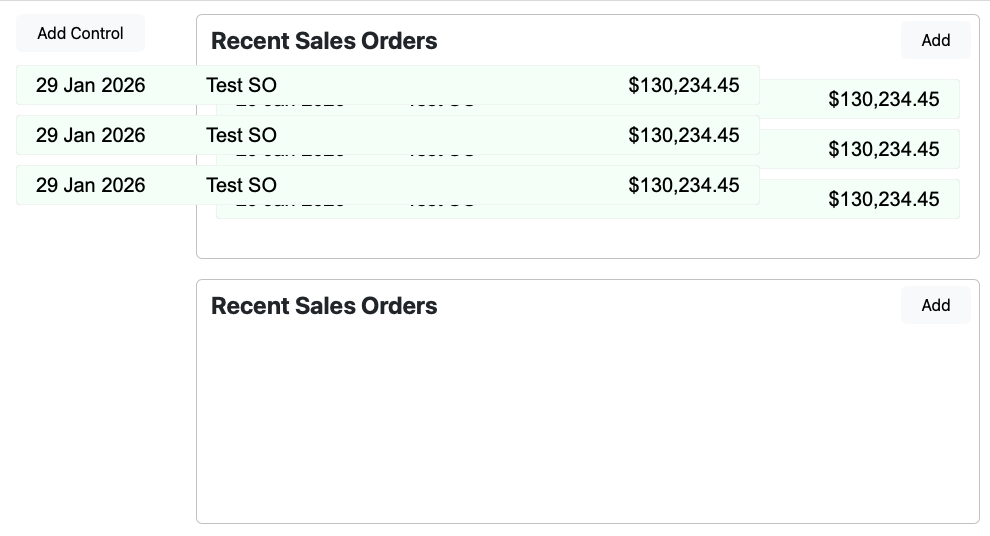
When the container is added to the page dynamically using Container.EmbedWithin(), adding the canvas controls seems to think the canvas coordinates are for the web page:
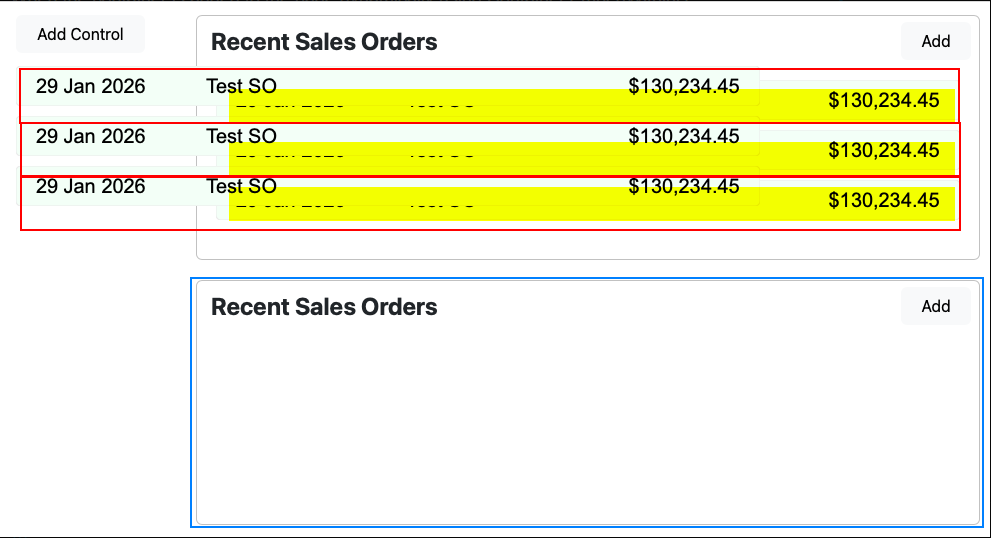
The Recent Sales Order container control adds the lines (canvases) to itself. The upper container is added to the web page in the IDE. The lower container is added to the page dynamically at runtime.
The upper container adds the line properly. The lower container does not. It looks like a bug in Xojo.
This is an example included in the documentation :
Var c As New MyContainer
c.LockLeft = True
c.LockTop = True
c.LockRight = True
c.EmbedWithin(Self, 0, 0, c.Width, c.Height)
You should call EmbedWiithin on the Object that will hold the object self represents. Here c is the WebContainer added to the page, and self the Object to add. The second and third arguments are the X and Y position inside self where to insert the Objact.
Hope that helps
Unfortunateky the code was written a while ago, and I don’t think I still have a copy of that project that was in Web 1.0. There could be an project in the examples included with Xojo.
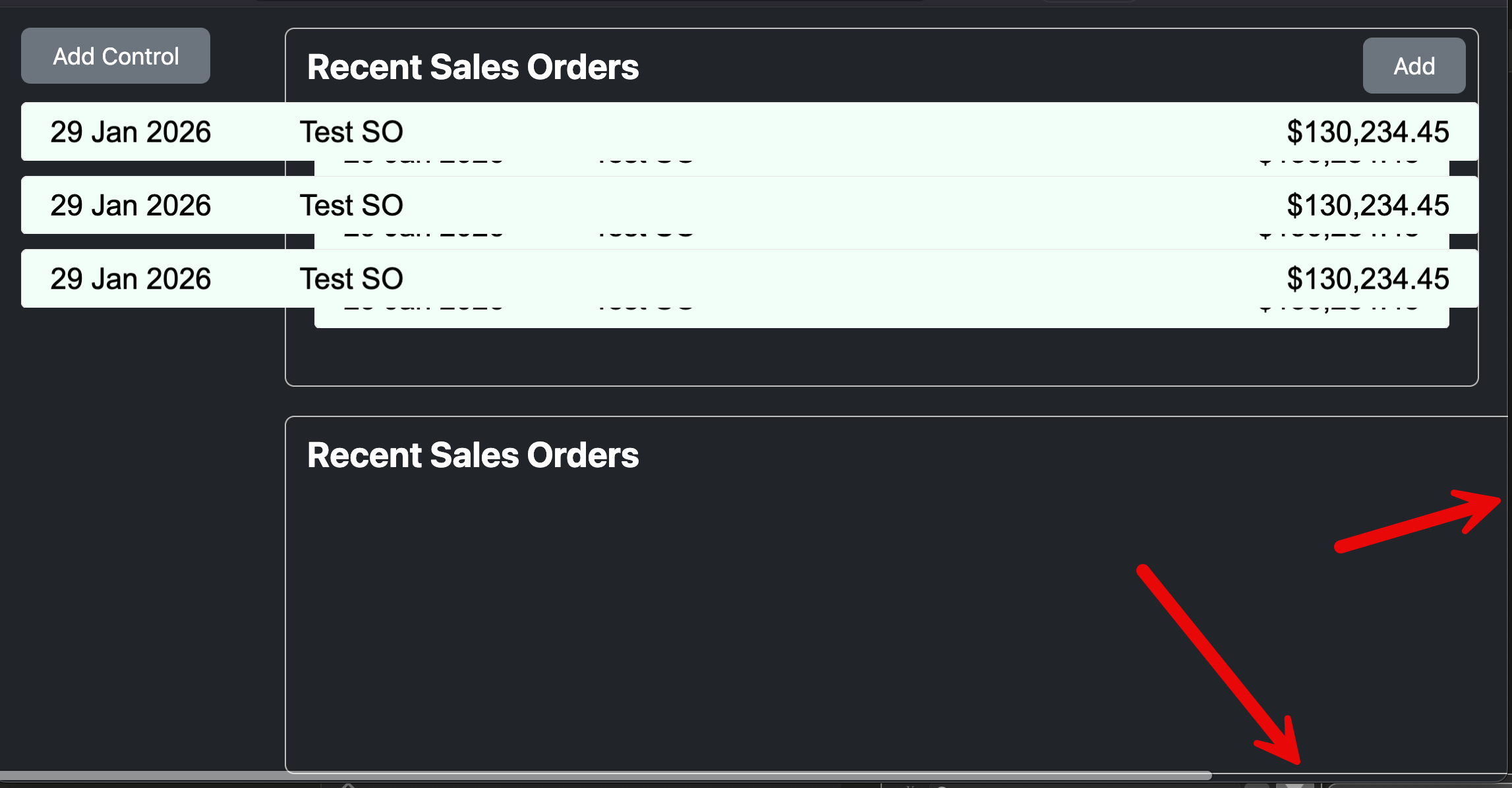
Besides your problem, I’m getting another one, the ‘Recent Sales Orders’ area is wider than it should be, see my screenshot, is outside the browser width (pointing to scrollbar, no Add button visible because is outside the browser area)
Yes. Did you resize the window? I also see that the three lines for the lower container are full-width to the window, where in my screenshot they are the width of the container
I don’t really have a great theory as to why this is happening, but I have a workaround. Call your AddSO method before embedding the new container:
Var ctrl As New RecentSOControl

ctrl.AddSO
ctrl.AddSO
ctrl.AddSO

ctrl.EmbedWithin(Self, RecentSOControl1.Left, RecentSOControl1.Top + RecentSOControl1.Height + 20, RecentSOControl1.Width, 63)
ctrl.LockLeft = True
ctrl.LockRight = True
ctrl.LockTop = True
ctrl.LockBottom = False
Then, in RecentSOControl.Shown event, call the Resize method.
I typically do all setup before embedding just to avoid potential issues like this.
EDIT: Ah, but the Add button within the container is still not properly embedding. Super weird.
OK, the parent is at X: 200. You’re embedding at X: 20. The resulting improperly placed items are at X: -180. There’s some math going on in the framework that doesn’t make sense here.
I was just playing with that and you are right, it works. but then if I add more lines after creation they still don’t end up in the right place. The lines do have the correct parent in the debugger, they just seem to be using the wrong coordinate system.
I actually don’t need a solution to this anymore. This issue would be a show stopper, but for other reasons I went back to using a listbox. I will still create an issue though.
I did not resize the window, just the browser opens, click the button and the new container is wider than the view. macOS 15.7.3 with both Chrome and Firefox.
If Controls.Count = 0 Then
  'ctrl.top = 65
  ctrl.top = 65 + self.top //added self.top
Else
  ctrl.Top = Controls(Controls.LastIndex).top + Controls(Controls.LastIndex).Height + 10
End

If dynamic Then
  //added self.left but only if it is embedded
  ctrl.Left = 20 + Self.Left
Else
  ctrl.Left = 20
End If
as Anthony said, “There’s some math going on in the framework that doesn’t make sense here”