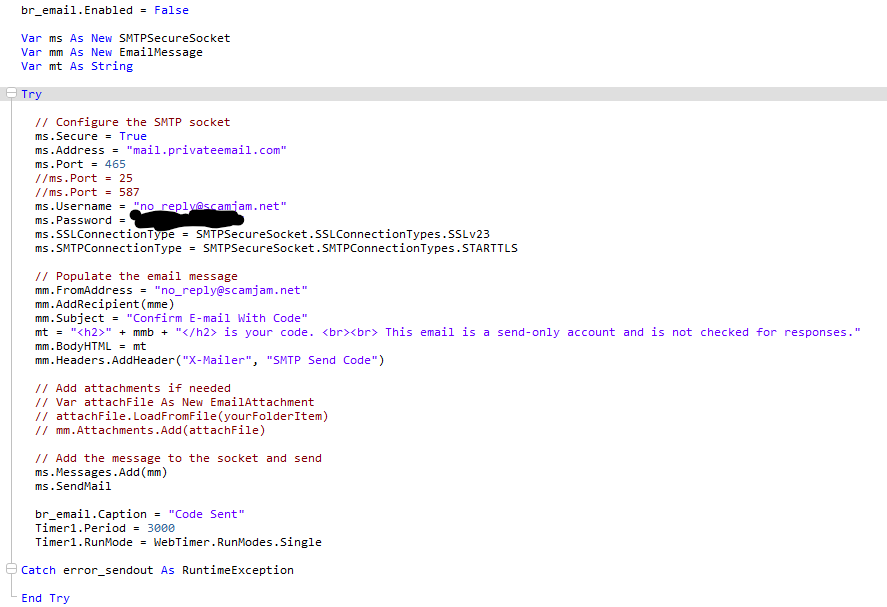
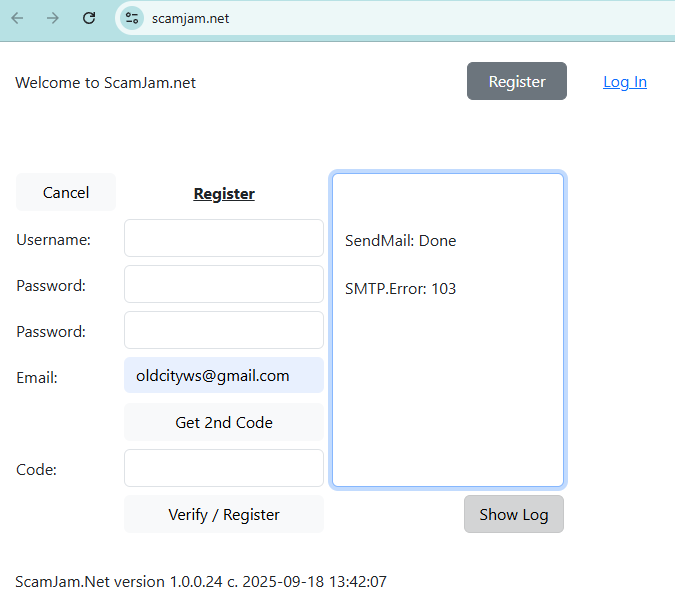
I have no idea why this works just fine with multiple email addresses on Run but when I upload it onto a DigitalOcean server (Linux, my own build) it fails.
The change I made is I activated an SSL cert on my server and somehow that changed everything.
Do I need to open up a port or change to special settings for an SSL-certed box?
Var ms As New SMTPSecureSocket
Var mm As New EmailMessage
Var mt As String
Var mmb As String
Var mme As String
mmb = “123456”
mme = “[YOUR EMAIL]”
// Populate the email message
mm.FromAddress = “no_reply@scamjam.net”
mm.AddRecipient(mme)
mm.Subject = “Confirm E-mail With Code”
mt = “” + mmb + “ is your code. This email is a send-only account and is not checked for responses.”
mm.BodyHTML = mt
mm.Headers.AddHeader(“X-Mailer”, “SMTP Send Code”)
// Add attachments if needed
// Var attachFile As New EmailAttachment
// attachFile.LoadFromFile(yourFolderItem)
// mm.Attachments.Add(attachFile)
// Add the message to the socket and send
ms.Messages.Add(mm)
ms.SendMail
Have you confirmed that you can send from your host via another application? Some hosts block outgoing SMTP, in which case you’d need to use a REST api rather than SMTP.
The process is to click the Register button and then input your email address, click the button to receive a code sent to your email, check and verify the code, then click the button to verify. The app is in development and does nothing more than this step at this current time.
I got it to work on my in-house server (xyztext.com)
And the same exact code, for some strange reason, will not work on a DigitalOcean droplet (scamjam.net)
Both are the same configs under LifeBoat and in NameCheap DNS, so the difference lies between the droplet and my homebrew box that I am going to have to sort.
In the App, create a variable that is a string. Call it something easy like z1.
In the App, create a method with an easy name like zp, in Parameters have a String like “datatext” to receive string data, and the code is merely adding two EndOfLine to z1 and then adding the passed text to z1.
In a window, place a TextArea and Button - and the Button’s action code is for TextArea.Text = App.z1 — and there is your error and process messages polling.
For anyone considering DigitalOcean… you will need access to a way of authenticating users / email addresses that does not involve SMTP.
Hope this helps, and THANK YOU to all who helped me resolve this!
Having homebrew servers can help developers sort these issues, I highly recommend it.
For what it’s worth, I have written an open-source drop-in SMTPSecureSocket replacement for sending EmailMessage via the Mailjet HTTP REST API. This would be a way to use almost entirely the same code to send an EmailMessage from a DigitalOcean droplet.