I hope someone can push me in the right direction.
I’m updating my WebApp from 2019.2 to 2026.2. Needles to say - I do have a steep learning curve. Since my customers are used to the colours and the looks of the user interface I’m trying to get as close as possible to the old look.
The obstacle I observe is: I select I table a table indicator (here: Info). It seems the Weblistbox just takes color, bg and border-color into account and ignores the rest of the colour definitions. I tried to enforce the colour with ! important. But that doesn’t change the outcome.
.table-info {
–bs-table-color: #000;
–bs-table-bg: #fff;
–bs-table-border-color: #005da2;
–bs-table-striped-bg: #dfd2e5 ! important ;
–bs-table-striped-color: #000;
–bs-table-active-bg: #d4c7d9 ! important;
–bs-table-active-color: #000;
–bs-table-hover-bg: #d9ccdf ! important ;
–bs-table-hover-color: #000;
color: var(–bs-table-color);
border-color: var(–bs-table-border-color);
}
I tried an own class and assigned it to the listbox in the opening event. Same thing.
When I go in the browser inspector I can change the table background color. The Listbox adjusts its appearance according to that color.
My question is: is that issue solvable and if yes, how? Or am I wasting my efforts?
Hi Christine,
Could you please share some screenshots or sample project to understand better what you’re trying to achieve? Maybe a Web 1 sample project vs a Web 2 sample project to see the difference.
Hi Ricardo,
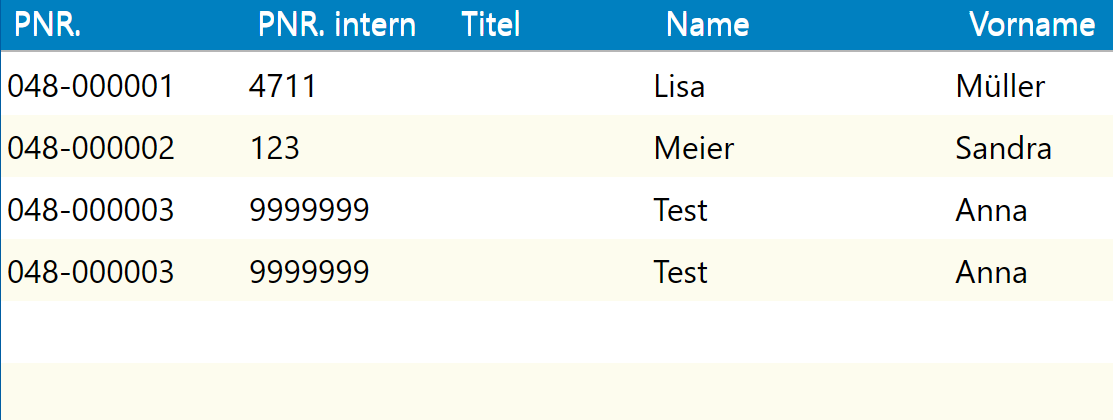
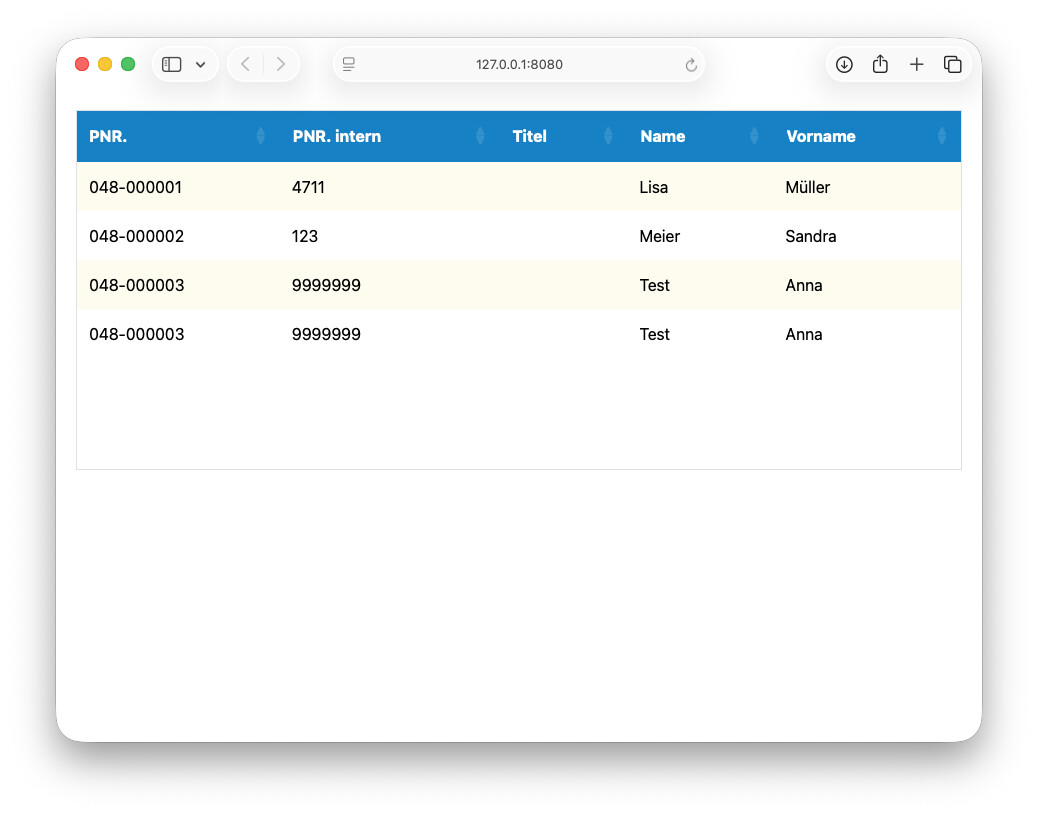
I want to achieve a look like this (2019.2 with a plugin):
Header background colour: #0080c0 (blue), Header font colour: #fff (white)
Table background #fff (white), Font colour #000 (black)
Alternating stripe colour #fdfcee (light yellow)
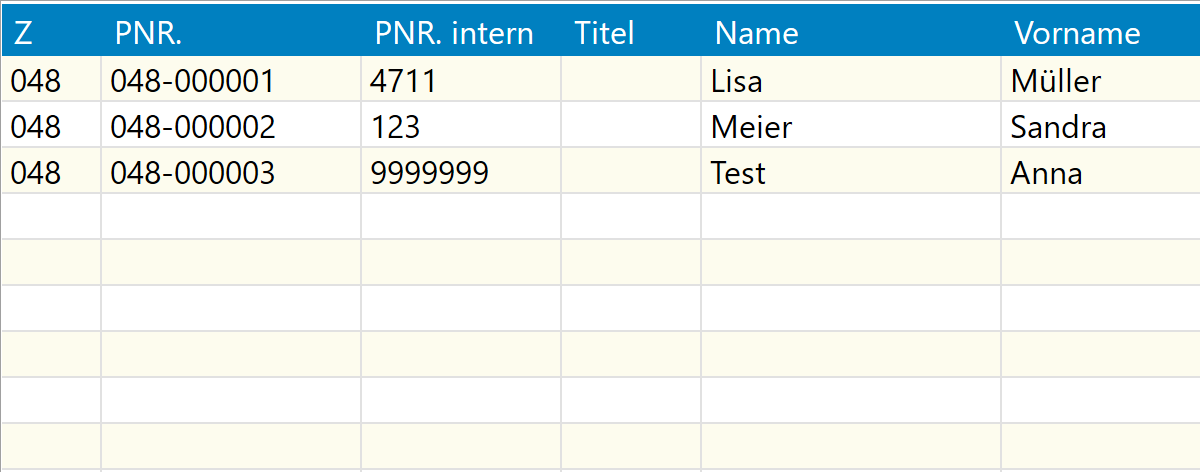
In the desktop version (2026.2) I managed implement that look for a DesktopListBox:
To make the example easy - I took the Cosmo Theme from Bootstrap and modified the primary table
.table-primary {
–bs-table-color: #fff;
–bs-table-bg: #0080c8;
–bs-table-border-color: #aab8c7;
–bs-table-striped-bg: #fdfcee;
–bs-table-striped-color: #000;
–bs-table-active-bg: #fdfcee;
–bs-table-active-color: #000;
–bs-table-hover-bg: #fdfcee;
–bs-table-hover-color: #000;
color: var(–bs-table-color);
border-color: var(–bs-table-border-color);
}
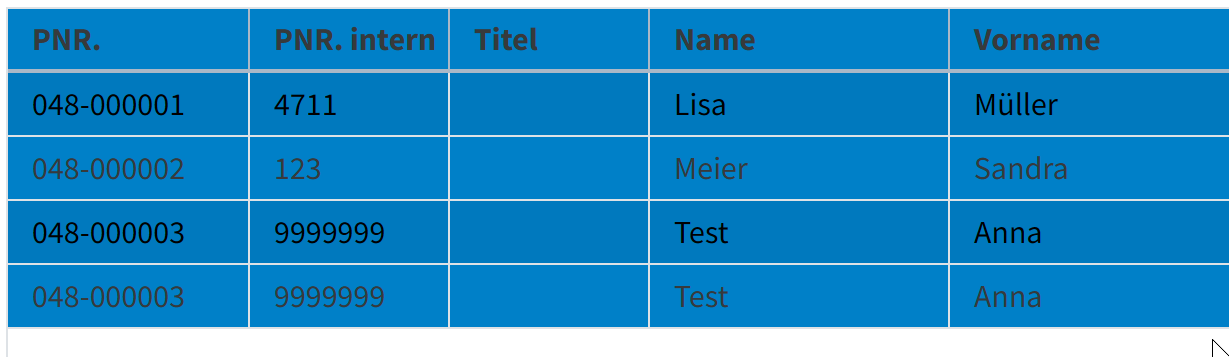
This is what I get:
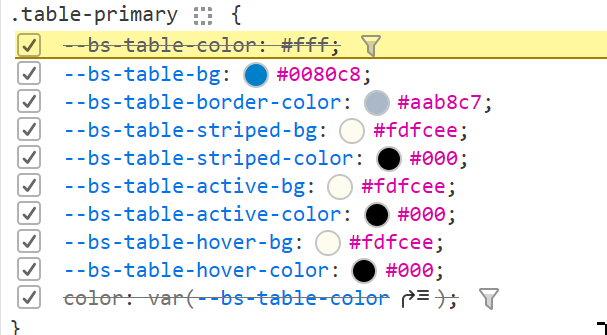
In the browser inspector I look like this:
But no yellowish stripes. No white font colour. I only need yellow stripes, no hovering background.
Any idea is highly appreciated.
Something like this?
<style>
.XojoListBox .dt-scroll-head table {
    --bs-table-bg: #0080c8;
    --bs-table-color: #fff;
    --bs-table-border-color: transparent;
}

.XojoListBox .table-striped>tbody>tr:nth-of-type(2n+1)>* {
    --dt-row-hover: none;
    --dt-row-stripe: none;
    box-shadow: none;
    background-color: #fdfcee;
}

.XojoListBox tr:hover>* {
    --dt-row-hover: none;
}
</style>
Yes - and it works like a charm 
Ricardo, thank you so much!