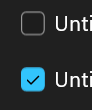
Before I open a ticket on this, I want to make sure it’s not just on my system.
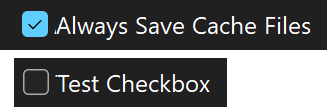
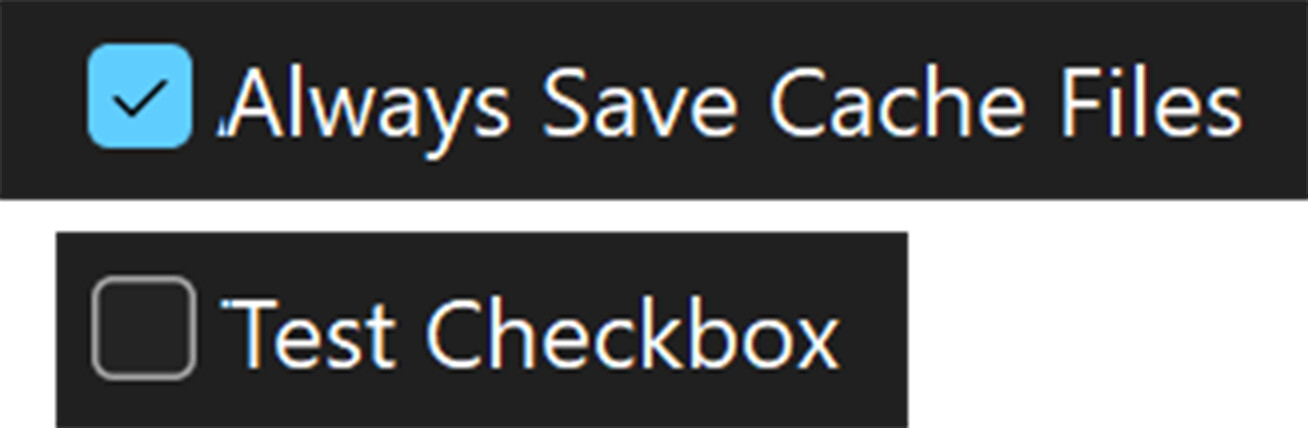
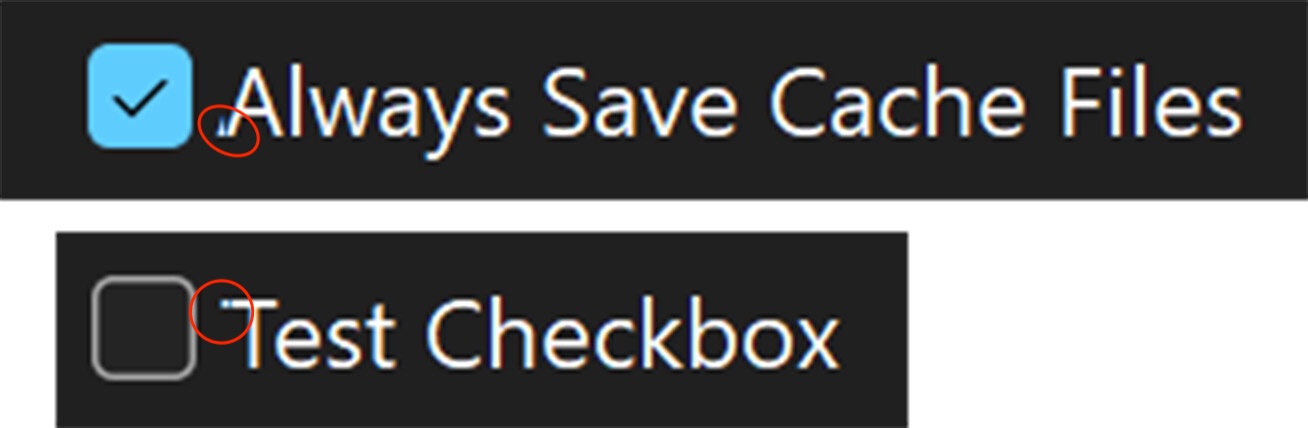
I’m getting visual glitches in the space between the checkbox and the label; the leftmost pixels of the glyph seem to be creating a ghost image.
I’m on Windows 11 25H2 Build 26200.8457 running at 200% scale, 4K resolution in dark mode.
Screenshot (100%):
Screenshot (400%):
Has anyone else noticed this on their system?
1 Like
Can you explain what the problem is ?
I see the issue, too, with this control and think it is rather annoying.
On Windows 11.
Check boxes have always been broken in Xojo. There are LOTS of ignored tickets.
Since the high-contrast themes didn’t work I had to do my own custom control years ago. You can use a ContainerControl and put a CheckBox with no text and a label control for the caption. Or draw your Own.
The visual glitches in your post:
Xojo says in the help, “The easiest thing you ensure a rock-solid UI is to not overlap any controls. Overlapped controls result in more requests to redraw the controls which will be slower and can sometimes result in flickering.“
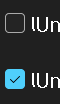
But instead of fixing the checkbox control they just overlap a label control on top of the checkbox. Worst of all, the text of the checkbox is not removed so in some parts you see the text of the checkbox and in others the label one.
We see this too at various scale factors, but at 175% it is much more noticeable. We’ve open up an Issue:
https://tracker.xojo.com/xojoinc/xojo/-/issues/81477
2 Likes