IS it just me ?
(or nobody care ?)
Emile, your posts here in the forum often contain so little useful information that it’s hard to tell what you’re asking. That’s the case here again. What exactly is your problem?
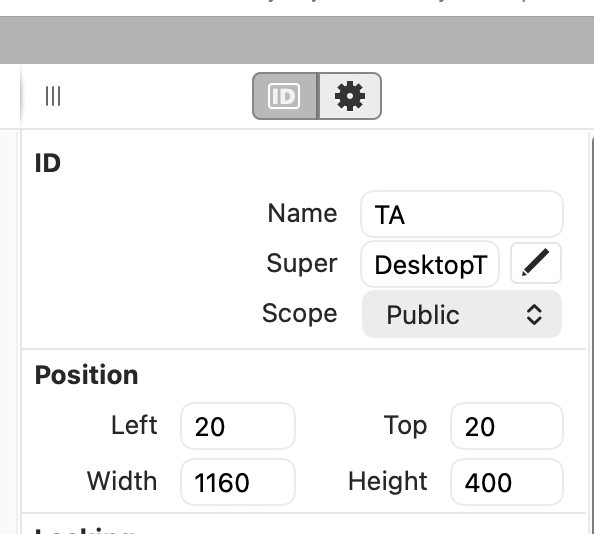
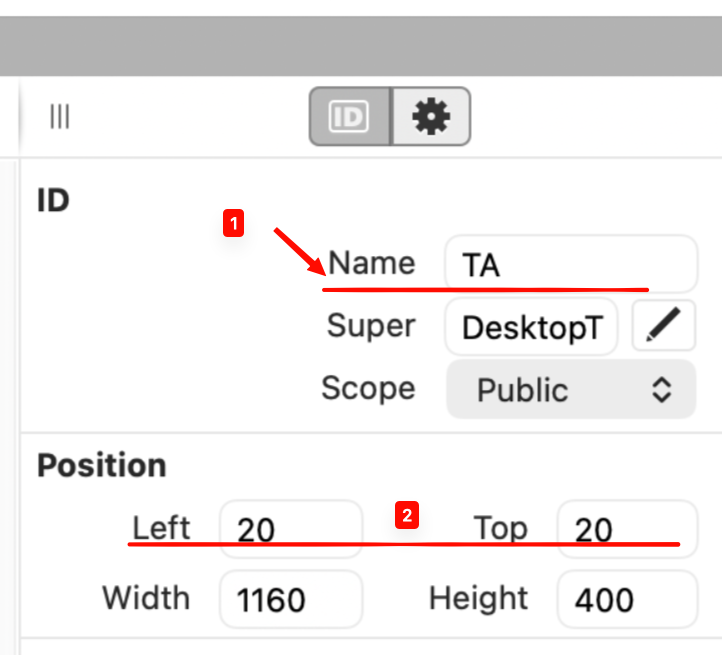
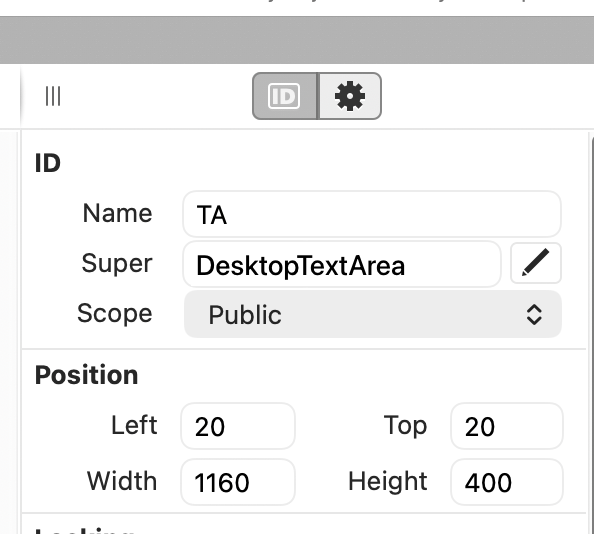
The baselines of the label text do not align with the baselines of the text field they are labeling.
Yes, this is annoying to those of us who take UI seriously. It is irritatingly difficult to get right in Xojo and other asistiendo.
Yes! I have a constant low-level frustration with this. Especially the PopupMenu - snapping in the IDE always leaves the menu text too low.
Yes, it could be the Horizontal alignment instead. Is hard to guess.
I missed that the thread topic actually says “vertical alignment”, but then again the unused horizontal whitespace is the most glaring issue to me. Maybe it’s about the vertical margin between the fields and the popup menu, which is very cramped when compared to the spacing of the Top / Height fields below it!
But beyond that, the vertical spacing between the controls within the ID and Position groups are not uniform. The fields in the Position group have a few more vertical pixels of padding than those of the ID group.
This is a old feature request which moves the labels above the elements rather than along side them: #64377
Don’t forget to click the thumbs up button for any of the issues you agree with (click the link, then click the thumbs up). Don’t do it in the forum.