URLConnection download troubles

This is a follow-up of a previous thread.

NB: of course, the project stop running after a click in OK (and I do not care about that).

The URL download correctly when used with Firefox (the one I copy/paste from the reported System.DebugLog string… (see code)

Example shared:
Test_Download.xojo_binary_project.zip (6.5 KB)

BTW: the url is in the example code.

The file is a pdf file (scan of an old newspaper).

I hope no typo were left in (bad vision today).

Xojo 2025r2.1 (last to date)
Tahoe 26.0.1 (last to date)
MacBook Pro 13" m1

There are spaces in your URLs. You need to encode those to %20:

theURL = imageURL.ReplaceAll( " ", “%20” ) + Format(Start_Val,“0000”) + “.pdf”
1 Like

I decoded from %2023… before pasting the rul into Xojo ! :wink:
… Firefox complained (refused to load) until I removed them.

INCREDIBLE ! YOU ARE CORRECT !

Thank you Anthony.

Sascha, have you read that ?

PS: the idea of the code was to automatize the download in a Loop; that is the reason why I build the URL.

If you’re doing it in a loop and the base URL is always the same, just change the source URL string to incorporate the change rather than using ReplaceAll to save cycles.

Yes.

Actually, I complete the URL with an iIndex value as 4 digits (loop indice) + “.pdf”.

The space replace with %20 is done only once before the loop.

I fact, I put the code in the created the project and removed the loop, all the useless there comments, etc.

I even could pass the whole URL (for the shared example) instead of a build one, but wth bad vision, I concentrate to avoid errors.

Now, I have to guess for other months (the shared base url is valid for January 1946. (If you are curious, check pdf index 141 for the article about Japs attack on Pearl Harbour: the title of the article is “Navy Intelligence Officer Forecast Pearl Harbor Attack Nine Months Before Jap Raid Was Launched”).

Just glad I could help you make progress. Don’t forget to mark the solution so that others can easily find the answer should they encounter a similar issue in the future.
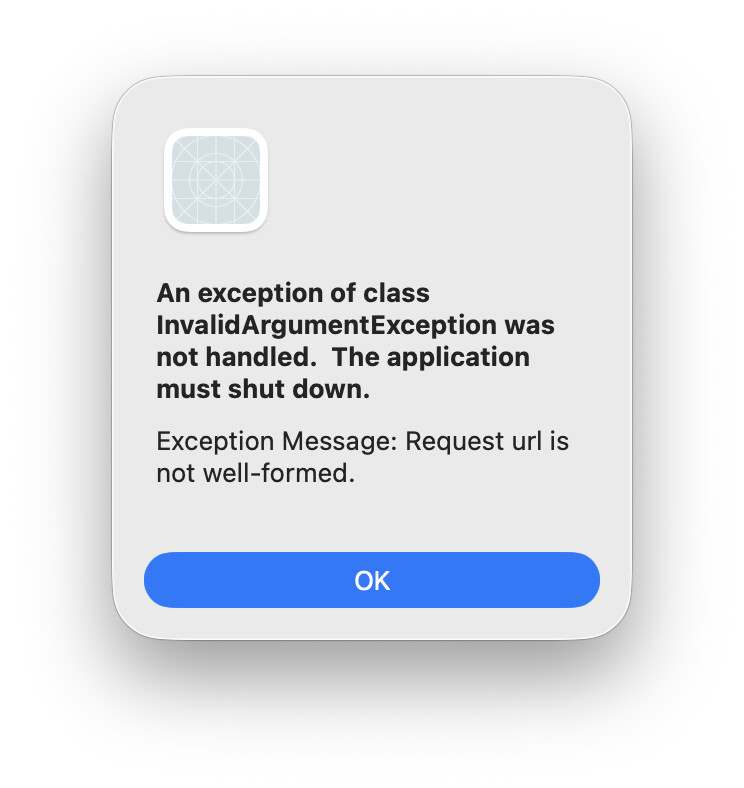
I had to do the same thing with my own FTP app, and fix the Hash symbol that’s used in a lot of file names as well.

More info: What is URL Encoding and How does it work? | URLEncoder

files(i) = files(i).ReplaceAll(" ", "%20")
files(i) = files(i).ReplaceAll("#", "%23")

SORRY. I forget to do it / was too in a hurry to run the downloads… DONE.

Instead of doing a bunch of ReplaceAll for each unsafe character, you can just pass your string through EncodeURLComponent to fix all of them at once.

That will also encode the colon and slashes to result in a malformed URL.

Ahh, good call. Thanks Anthony.

I suppose that’s why it’s called EncodeURLComponent and not EncodeURL.

Disregard my suggestion Emile.

1 Like

@Emile_Schwarz - I posted the solution for you 5 days ago - looks like you didn’t see it? :frowning: