UI/UX Discrepancies between macOS and Windows, especially with ShowPopover

Hi everyone,

I’ve been a Xojo developer for a while, primarily working on macOS but targeting Windows as my main deployment platform. I’ve consistently faced a challenge where the user experience (UX) and overall graphical quality differ significantly between the two operating systems.

On macOS, applications generally look and feel great right out of the box. However, on Windows, I often encounter issues like flickering, unsmoothed fonts, and a less polished appearance, which leads to a very different user experience for the same application.

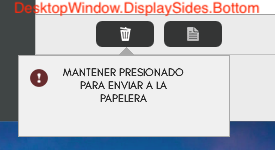
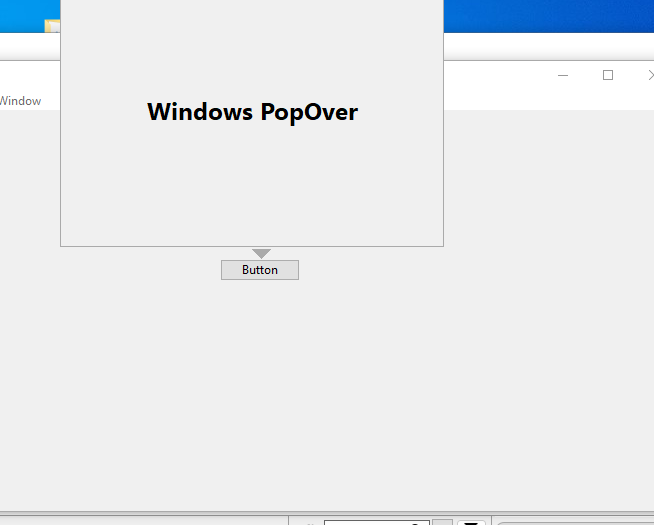
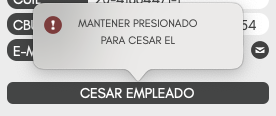
I was particularly excited to start using Xojo 2025 because of the new, built-in ShowPopover method. I thought it would be a huge improvement. On macOS, it works flawlessly and looks fantastic. However, on Windows 11, the popover’s appearance is quite dated—it looks more like a Windows 98 application. I’ve attached screenshots to illustrate this.
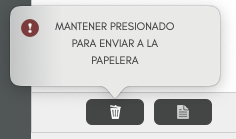
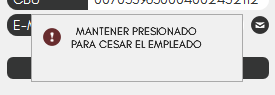
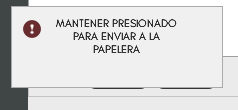
Captura de pantalla 2025-08-14 a la(s) 15.25.01

In the past, to create a popover-like effect, I had to use a mix of Declare functions for Windows. This involved creating a transparent window to draw the content and the small “triangle” myself, along with AddHandler to manage the showing and closing of the window. While this method produced a result that looked much more like the macOS version it often came with performance issues (I’ve attached screenshots of this old method, platform Windows with declares/addhandler method).
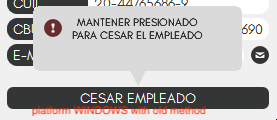
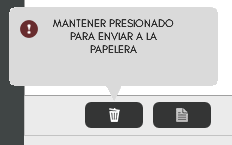
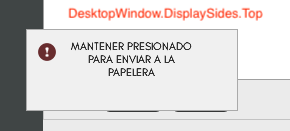
My specific question is about the ShowPopover method’s DesktopWindow.DisplaySides.Top setting. While DisplaySides.Bottom, Left, and Right all work as expected, the “arrow” or “triangle” that points to the anchor control simply does not appear when using DisplaySides.Top.

Is this the expected behavior, or is there a known issue with the Top display side specifically? Has anyone else experienced this, and are there any workarounds to ensure a consistent and modern look for popovers on Windows?

Given the performance issues of my previous workaround, I was hoping the new method would be the solution, but these UI inconsistencies are making me reconsider.

Thanks in advance for any insights or suggestions!
Since I haven’t received any answers in my previous post I’m rephrasing the question in a simpler and more specific way:

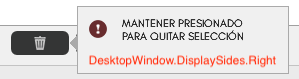
I’m using DesktopWindow.ShowPopover(me, DesktopWindow.DisplaySides.Top). On Windows platform it doesn’t draw the triangle (the “arrow”) on the window that’s shown, unlike when I use DisplaySides.Bottom, Left, or Right. On MacOs it is displayed.

Is this a normal behavior in Xojo, or is it a known bug?

Thanks for any help.

Windows doesn’t have a built-in popover control per-se. The closest things are a Win32 Popup or a WinUI Flyover, neither of which appear to have the arrow you’re asking for.

When a DesktopWindow is displayed with ShowPopover, a triangle is displayed in the direction specified by DesktopWindow.DisplaySides. I’ve provided some screenshots to illustrate this. The only direction it isn’t displayed in is DesktopWindow.DisplaySides.Top, and that’s only on the Windows platform.

Captura de pantalla 2025-08-20 a la(s) 12.47.37


You may want to create a sample project and open an Issue.

2 Likes

Working Here:

Windows 10/11
Xojo 2025R2.1

1 Like

For some reason Hugo’s popover is not placed correctly, maybe the triangle is showing correctly (above the button) but because the popover window is lower than it should, appears to not showing?

That’s why I ask for a sample project.

There’s an open issue here:
https://tracker.xojo.com/xojoinc/xojo/-/issues/77981

May not be related as only problem for OP is Top.

Yes a sample project would help as you suggested.
I would be interested to see the arguments past in :grin:

Thanks for the answers.
I created a new, empty project, and the popOver displays correctly with the arrow in DisplaySides.Top. So, it’s an issue with my project, where the object represented in the Me parameter is a custom DesktopCanvas class representing a button. I’ll have to play with that to fix it.

Anyway, it’s nice to see that Xojo has updated the appearance (15 minutes ago by William Yu :grin:) according to the link provided by Andrea Suraci, and I expect it will be available in a future update.

1 Like