Maybe I’m not doing this correctly but…
In the opening event of my app’s main window, I call a method inside a utility module, that tries to open a serial connection automatically:
//Select the serial port
SelectedSerialPort = SerialDevice.WithName(Settings.SerialPortName)

//Set up Serial Port Parameters
wMainWindow.DetanglerSerial.Device = SelectedSerialPort
wMainWindow.DetanglerSerial.Baud = 9600
wMainWindow.DetanglerSerial.Bits = 8
wMainWindow.DetanglerSerial.Parity = SerialConnection.Parities.None
wMainWindow.DetanglerSerial.StopBit = SerialConnection.StopBits.One

if RouterConnectionState = false then
  // Connect to the serial device
  Try
    wMainWindow.DetanglerSerial.Connect
  Catch error As IOException
    System.Beep
    MessageBox("The selected serial device could not be opened.")
  End Try
End If
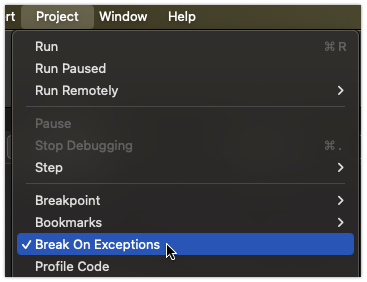
This works fine when the serial device is present. However, when I unplug the device from the computer and run it it’s failing inside the try statement with an IOException (error 2) and dropping me to the debugger. Shouldn’t I get a beep and a message telling me it wouldn’t work?