Followup to the first Xojo FPDF port in the november contest here:
Xojo FPDF v1.1.1 - Major Update: Drop-in PDFDocument Replacement + Premium Modules
Hi everyone,
Big update on Xojo FPDF! Lots of new features, important bug fixes thanks to community testing, and the premium modules are now available on the website.
The github repo for free files is here :
VNSPDFDocument - True Drop-in Replacement for Xojo PDFDocument
The headline feature of this release: VNSPDFDocument is now fully compatible with Xojo’s native PDFDocument API. You can migrate with minimal code changes:
// Before (Xojo PDFDocument)
Dim pdf As New PDFDocument(PDFDocument.PageSizes.A4)
pdf.Title = "My Document"
Dim g As Graphics = pdf.Graphics
g.DrawingColor = Color.Blue
g.FillRectangle(100, 100, 200, 50)
g.LineCap = Graphics.LineCapTypes.Round
g.LineDash = Array(5.0, 5.0)
g.DrawText("Hello World", 100, 200)
pdf.Save(file)

// After (VNS PDF) - Nearly identical!
Dim pdf As New VNSPDFDocument()
pdf.Title = "My Document"
Dim g As VNSPDFGraphics = pdf.Graphics  // Only type name changes
g.DrawingColor = Color.Blue
g.FillRectangle(100, 100, 200, 50)
g.LineCap = Graphics.LineCapTypes.Round  // Same Xojo enums!
g.LineDash = Array(5.0, 5.0)            // Same syntax!
g.DrawText("Hello World", 100, 200)
pdf.Save(file)
Same properties: Title, Author, Subject, Keywords, Creator, Language, CurrentPage, PageHeight, PageWidth, Landscape, Compressed, Graphics
Same methods: Save(file), ToData(), AddFonts(), ClearCache(), Template()
VNSPDFGraphics is 100% complete - all 43 features from Xojo’s PDFGraphics API work:
- Drawing: DrawLine, DrawRectangle, FillRectangle, DrawOval, FillOval, DrawPolygon, FillPolygon, DrawPath, FillPath, DrawPicture
- Text: DrawText (with rotation), DrawTextBlock (word-wrap with CJK support), TextWidth, TextHeight
- Object2D: RectShape, OvalShape, RoundRectShape, ArcShape, CurveShape, FigureShape, TextShape (with HorizontalAlignment), PixmapShape, Group2D (with rotation)
- Transforms: Rotate, Translate, Scale, Transform (matrix)
- State: SaveState, RestoreState
- Clipping: ClipToRectangle, ClipEnd
- Properties: Bold, Italic, Underline, FontName, FontSize, DrawingColor, PenSize, LineCap, LineJoin, LineDash, Brush
But you also get everything Xojo PDFDocument can’t do - on the same object:
// Advanced FPDF methods available on VNSPDFDocument
pdf.AddUTF8Font("Arial", "", fontPath)           // Full Unicode
pdf.MultiCell(180, 5, longText, "1", "J", False)  // Justified text
pdf.ImportPage(sourcePDF, 1)                       // PDF import
pdf.SetProtection("user", "owner", perms, 3)      // Encryption
pdf.AddAttachment("data.xml", xmlContent, "desc")  // File attachments
File Attachments - E-Invoice Ready
You can now embed files directly in your PDFs, both at the document level (visible in the PDF sidebar) and as clickable page annotations:
// Document-level attachment
pdf.AddAttachment("factur-x.xml", xmlInvoice, "Factur-X invoice data")

// Clickable icon on a specific page
pdf.AddAttachmentAnnotation("data.xml", xmlContent, 150, 20, 10, 10, "Click to open")
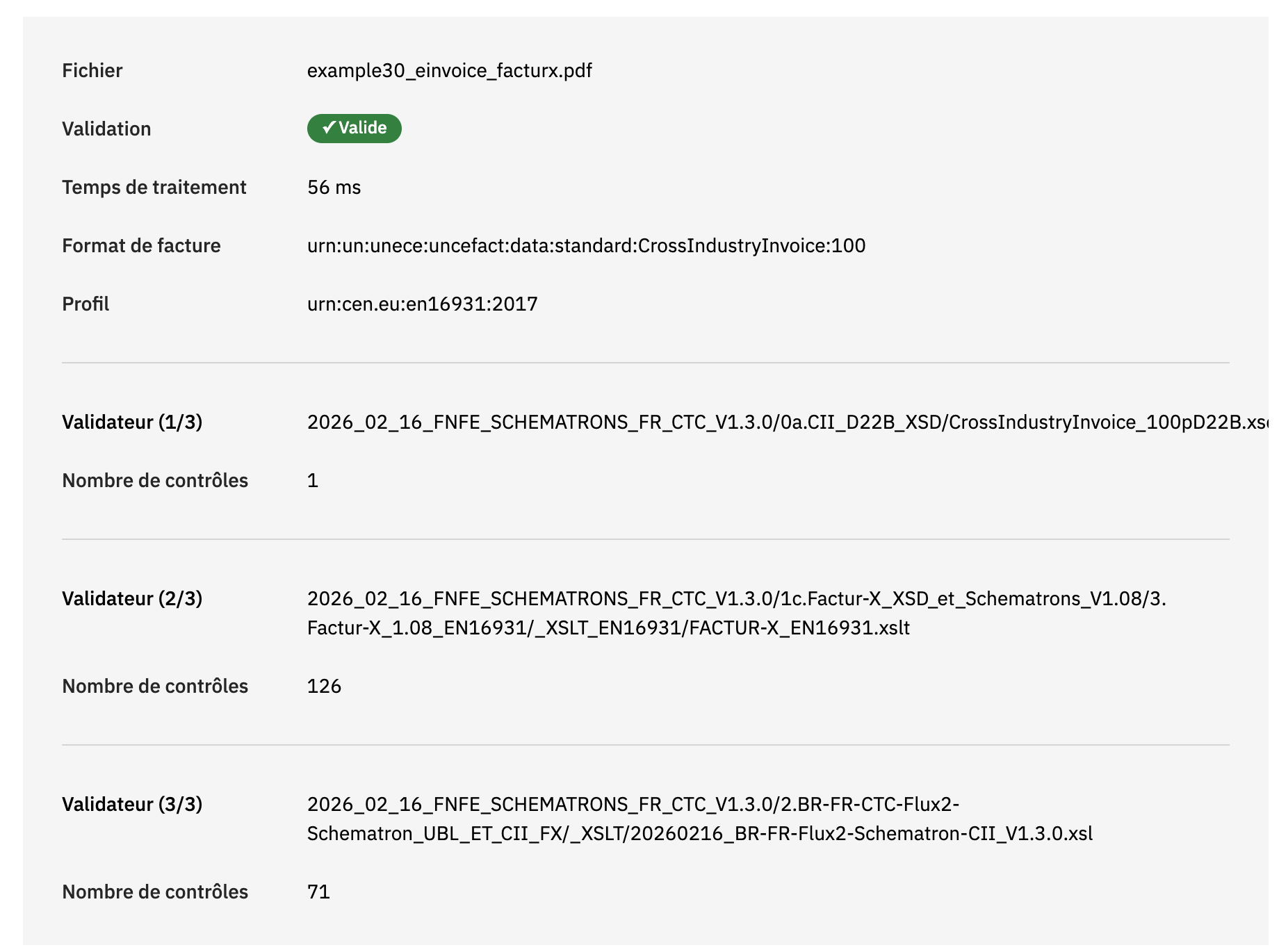
This is the foundation for Factur-X/ZUGFeRD hybrid PDF/XML e-invoicing.
Multi-Stop Gradients
Complex gradients with unlimited color stops, plus full Xojo Brush support:
// Rainbow gradient
Dim stops() As Pair
stops.Add(0.0 : Color.Red)
stops.Add(0.25 : Color.Yellow)
stops.Add(0.5 : Color.Green)
stops.Add(0.75 : Color.Cyan)
stops.Add(1.0 : Color.Blue)
pdf.LinearGradientMultiStop(10, 10, 180, 40, stops, 0, 0, 1, 0)

// Or use Xojo-compatible Brush property
Dim lgb As New LinearGradientBrush
lgb.GradientStops.Add(0.0 : Color.Red)
lgb.GradientStops.Add(1.0 : Color.Blue)
g.Brush = lgb
g.FillRectangle(10, 60, 100, 40)
LinearGradientBrush, RadialGradientBrush, and PictureBrush are all supported.
Complete Transformation Suite
All 18 transformation methods are now implemented: TransformRotate, TransformScale, TransformTranslate, TransformMirrorHorizontal, TransformMirrorVertical, TransformMirrorPoint, TransformMirrorLine, TransformSkew, and more. Example 21 demonstrates every single one.
Bounds Checking
New optional safety feature - catch drawing operations outside page boundaries:
VNSPDFModule.gkRaiseExceptionOnOutOfBounds = True
pdf.Rect(-10, -10, 100, 100)  // Raises RuntimeException!
Affected methods: Rect, Line, Ellipse, Image, Text, Cell, MultiCell, annotations. In normal mode it logs warnings via System.DebugLog without interrupting execution.
Bug Fixes Thanks to Community Feedback
A big thank you to the Xojo users who tested the library on their machines and reported real-world issues. Their feedback led to five important fixes:
MultiCell single-line bottom border - A single-line MultiCell with border=1 was missing its bottom border on all platforms. Fixed.
First character missing in long word wrapping - When a long word wrapped to the next line, the first character was dropped. Classic off-by-one error, now fixed.
Newlines ignored in MultiCell - Explicit newlines (Chr(10)) and CRLF sequences were completely ignored, all text appeared on one line. SplitTextToLines now handles paragraph breaks properly.
MultiCell positioning - The cell following a MultiCell was offset to the right instead of returning to the left margin. Cursor position now resets correctly.
ImageFromPicture corruption on Windows and Linux - The most visible bug. ImageFromPicture produced corrupted images (multi-colored noise) on Windows 11 and Linux. Root cause: Picture.ToData(PNG) on these platforms produces RGBA (4 channels) while PDF expects RGB (3 channels). Fix: force JPEG format on Windows/Linux - JPEG auto-converts RGBA to RGB cleanly. Verified on macOS, Windows 11, and Ubuntu 22.04 ARM64.
Example 26 provides a visual test suite for all five fixes.
Premium Modules Now Available
The first three premium modules are ready and available on the website: Premium Modules - Professional PDF Features
Encryption Module - EUR 50
AES-256/128 encryption with dual password protection and granular permissions (print, copy, modify, annotate, etc.). The free core only includes RC4-40 (40-bit). If you handle sensitive documents, you need at least AES-128.
Table Module - EUR 50
Three table engines (SimpleTable, ImprovedTable, FancyTable) with automatic column sizing, auto pagination with header repetition, alternating row colors, and smart number alignment. What takes 50+ lines of Cell() calls takes one line with this module.
Zlib Module - EUR 50
Pure Xojo deflate/inflate compression (27-60% file size reduction). Particularly important for iOS developers: without this module, iOS PDFs have zero compression while Desktop PDFs get 27-60% reduction. This module eliminates that gap completely.
Bundle: Buy 2, Get 1 Free = EUR 100
Every module includes:
- Full source code (unencrypted, readable, modifiable)
- Lifetime license, no subscriptions
- All platforms (Desktop, Web, iOS, Console)
- 12 months free updates
- Payment via PayPal, delivery within 2-3 business days
Current Status
Xojo FPDF v1.1.1 - Production release
- 23 working examples covering all features
- Cross-platform: Desktop, Web, iOS, Console (Xojo 2025r3.1 API2)
- Drop-in replacement for Xojo’s PDFDocument
- Full UTF-8 with Arabic text shaping and CJK wrapping
- PDF Import, File Attachments, Encryption, Multi-Stop Gradients
- 100% open source core (MIT license)
Coming next:
- PDF/A Module - ISO-compliant archival PDFs
- Forms Module - Interactive AcroForms
- E-Invoice Module - Factur-X/ZUGFeRD compliance
Questions? Just ask in this thread. And keep the bug reports coming - community feedback directly improves the library for everyone.


 , flags, keycaps) are drawn as one emoji, at text size