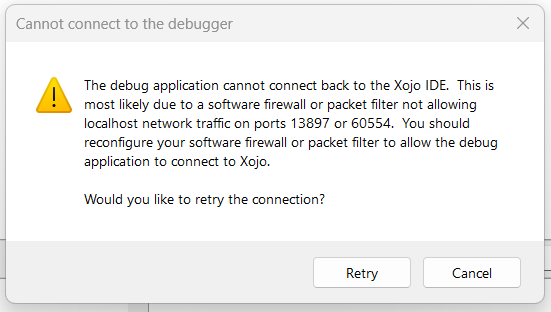
I’m getting this error on Win 11 doing local debugging. I tried disabling Windows 11 Firewall and Turning off Defender AV. No go. I’m using 2026 v1.2
Then I tried a Defender allow for my GitHub top folder where the project is. No go still.
Even an empty project on 2024 v4.2 has the same error.
Any ideas?
Solved by a reboot. Noticed several known apps ask for firewall permissions after the reboot. Likely some Defender Update screwyness.
Good now.
I had that on macOS (last Tahoe version), when I reboot after quitting when I was debugging (Why did I do that ?)
[Not sure:] I only have to delete the .debug applmication.
I think the OS quit the application, but remember at reboot this application was running and (try to) load it. But this Xojo debug application does not works like that: it is tied to Xojo, and this “link” is lost at quit time.
Maybe on Windows there is something similar happening.
Had this happen before also on Windows 10/11. Usually can find orphaned process in Task Manager but I also remember having to restart also when killing orphaned process still did not resolve issue.
Often the debug application will remain behind when you run the app of a network drive. That is not to be recommended.
This happens to me a lot on Windows on the more recent versions of Xojo. These same more recent versions of Xojo now also feature the “Cleaning up debug build…” dialog, and if that fails to autoclose, you’ll need to force-quit the debug build from Task Manager.
But sometimes the problem remains as the socket never got properly closed.
In these cases, I find that disabling and reenabling the network adapter solves it for me, I set up a batch file that does it in one click (make sure you run it as admin):
netsh interface set interface name="Ethernet" admin=disabled
timeout /t 3 /nobreak >nul
netsh interface set interface name="Ethernet" admin=enabled
You’ll need to replace “Ethernet” with the name of your network adapter. Make sure you’re not doing anything else on the connection (like downloading files, etc) when you do it.
No network drive here too.
I just encountered an instance of this issue where resetting the network adapter didn’t solve it, it required a full restart of the system. YMMV!
I’m not sure what changed in the last week but this is now happening to me often enough to be a significant annoyance, at least 2-3 times per workday, each time requiring a full system restart.