Is there a limit on how much text a text area field should contain? I noticed that when I have about 3000 characters of text in a field (plain text), the app is peeking the CPU immensely. It goes to 104% of CPU, freezing the computer. I am working on a M1 Mac Studio with 64 GB RAM.
My app is meant to be used for writing stories, but if 3000 characters already is freezing up everything, I am afraid it will be unusable for that purpose.
I never worked with Profiling, but did it just now with the help of COPilot. It seems that I run to heavy processes with every key type:
“Your code is doing full‑buffer operations (Split, Trim, CountFields) every time you type. That scales linearly with text length.
At ~10k characters, it’s fine. At ~100k characters, you’d expect ~100–150 ms per keystroke, which is where typing starts to feel sticky and CPU spikes.
This matches the forum advice: the slowdown isn’t the TextArea itself, it’s the work you’re doing in TextChanged.”
So I will have to recode this. Thanks for the advice, Tim.
This sounds similar to a problem that can be caused by Styled Text trying to process paragraph alignment. When accessing the paragraph alignment commands, processing took a long time. Just using a command like “TA.SelectionAlignment=TextAlignments.Center” would kill performance. Once the routine stopped trying to use the paragraph alignment commands, processing went back to being very fast, even for long text.
That’s good to know, I do use also Styled text including the paragraph alignment. I will see how much that makes a difference. I tried the same amount of characters in a field using Plain and styled text and both gave me the CPU peeking, so I assumed the problem was the amount and not using Styled Text. But I will try first to slim down the TextChanged event.
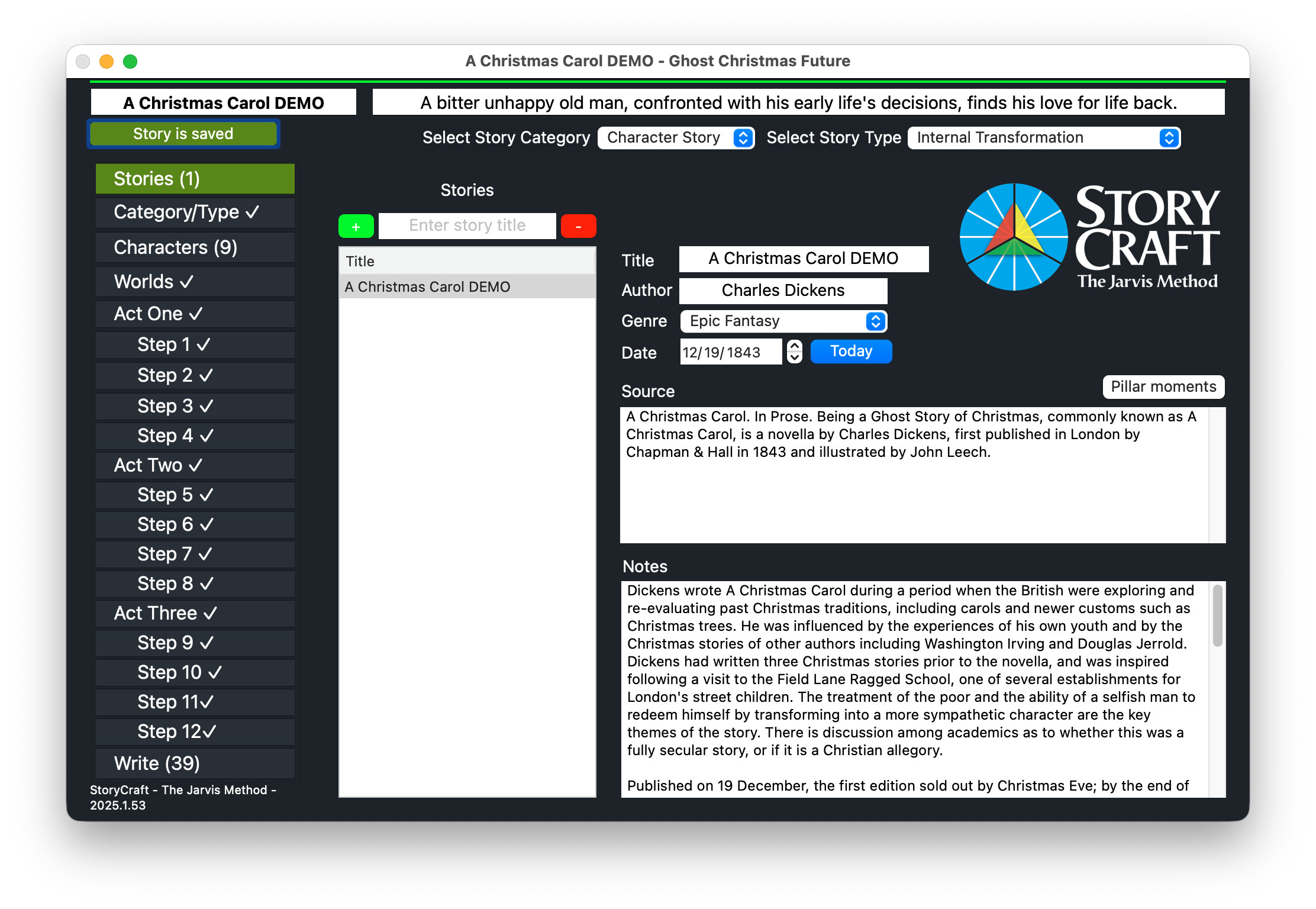
Normally, yes, but the app is using a writing philosophy called the Jarvis System which would be difficult to follow using only a text editor. Here is a screenshot of the app:
If you do need to use undesirable Events (SelectionChanged, TextChanged, etc), then you can launch a 3 second Timer to do the processing. If the person types 10 characters within 3 seconds, the Method is run by the Timer only once (not 10 times), so should be more responsive.
It’s very easy, the control is wrapped into a single class that you drag and drop onto your project. You can modify fully in code or the IDE. There are videos on youtube as well
I had a recent thread on this. I noticed that especially if you include non-ASCII emoji chars like this exacts a huge performance hit. I imagine styled text could have similar issues.


 this exacts a huge performance hit. I imagine styled text could have similar issues.