If Entry_Tag IsA FolderItem Then
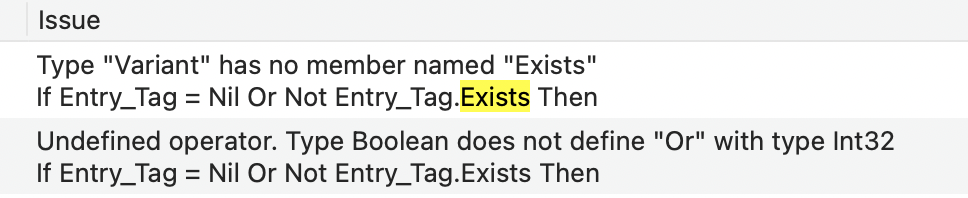
  If Entry_Tag = Nil Or Not Entry_Tag.Exists Then
    System.DebugLog "SelectionChanged[1]  + Entry_Tag error."
    Return
  End If
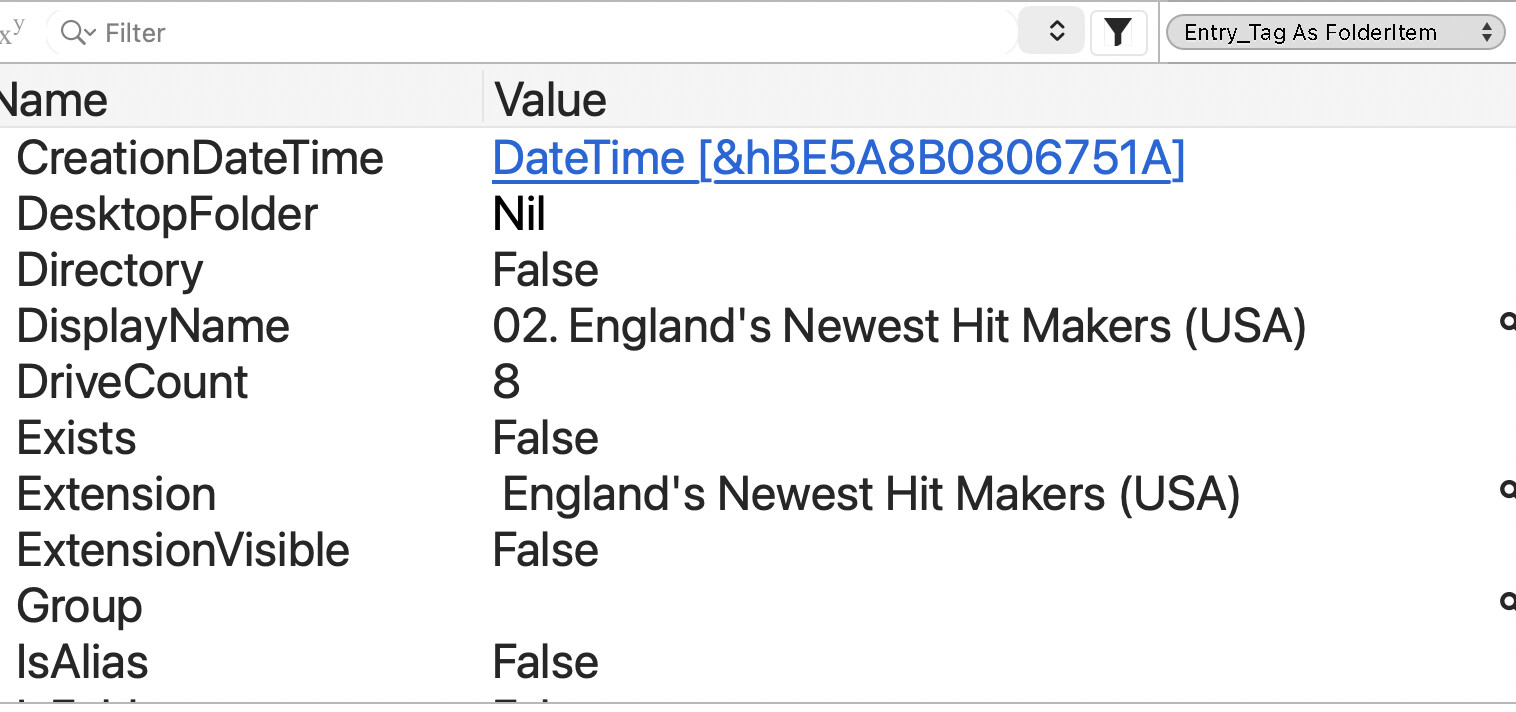
I added a screen shot: show more troubles, an path is wrong.
I will check the code that adds the FolderItem into the RowTag.
The code, without the index ("02. ") in the folders, worked fine (excepted the albums names does not comes in the release time order in the Expanded ListBox).
I probably made mistakes there.
If Me.SelectedRowIndex > -1 Then
  // Get the Album Folder OS Reference
  Entry_Tag = FolderItem(Me.RowTagAt(Me.SelectedRowIndex))
  // before the code I shared above
Now, I will check where I do that:.RowTag = FolderItem (fake code).
this Entry_Tag property is Variant or FolderItem?
the name _tag conveys the impression its a type Variant
and like Entry_Tag = Me.RowTagAt(Me.SelectedRowIndex)
Markus and Andrew are both right, I declared it as Variant and suffixed it Tag to know where it comes from.
Why declaring it as Variant ? Who knows what is stored in a Tag ? (It may be a bad idea, but I wrote it as a security check).
Problem solved, but I do not really know what was wrong.
I changed so many things / add data to my data folders (*), add more error checkings in my code / System.DebugLog…
My situation now is… it works and I have to remove all commented code: I comment code, write a brand new one and if the new work, I delete the commented line(s).
I was able to scroll the code without slow / freeze while debugging and that is nice. (with macOS 26.3; with the previous version, I could not scroll the lines of code while debugging).
(*) I have created a lot of folders, but I do not filled all of them. I had to add a leading number (index shema: "ii. ") to be able to present the records in temporal order, not in the alphabetical order (or “as is” / OS undefined order) and that was a source of troubles: some folders were empty and without Nil | Exists checkings, I get a crash because the folder was empty.
Red folders (empty) are not displayed as is in my display ListBox: a data folder is not meant to be empty !
 .
.