The tab order editor not working for me. I don’t want items buried inside of disclosure triangles, and when I try to drag items to the left, they’re not moving to the left with the other items. Am I supposed to hold down a modifier key (combination)? I can move one of this buried items halfway down the list, and it “pops” back where it was. No idea why there are items hidden by disclosure triangles in this tab order editor. Nothing shows in the Documentation. Went back to 2025, no difference. Very difficult to adjust tab order. Recommendations? Is there a bug report I need t view about this?
The disclosure triangles are the groups you’ve setup on the dialog. For example DesktopGroupBox or other containers. You can’t move things out of the level it is in. You can only control the tab order within the top level and within each group separately. You can obviously adjust the tab order of the groups.
I never set these up on a dialog. I created each on the window they are shown. My project has shown these until this year, suddenly one listbox is invisible. I thought to check tab order and not have anything buried in groups might bring things back. My code is unchanged, may an API.2 I’m unaware? I continue to study my code. Should I consider cutting a pasted items back in?
I’m not following your description can you show the window and the tab editor window?
This is a window with two group boxes on it Statistic, Parameters (within that two groups Variables and Options)
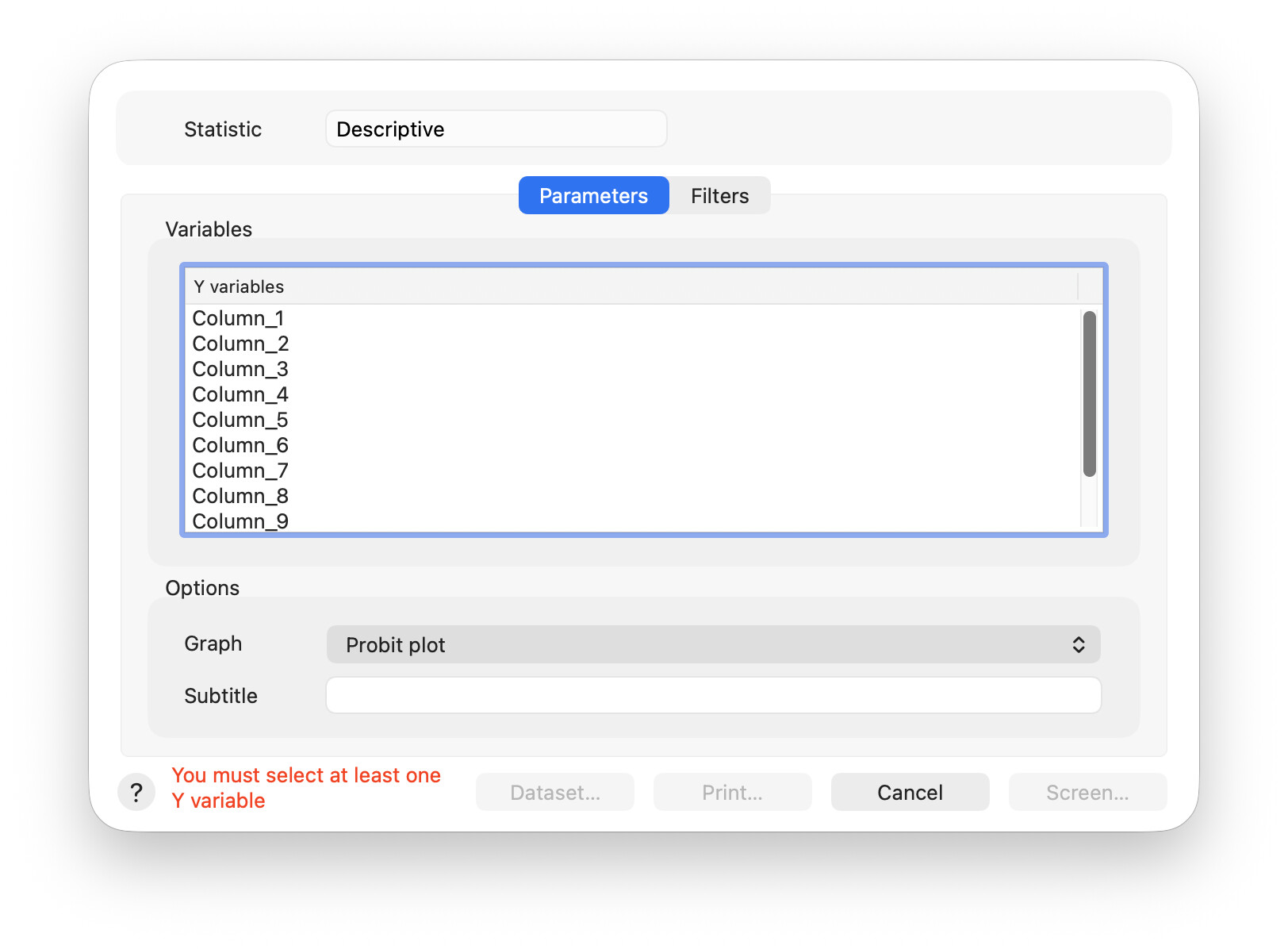
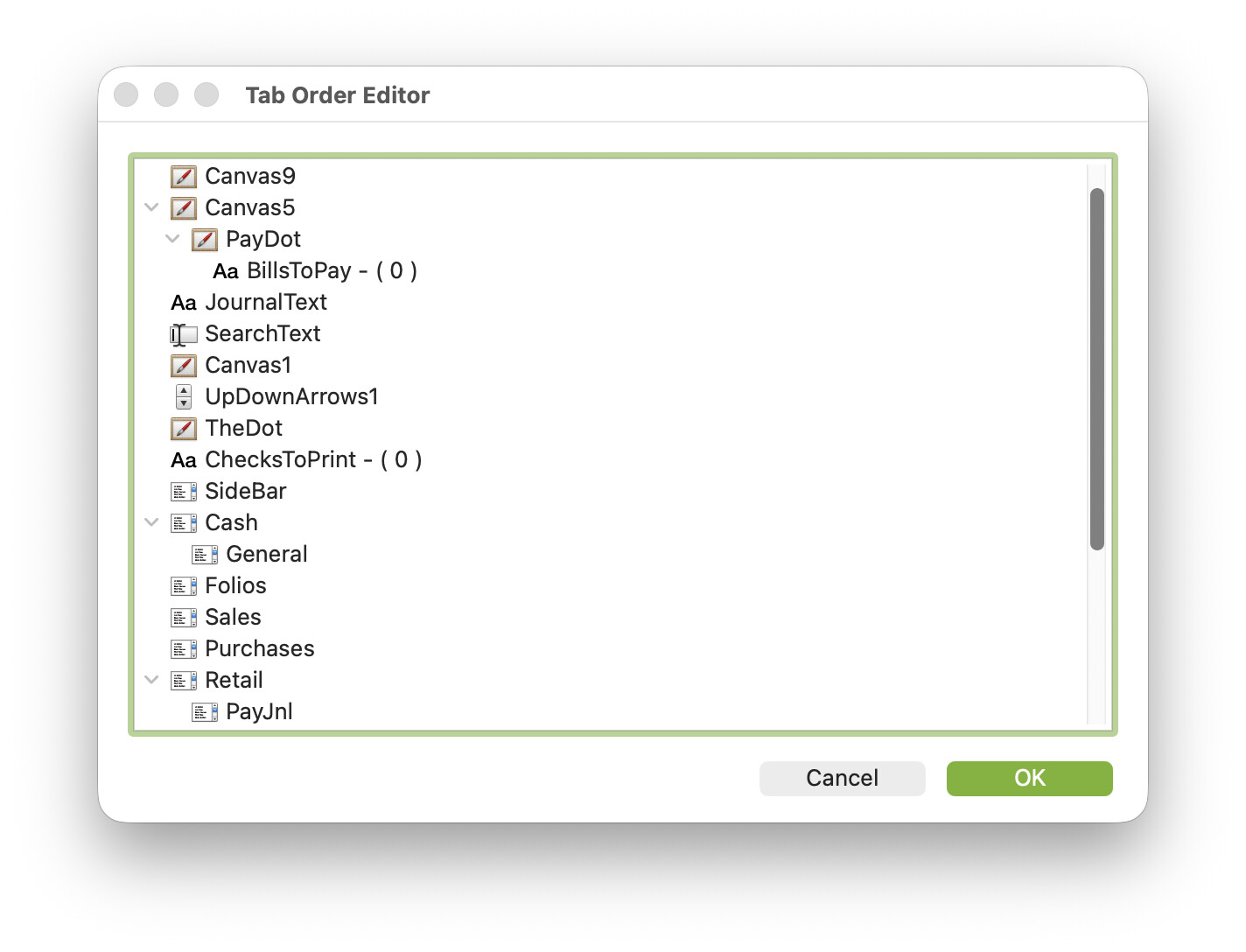
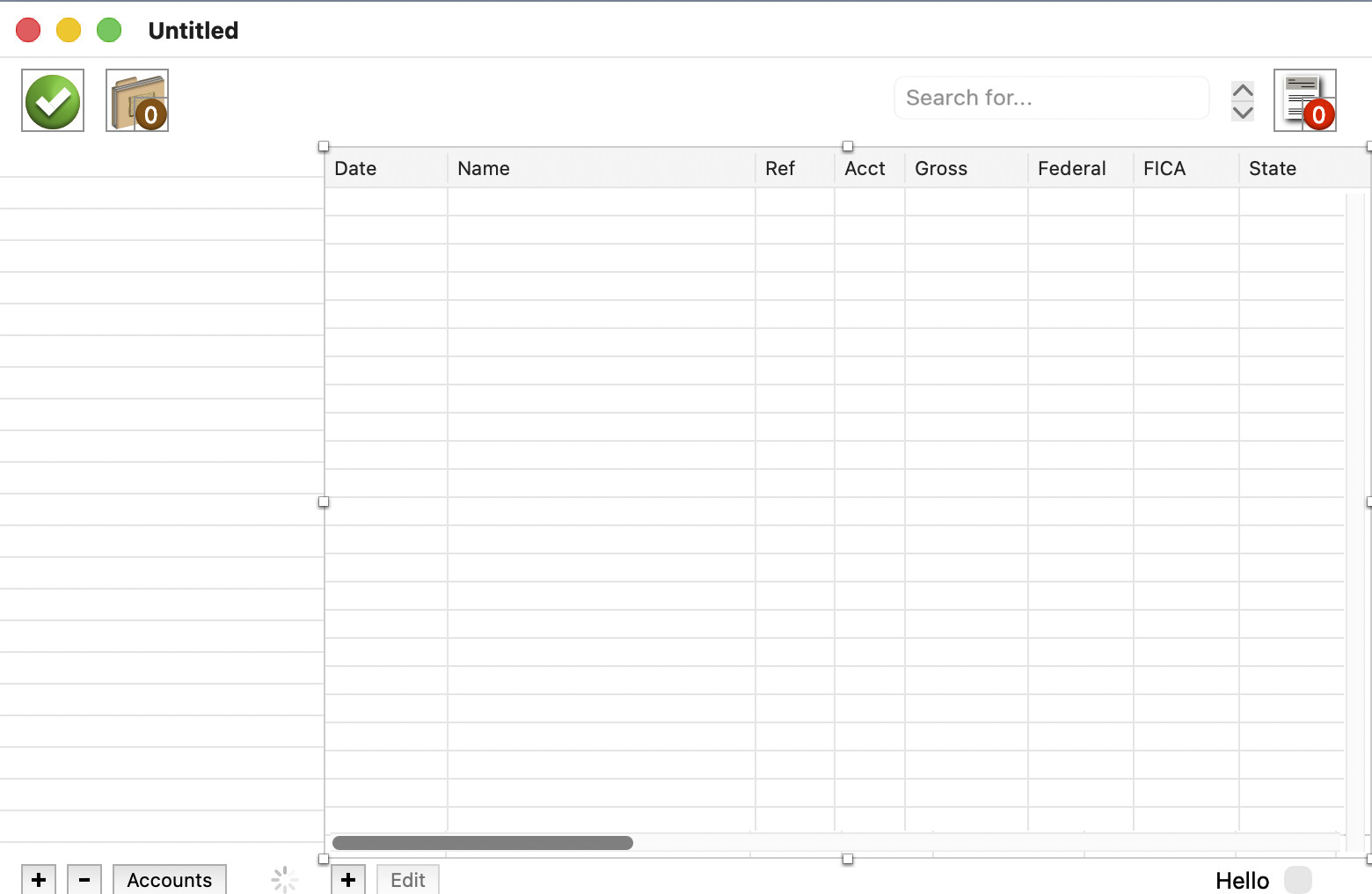
In that window, move one element at a time using the mouse.
In your screenshot, PayDot is a Child of Canvas5.
In the Window Editor, when you select PayDot, Canvas5 have a red surrounding rectangle.
Also, you can set the Bill Amount value in Red (when not paid): thus the expression “I am in the red at ACME…” (or the Bank, etc.) 
You can stop that using a MenuItem.
The red outlines the child’s parent object. I did not create any of that, unless it happens because the child is completely within an object. I’ve been using “me.parent=nil” but I have an item I thought might not be showing because its parent was not visible. Still studying code that used to work until 2026.1. It’s a show stopper, and 25 years of this makes my want to retire. I thought I was ready to let this out to the market. Forever labor of love. Not sure whether I can get this to fix. I have a series of list boxes that I turn to false and then turn the user selected one to visible. Worked without fail for a quarter century.
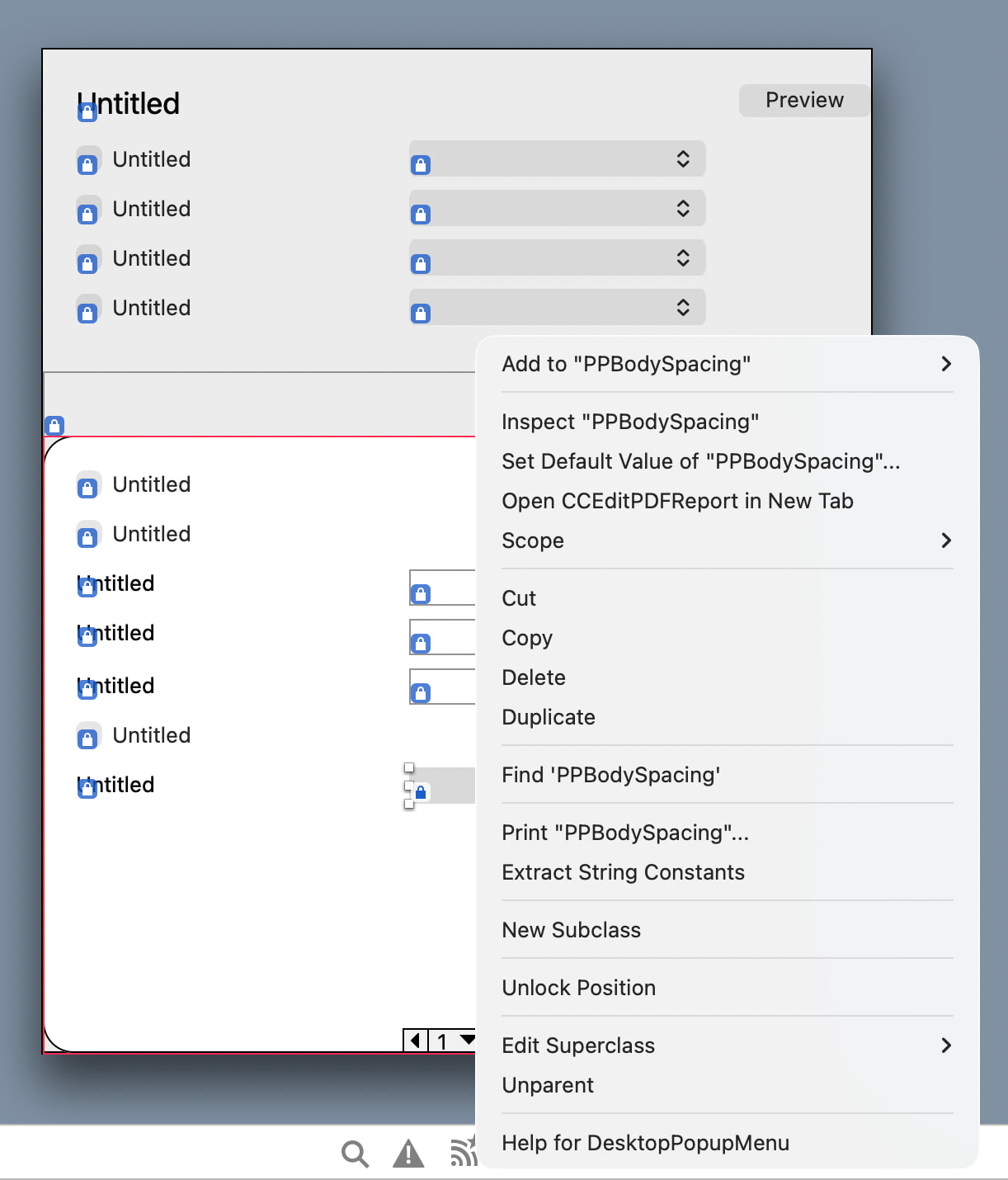
Yes it does happen for that reason. Canvas can be a container, just like a group box etc. if you right click on the “child” you can break the parent relationship using one of the menu items Unparent. It will only go back again if you drag it, even slightly. Generally having controls overlapping isn’t a good design and can lead to flickering or other problems on window.
What are the canvases for? What purposes do they serve? Controls can be hidden or disabled without them, so you don’t need them for that.
Controls can be fun sometimes. In the screenshot I have selected a popupmenu which is a child of a pagepanel. In the context menu I can select “Unparent” to get rid of the parentage:
I always put controls on containers and then put those together which avoids 90% of the problems with parenting.
<<What are the canvases for? What purposes do they serve?>>
I created an item class for them. There are seven of them for displaying journals used in business: check register, credit sales, credit purchases, general entries, cash sales and collections, and payroll.
A method turns the visibility of all seven to false, then brings the journal the user selected to visible is true. I’ve not considered a hide/show vs. affecting visibility.
But because they are on top of one another, inheritance is a handicap because these listboxes may adopt states of their parents whether affecting visibility, or showing/hiding.
I’m maintaining a standard I decided on 25 yrs ago, but if that needs to change to get back to fixing this problem that was not happen while building with 05.3 then so be it. I can’t get over this happened while nothing changed in the code I wrote that worked perfectly. The release last September, download from the web site, designersdomain.com, works perfectly. I didn’t change any of the coding, I spent my time changing sheet windows to moveable modals and improving troubles with comboboxes.
Have you looked at page panels it allows you to have any number different layouts all in the same space and swap them at once. Like a tabPanel without the tabs. It might help
2 Likes
This always has been a bad idea. At some point one canvas may become the child of another and then you have visibility problems. Controls go into containers and containers go into other container or page panels.
1 Like
Hi. I took your advice and put each journal into a page panel. Pages 0-5 for six journals. No change, the journal on page 3 refuses to show, acts like the software doesn’t see it. I’ve replaced this object three times with no change. Can you help trace this to fix it? I really did not need this showstopper, I was about to release and market this cross platform. I have the most recent work saved using the current 2026.2.1 beta.
You likely still have a parent relationship, do you see any red boxes. Does the tab editor show any fold out items (apart from the PagePanel). With a PagePanel you don’t need to show or hide any controls, just change the right page. Everything is done for you. Have you set all the elements to visible? Have you any code that show or hides elements?
PagePanel would be straightforward with the OP’s current scheme, but cleaner perhaps would be to just have one canvas and instead of vectoring data to one of seven canvases whose visibility changes, just vector the data to the one canvas. I mean, a canvas is by definition a blank slate, so unless you’re trying to do some weird layering effects, what’s the point of have more than one if they occupy the same 2D space?
FIXED (took forever). One tiny word. One big fail. Found and solved. The sidebar’s opening event included a reference to the journal “Cash Sales / Receipts” as “Cash Sales / Received”. Discovered after I removed all code related to turning the visibility of these six journals on or off. The PayJnl listbox is not in the PagePanel, I set its visibility to true when need and turn the PagePanel’s visibility to false. When the payroll journal is closed, its visibility is set to false while the PagePanel’s visibility is set back to true. For the record, I’ve never used Canvas controls as containers. Thank you everyone. Even thought the solve was not related to changing visibility code, all of that is removed and these journals (listboxes) are now in their own PagePanel shelves. Thank you for pushing me to find what I did to mess this up. Moving these to PagePanel is a major version change. I went back to my previous version; corrected “Received” to “Receipts” and was fixed as before, without using a PagePanel. I’m going to remove a lot of commented code about visibility, probably go forward with the work You encouraged me to perform to get to a more reliable place regarding parent/child relationships and their visibility.
Thanks for tickling my brain to get through this.
