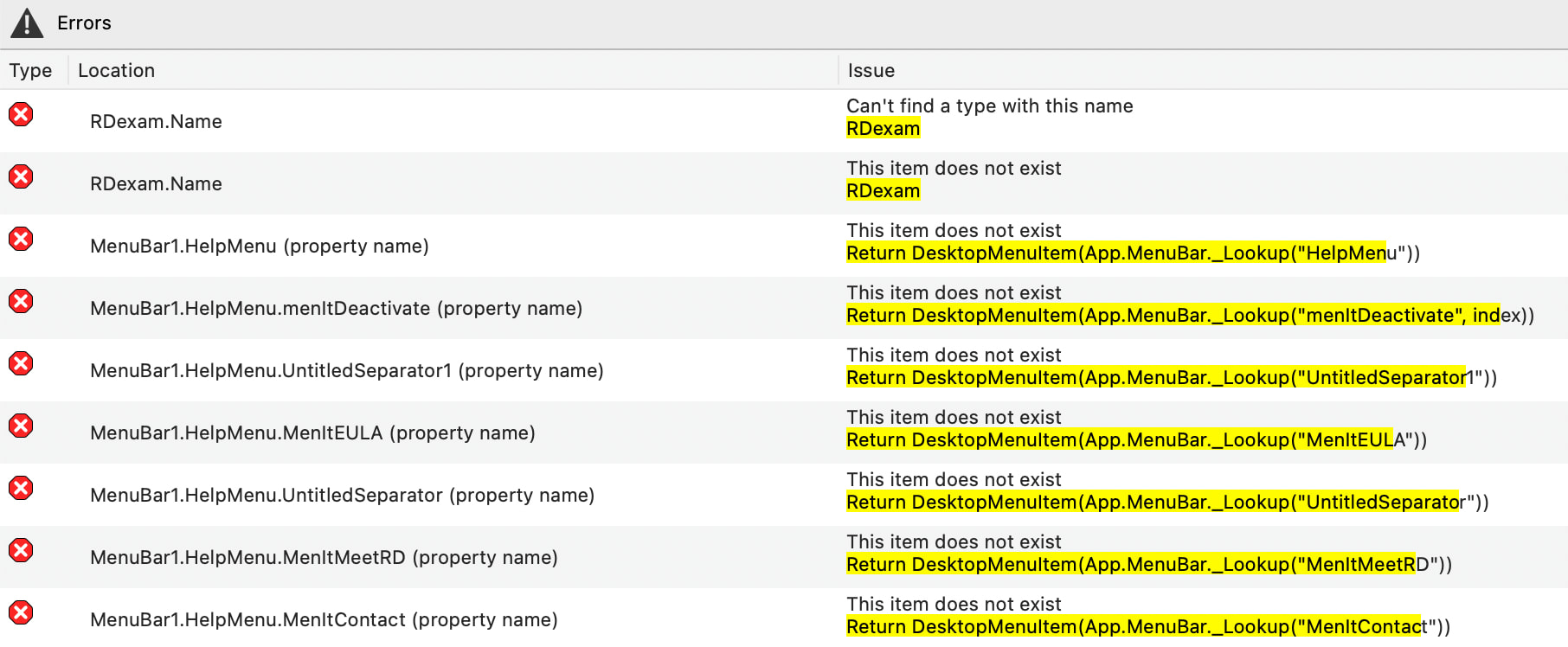
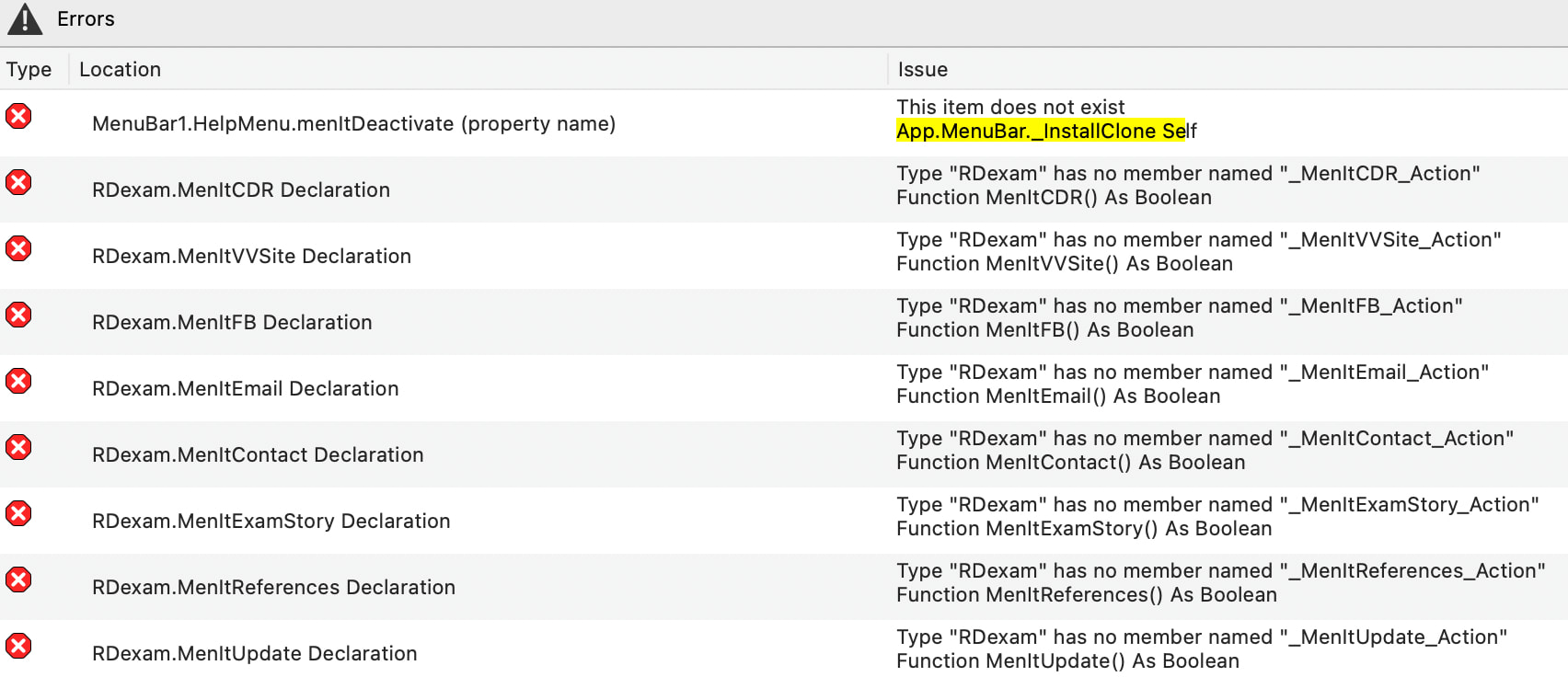
I downloaded 2026 R2. This is on Mac Sonoma 14.6 with Apple M3. When going to run my working project in 2026 R2, I received many errors, most of which were related to MenuItems but also the App class (app renamed to RDexam in my project, but even changing the name back to App still produced errors). Some of the errors below
Of note, this project is a longstanding one started from many Xojo versions from the past. It did seem that some of the MenuItems may have just had the older MenuItem as the Super. I changed these to be DesktopMenuItem. The project has previously been fully converted to API 2.0 a couple years ago
Also of note, but I don’t think this matters, I also added in the latest GraffitiSuiteDesktop library (v 71.2). My first time adding libraries to my projects. Though, when I removed the GS library file and attempted again with 2026 R2, I still ended up with the slew of errors, so again, I don’t think this is GS library-related
I also deleted all of the MenuItems and MenuHandlers and recreated them, but this also failed with the same number and type of errors
I then opened the project in 2026 R1.1, and it compiled nicely. This was both with and without the GS library file included
Last of note, I thought to attempt this with just a blank new project to try and recreate the issue, but that project ran fine. The project contained a simple MenuItem whose Menu Handler opened up a new window
Has anyone else noticed this? Is this something I will just need to wait around for R2.1? I’d rather not create a brand new project and copy all my screens and resources over to that, but I will if it is determined that projects that were initially built ~10 years ago now don’t behave nicely with 2026 R2 and instead need to start over from scratch
Did you try clearing the Xojo caches upon the first failed run? I’m recommending that everywhere for practially everything now, but especially when you do anything related to libraries. It seems like the Xojo cache gets poisoned in some rare cases, and that can have all manner of side effects.
Not sure what you mean by this. If meaning we should not remove the standard added menu items, like Edit and Window, then I do remove those in my menus (errors) but also did in my test project, which ran fine
I don’t add the “_” prefix to my MenuItems. They are named MenuFeedback, MenuAbout, etc.. This is even the case (same errors showing the “no member named _MenuAbout_Action”) when I deleted my previously added menus and did Insert > MenuBar, added my MenuItems, renamed them, and added their Menu Handlers. IDK where that “_” is coming from, and again, I cannot reproduce it with a test project
I just did this now via Xojo > Settings > Building > Clear Caches. Saved, closed, quit Xojo, reopened, ran, and errors persisted. I was hoping it was something that simple but apparently not
So your project still works in earlier Xojo versions?
If yes, this is a regression, needed to be spotted.
If no, you may try going back to a previous version of your project (one that worked) and redo your changes, one at a time, until you find what breaks.
Yes, the same project compiles and runs without errors in Xojo 2026 R1.1. The menu-related errors only appear in 2026 R2, so it does seem to be a regression introduced in R2. Though, I cannot reproduce it with a small test app. Guessing I might need to try creating a new project and adding in everything from the main project to see if that works.
There’s very likely to be a Xojo 2026 Release 2.1. I’d open a confidential case, attach your project, and state very clearly that it’s a regression in R2. That gives you the best chance of it being fixed quickly without the need to majorly overhaul or rebuild your project.