File.Open just does the equivalent of double clicking the file in finder. Xojo is not involved after that point.
It’s possible that there is some command line tools you could use to “unrar” the file. They may perhaps have command line option. macOS has unzip command line build in that can be driven via a shell. However, I don’t think there is a built in Rar.
Each tool will likely have different command line options. If you’re trying to distribute an app that can UnRar then you would be best looking for a command line tool you can embed within and call from your app.
Some people still use Windows XP (or lower) and share compressed archives.
And some archives I use were created pre-UTF time (around -or before 2000).
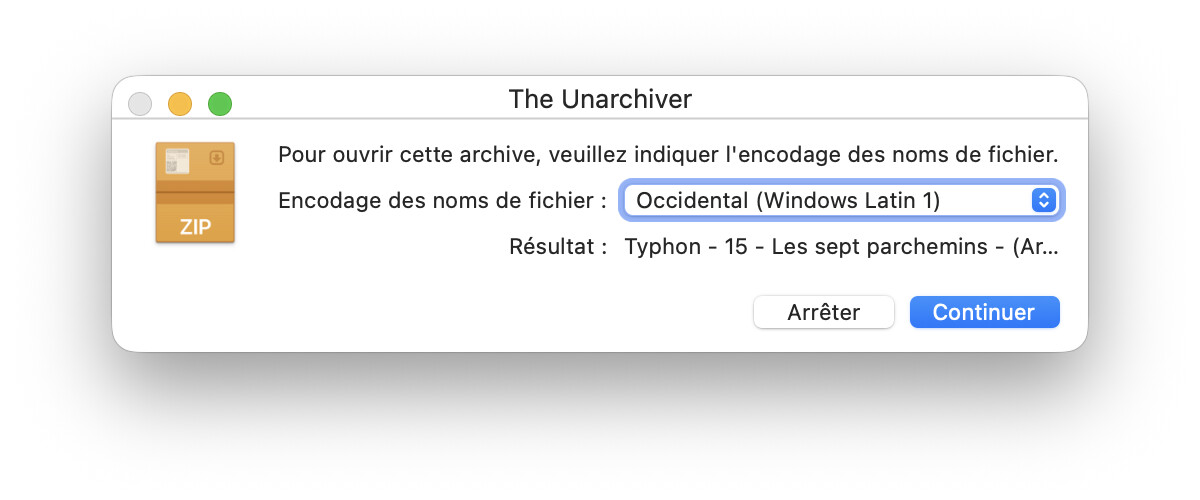
I uploaded with amule, recently archives with diacritical vowels or typographical apostrophes (’, ‘, “, ”) that provoque the “choose an encoding” window.
I will share that window when I found one in the next days. I was not able to do that yesterday: the cause was unknow, but I had to close the computer (it was not hot where I was) and watch TV (back to a hot house) yesterday.
Yesterday, I was using the program on archives I do not created.
PS: I loose two archives in the process, yesterday. But, I work on copies sometimes after a program is debugged, just in case I forget to check something.
I fired Uncompress (Pawn Technologies), taken from the App Store and decompress those two archives (same process done in the Xojo application with Archive.rar → f. Open) but the dialog does not appeared, everything went OK.
That window may be closed by a timer… I do not found it, yesterday once the full process was done (decoding and proccessing 8 archives files).
I clear and short, for Joe Newbie, zip = rar because he just “double-clik” in it and it works.
I also hear a guy telling "I converted an avi to mp4” when in fact he just changed the File Extension and the OS opened (pure chance / they nowaday all are able to read all file formats) the video with an/the application that knows that format.
The above do not works with an out-of-the-box computer (I “checked” that last week: I had to “Open With VLC” because a double-click on three videos where one was .avi was rejected by the macOS video Reader - QuickTime ? -.
I use that because Xojo do not provide an UnRar Command. So, Xojo is involved.
Some intelligent code was at work, I only do not know how to use it.
The intelligent part is… the code detected non ASCII characters used in the file name and no encoding was used: it simply ask what to do.
This is the same as if there is already an object with that name already exists in the decompress location (either a Folder or a File have an identical name @ destination).
That’s the operating system at work. Like Ian said: File.Open delegates the task of opening a file to the operating system which applies its own logic to find a suitable app to open it. From that point the app takes over. At no point is Xojo involved. ‘File.Open’ means: Let the operating system deal with it.