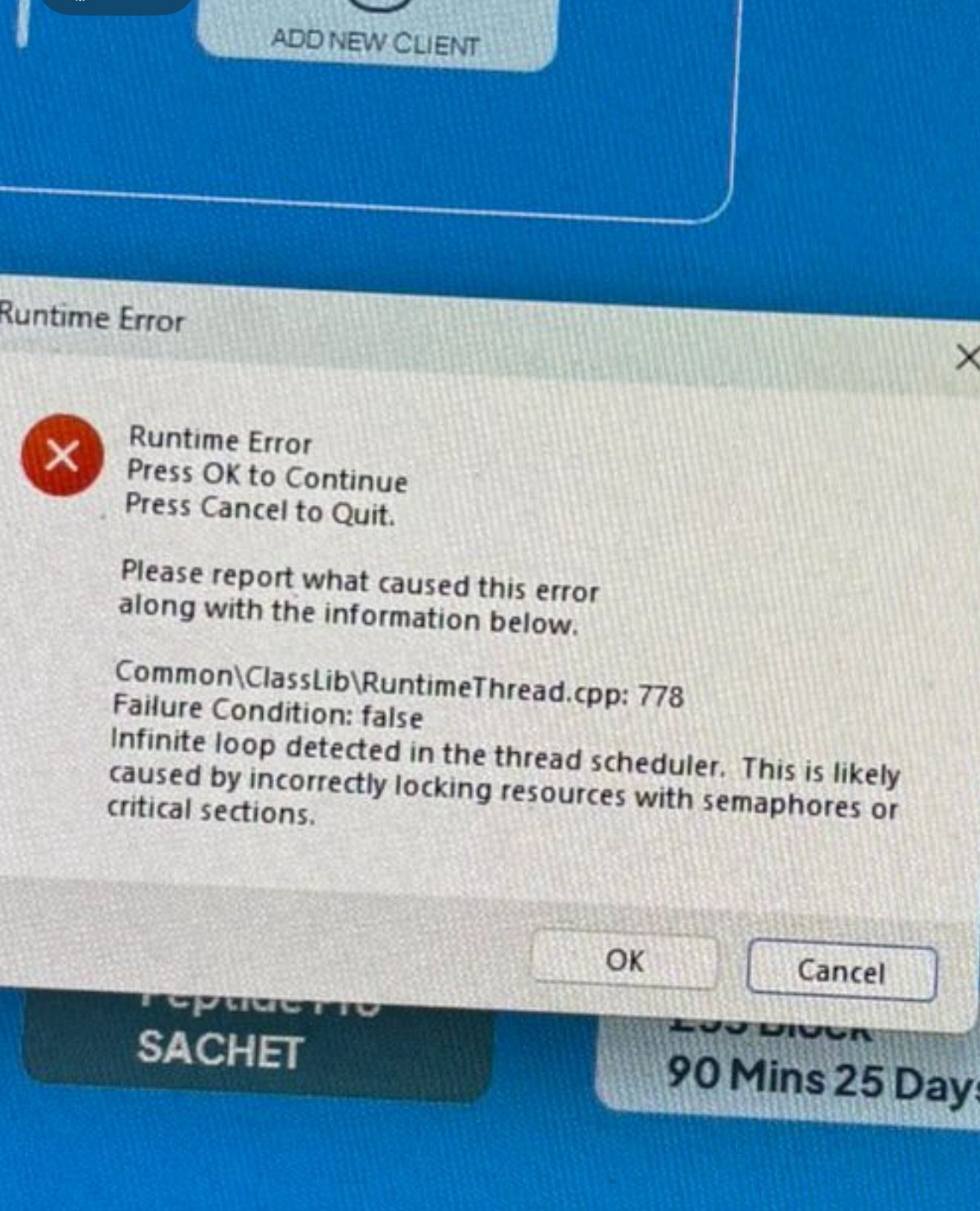
Hi, I have a Windows 64bit desktop application which has now been deployed across 38 sites over the last 6 weeks. We’ve had 3 or 4 occasions where a runtime error has popped-up referencing a “infinite loop detected in the thread scheduler” as shown below. I’m using Xojo 2025v2.1
My app does not explicitly use threads, apart from the Log4Xojo module which I believe uses threads during the process of writing to a log file.
It’s so infrequent that it’s impossible to reproduce and the unhandled exception code doesn’t catch it of course to get the stack dump I’ve coded for example. Anyone experienced this please or have any ideas how to debug?
Thanks
Remove the Log4Xojo Module and see if the issue goes away. Then you would at least know whether you can concentrate on the Log4Xojo module, or whether the error lies elsewhere.
Thanks - I had thought of that but as the app is relatively new, the logging is actually really useful for tracing a few teething issues at the moment. If I remove Log4Xojo, I might have to wait weeks to be confident that the error has gone away. It’s the most obvious way to try and narrow it down though I agree
Hi. No, never really followed it up as the error only pops up a couple of times a month across 38 sites running at least 18 hours a day.
I’m pretty sure it must be Log4Xojo as our actual software doesn’t explicitly used threads at all.
I reviewed Log4Xojo and found one plausible cause: if file logging tries to write to an invalid or unwritable path, the background logging thread could keep retrying the same queued messages.
I’ve patched this now. If file writing fails repeatedly, Log4Xojo disables only the file logging destination after a fixed number of attempts. DebugLog and SystemLog continue working.
When this happens, Log4Xojo also sends a critical message to System.Log, so on Windows you should be able to see it in Event Viewer. The message includes the log path, the last write error, and the first failed log message.
So if anyone hits this again, please check Event Viewer for a message starting with Log4Xojo: File logging disabled.
Thanks, that sounds great, will test asap. So to confirm, all logging will cease if the problem occurs, with the only notification being in Windows Event Viewer?
Yes. Well, just the file logging feature. And when it happens (if it happens) it will add a log to the windows event viewer to let you know that something went wrong.