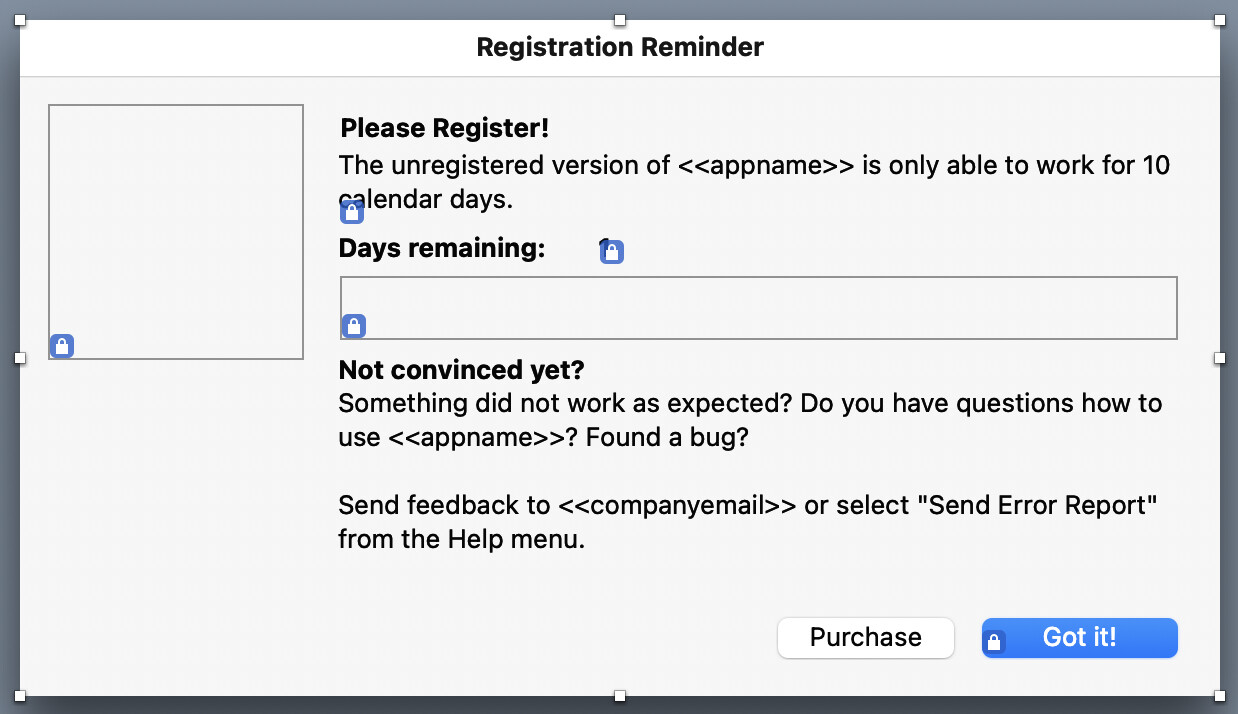
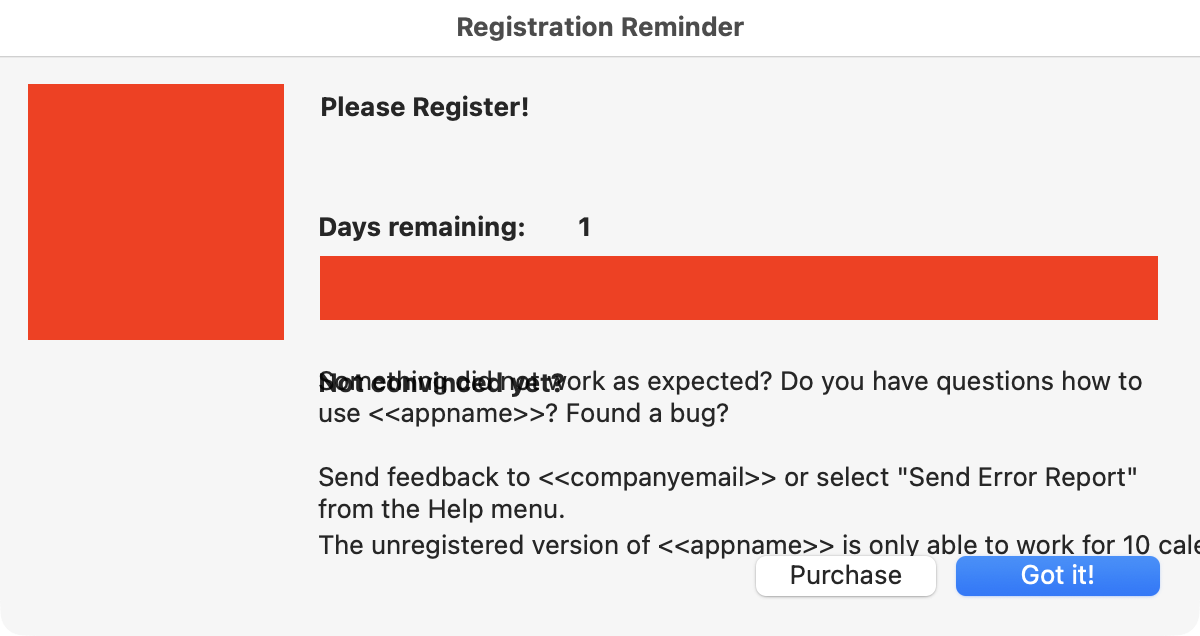
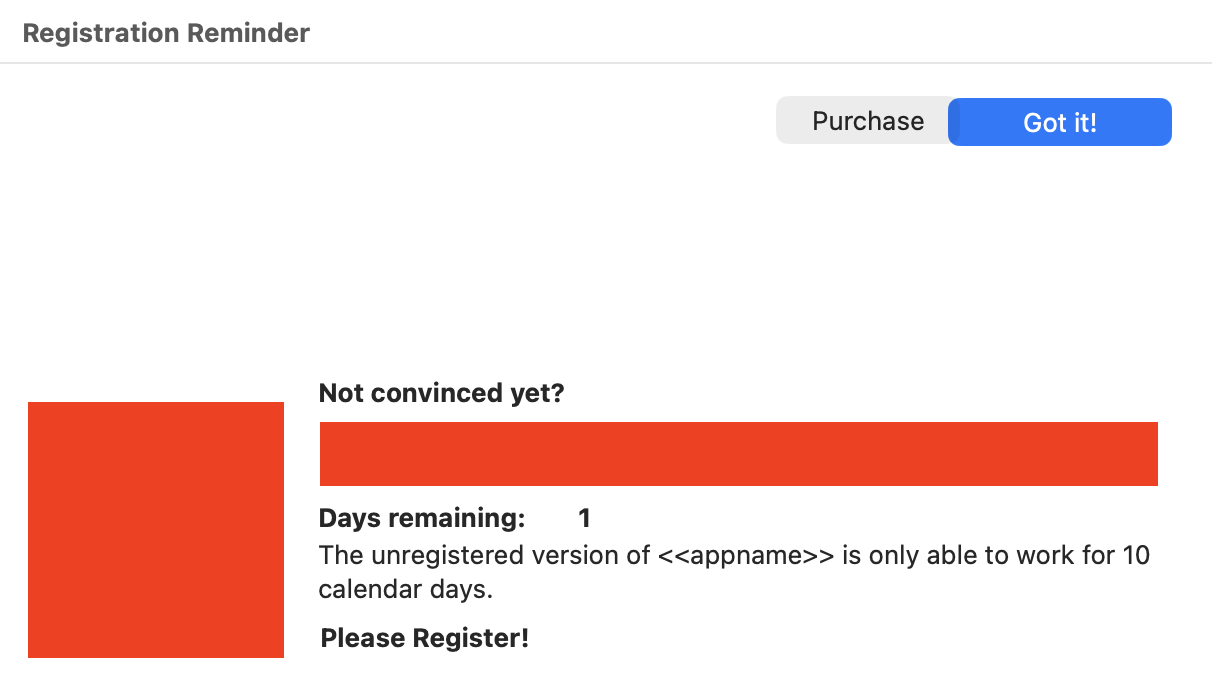
To prepare for Tahoe and the future I’m playing around with the Constraints example from @Greg_O . For a new window everything works as it should. I slapped some controls on the window, added constraints for the buttons at the bottom and finished. But for an existing window some controls move where they shouldn’t.
// 1. Put window in Auto Layout
Self.ConvertToAutolayout(True, True)

// 2. LOCK all existing controls where you placed them in the IDE
//    (this is what keeps your labels, image, red bar, etc. from moving)
'Self.ConvertConstraintsForAllControls(1000)

For Each c As DesktopUIControl In self.Controls
Var skip As Boolean
if c isA DesktopButton then
'skip
else
self.ConvertConstraintsForControl(c, 1000)
end if
Next

// 3. SOFTEN ONLY the two footer buttons so they are allowed to move
Self.ConvertConstraintsForControl(PBGotIt, 200)
Self.ConvertConstraintsForControl(PBPurchase, 200)

// 4. Add the layout we actually want
Dim c As SOSLayoutConstraint

// right button
c = PBGotIt.RightAnchor.ConstraintEqualToAnchor(Self.RightAnchor, -20)
c.Priority = 1000
c.Active = True

c = PBGotIt.BottomAnchor.ConstraintEqualToAnchor(Self.BottomAnchor, -20)
c.Priority = 1000
c.Active = True

// left button
c = PBPurchase.BottomAnchor.ConstraintEqualToAnchor(PBGotIt.BottomAnchor, 0)
c.Priority = 1000
c.Active = True

c = PBPurchase.RightAnchor.ConstraintEqualToAnchor(PBGotIt.LeftAnchor, -10)
c.Priority = 1000
c.Active = True
I’ve talked to ChatGPT and experimented for hours. But I can’t figure this out. The controls still have the name of statictext so this is like European drinking age old.
Also my project is still desktop API 1 where I don’t want to convert the whole project of 650 classes or so to desktop API 2. @Greg_O : how much work would it be to convert the Constraints code to desktop API 1?
I’ve made a branch for API1 compatibility. if you could try it out and see if there are any missing items (like things that you think should autocomplete but don’t), that would be very helpful.
Please note… There is still no support for mixed API layouts. That is, API1 controls on API2 views and API2 controls on API1 layouts.
Exception Name: NSInvalidArgumentException
Description: -[XOJWindow bottomAnchor]: unrecognized selector sent to instance 0x7fcea5013f70
User Info: (null)
So… are you able to step through that code and see where the error actually occurs? The error seems to be that bottomAnchor doesn’t exist on the item that it was being either applied to or requested from.
The problem is probably that it’s pointing to the NSWindow and not the NSView within the window. I must’ve missed one of those conversions. Will look at it after work tonight.
It would be so awesome to have a graphical solution for Anchors or LayoutConstraints inside the UI editor. With standard control sizes between platforms drifting apart (and obviously inside single platforms too, see Beatrix’ thread about button sizes and corners), the best way to handle a GUI (also to have it adapt to localisations more easily) would be to have native constraint support for desktop.
I just learnt that XAML knows something like
A graphical solution would be awesome. For Tahoe with the new SDK positioning a button in the IDE produces a wrong result. Now I don’t know how you can make a solution for SDK 26 and pre-SDK 26 at all.
At the moment I’d settle for any solution. I’m even thinking about doing a brute-force solution or using the Einhugur Custom Button which doesn’t increase in size. Users are not going to notice the larger buttons.
// 1. Put window in Auto Layout
Self.ConvertToAutolayout(True, True)

// 2. LOCK all existing controls where you placed them in the IDE
//    (this is what keeps your labels, image, red bar, etc. from moving)
'Self.ConvertConstraintsForAllControls(1000)

'For Each c As RectControl In self.Controls
'Var skip As Boolean
'if c isA DesktopButton then
''skip
'else
'self.ConvertConstraintsForControl(c, 1000)
'end if
'Next

// 3. SOFTEN ONLY the two footer buttons so they are allowed to move
Self.ConvertConstraintsForControl(PBGotIt, 200)
Self.ConvertConstraintsForControl(PBPurchase, 200)
self.ConvertConstraintsForControl(CIcon, 200)

// 4. Add the layout we actually want
Dim c As SOSLayoutConstraint

c = CICon.LeftAnchor.ConstraintEqualToAnchor(self.LeftAnchor, 20)
c.Priority = 1000
c.Active = True

c = CIcon.TopAnchor.ConstraintEqualToAnchor(self.TopAnchor, 20)
c.Priority = 1000
c.Active = True

// right button
c = PBGotIt.RightAnchor.ConstraintEqualToAnchor(Self.RightAnchor, -20)
c.Priority = 1000
c.Active = True

c = PBGotIt.BottomAnchor.ConstraintEqualToAnchor(Self.BottomAnchor, -20)
c.Priority = 1000
c.Active = True

// left button
c = PBPurchase.BottomAnchor.ConstraintEqualToAnchor(PBGotIt.BottomAnchor, 0)
c.Priority = 1000
c.Active = True

c = PBPurchase.RightAnchor.ConstraintEqualToAnchor(PBGotIt.LeftAnchor, -10)
c.Priority = 1000
c.Active = True
I added constraints for one canvas but there is no change.
Regarding this. After having worked on this in the Xojo IDE and used it for my own projects, my wish is for a system where constraints don’t affect the layout editor but can be visualized somehow. Perhaps a mini “run mode” where the IDE strips out all code and shows what the controls will do would be helpful, but not if you like doing manual constraint work like me.
While I understand Xojo’s want to have this right in the layout editor, the iOS experience is a disaster IMHO.
as far as bringing them to other platforms… well that’s even trickier. Yes, xaml has their own system, but it’s not going to match the behavior of Mac or iOS 100% (not that it should either). That pushes xojos cross-platformness even farther afield. When I was working on it, the only thing that seemed remotely tenable was for xojo to add a cross-platform engine themselves that was basically agnostic. That unfortunately means that Xojo would need to build it, do it right the first time, and have some people actually understand constraints completely (and continue to do so). And it would be critical to get it right, straight out of the box.
I’d like to point something out that you may not know. When working with constraints, you should be constraining from right to left and from bottom to top. So the first two constraints are fine, but the three with the negative offsets could be problematic. In those cases you should be switching the thing that’s being constrained with the constraining object. for instance with this code:
it should instead be
c = Self.BottomAnchor.ConstraintEqualToAnchor(PBGotIt.BottomAnchor, -20)
… and if you really want to look the best…
c = Self.BottomAnchor.ConstraintEqualtoSystemSpacingBelowAnchor(PBGotIt.BottomAnchor)
so if the system spacing has changed at all over the years, you’ll automatically get it.
More before I nod off for the night…
You need to set a width and height anchor for CIcon if you want it to appear:
I see you’ve used a control array for the labels. I never planned for that and I’ll just say YMMV in that case.
If you’re having trouble with a layout, you may want to call these two commands (they only work in debug mode and Apple would reject your app anyway if you tried to use it). They will show a window on the screen telling you about problems with your auto layout config. I find It most helpful when I’ve got a control that seems to move erratically because it shows you which ones are constrained incorrectly.
In my apps I often have a method called “position_controls” that puts all conrols in it’s correct position and sets their size and visabilty depending on the window size, depending on each other, depending on the OS, etc. Sometimes depending on the text length if a label is localized.
This is really simple and straigth forward in Xojo code. For sure it can be complex if you have many controls. But you can work with virtual areas and variable and different margins. This works on all platforms and seems to me a lot easier than fighting against/with such a complex constraint system.