Need help reading a csv file into a listbox. I found this code, but made small changes for xojo 2024 release 2.1
dim x as Integer
Dim csvFile As FolderItem
Dim textInput As TextInputStream
dim f as FolderItem
‘’ Open file dialog to select CSV file
csvFile = GetOpenFolderItem(“text/csv”)

If csvFile <> Nil Then
textInput = TextInputStream.Open(csvFile)
end if

dim lines() As String

while not textInput.EOF
lines.append( textInput.ReadLine )
wend
textInput.close

dim i,count As integer

//If the file has a field label line we’ll set the headings..
Listbox1.ColumnCount=lines(0).CountFields(“,”)
for i=0 to Listbox1.ColumnCount-1

Listbox1.HeaderAt(i)=lines(0).NthField(“,”,i+1)
next

count=lines.Ubound
for i=1 to count

Listbox1.AddRow(lines(i).Split(“,”))
next

for x = 0 to listbox1.ColumnCount-1

listbox1.ColumnAttributesAt(x).WidthActual=150

ListBox1.CellTypeAt(0, x) = DesktopListbox.CellTypes.TextField// make cells editable

next x
So what is the problem? The code is pretty old and does not really read CSV.
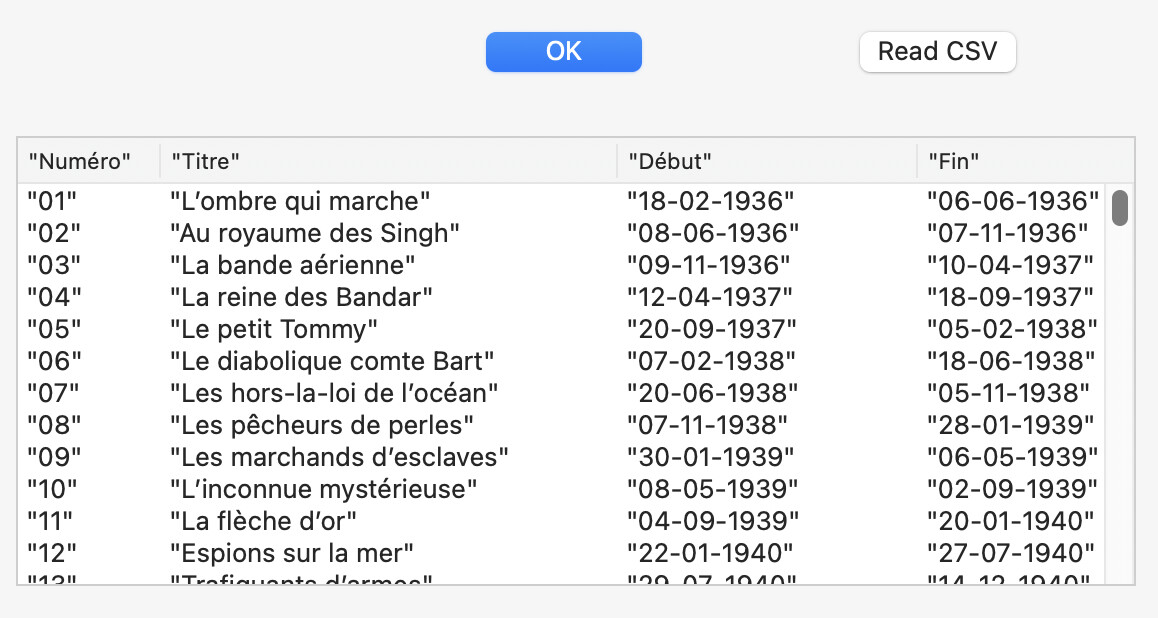
Once I replacd the curly quotes, here’s the result with an average .csv file:
As you can see, my csv file have quotes (the delimiter is quote<data>quote,quote<data> etc.
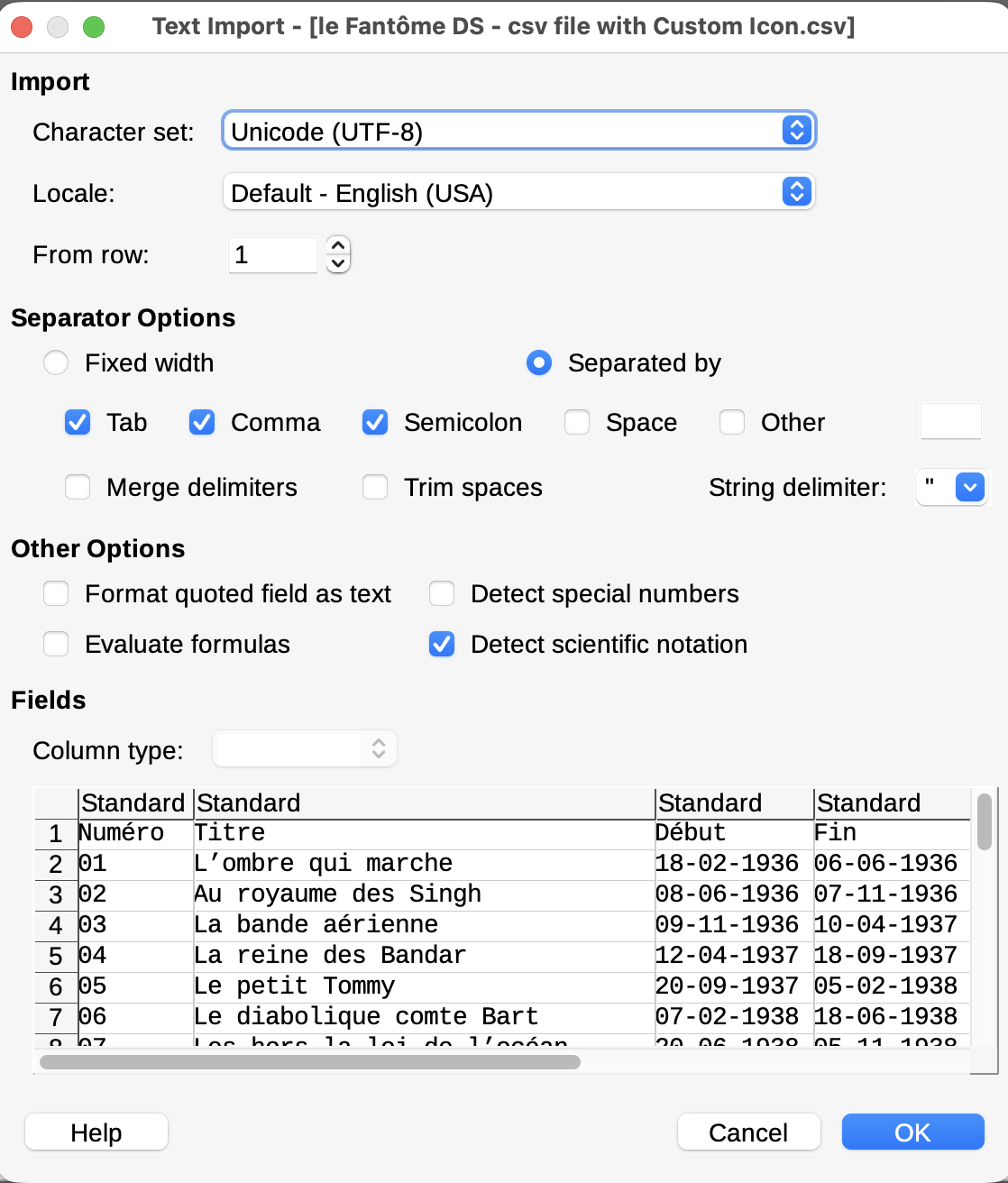
Download LibreOffice (free, if you do not already have it), load your .csv test file, and watch the “import” options LibreOffice propose to you (so you know the diversity of file formats).
Your code from my button (Read CSV):
Sub Pressed() Handles Pressed
  Dim x As Integer
  Dim csvFile As FolderItem
  Dim textInput As TextInputStream
  Dim f As FolderItem
  // Open file dialog To Select CSV file
  csvFile = GetOpenFolderItem("text/csv")

  If csvFile <> Nil Then
    textInput = TextInputStream.Open(csvFile)
  End If

  Dim lines() As String

  While Not textInput.EOF
    lines.append( textInput.ReadLine )
  Wend
  textInput.close

  Dim i,count As Integer

  //If the file has a field label line we’ll set the headings..
  Listbox1.ColumnCount=lines(0).CountFields(",")
  For i=0 To Listbox1.ColumnCount-1

    Listbox1.HeaderAt(i)=lines(0).NthField(",",i+1)
  Next

  count=lines.Ubound
  For i=1 To count

    Listbox1.AddRow(lines(i).Split(","))
  Next

  For x = 0 To listbox1.ColumnCount-1

    listbox1.ColumnAttributesAt(x).WidthActual=150

    ListBox1.CellTypeAt(0, x) = DesktopListbox.CellTypes.TextField// make cells editable

  next x
End Sub
Have-you checked if there is an example that shows you how to do it with actual code ?
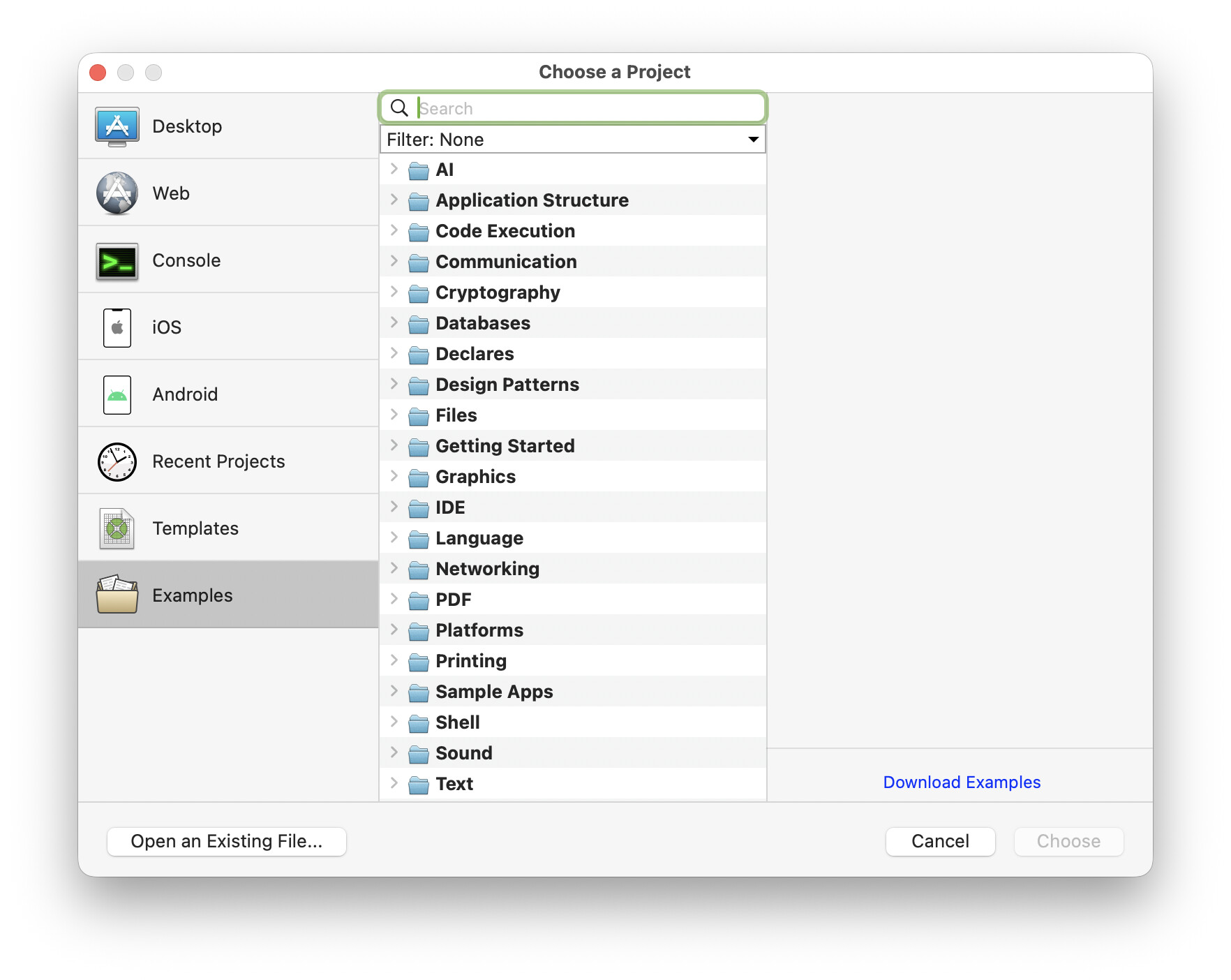
Click with the Option key down in the Examples entry (the one with a folder icon) to display the Download Examples button or search in the displayed list.
The first change I can do is to use a Delimiter variable instead of ","…
Delete the line:
Dim f As FolderItem
Not used:
Import file window for .csv in LibreOffice:
Is this answering your question ?
I commented out the dim f as FolderItem code. Added Dim Delimiter as string = chr(34)+chr(44)+chr(34) and replaced “',” with the Delimiter string in one line.
The listbox1 still does does not match what liberoffice calc shows with just using commas. I am using libreoffice to make sure this code is working. Thanks.
I am having trouble figuring out exactly which row and column is causing a problem. I suspect part of the problem is detecting Blanks and comas in quotes.
Dim x as Integer
Dim csvFile As FolderItem
Dim textInput As TextInputStream
//dim f as FolderItem
Dim Delimiter as string = chr(34)+chr(44)+chr(34)

‘’ Open file dialog to select CSV file
csvFile = GetOpenFolderItem(“text/csv”)

If csvFile <> Nil Then
textInput = TextInputStream.Open(csvFile)
end if

dim lines() As String

while not textInput.EOF
lines.append( textInput.ReadLine )
wend
textInput.close

dim i,count As integer

//If the file has a field label line we’ll set the headings..
Listbox1.ColumnCount=lines(0).CountFields(“,”)
for i=0 to Listbox1.ColumnCount-1

Listbox1.HeaderAt(i)=lines(0).NthField(“,”,i+1)
next

count=lines.Ubound
for i=1 to count
// I think this was the original question..
//if CountFields(lines(i),“,”)>Listbox1.ColumnCount then Listbox1.ColumnCount=CountFields(lines(i),“,”)

//Listbox1.AddRow(lines(i).Split(“,”))
Listbox1.AddRow(lines(i).Split(Delimiter))
next

for x = 0 to listbox1.ColumnCount-1
ListBox1.ColumnAttributesAt(x).WidthActual=150

next x
Screen shot please.
As you saw in mly screen shot, I used quote,quote as field delimiter in the file. Doing so allows you to place comma(s) in your data text.
I do not tested a blank line with your code.
I do not have the ESP plug-in to know what is your problem.
Not sure what you are telling me with:
As you saw in mly screen shot, I used quote,quote as field delimiter in the file. Doing so allows you to place comma(s) in your data text.
I do not tested a blank line with your code.
What would this look like in xojo code?
To understand your problem you either have to:
a. explain in details what it is,
b. provide a screen shot of the result
c. provide the csv you use to see on my computer what your problem is.
NB: Select a text, click in quote and the text appears in quotes in your answer.
I found the cells in libreoffice that is causing problems for the xojo code. I have a few cell locations that have commas in the text cells.
Example:
Some text, some text, some text
For now it would be best to modify the cvs file to get rid of commas in text cells, but still have them to split the cells were needed.
Wrong idea. Use quotes to encapsulate the data and you will be able to type/add whatever character you want in the data part (fields/cells).
If you simply move to a tab separated file, a lot of your problems will go away
if he uses the norman’s robust csv parser Jeff linked above he will also have less problems with quotes and CRs !
1 Like
What @Jeff_Tullin and @Jean-Yves_Pochez said. If you don’t use an actual parser you will most likely end up with lots of headaches as edge cases pop up. Norm’s parser is great but has one gotcha, which is that it uses BinaryStream, so processed data has no encoding. Sometimes this is OK, but if you’re converting to JSON for instance, you need to define its encoding, e.g. this modification to the handleline method:
// Norman's CSV Parser uses BinaryStream, which has nil encoding. In order to be able to use the output with JSON,
// the encoding must be defined.

If treatFirstLineAsHeaders And lineNumber = 1 Then
  headers.RemoveAllRows
  For Each hdr As String In values
    headers.add hdr.DefineEncoding(Encodings.UTF8)
  Next
Else
  For i As Integer = 0 To Headers.LastRowIndex

    // # Note debugger may show a blank 0-length ToString for OutputJSON, but the code works #
    // https://forum.xojo.com/t/2018r2-jsonitem-in-the-debugger/44723

    If i <= Headers.LastRowIndex And i <= values.LastRowIndex Then // In case csv escaping got screwed up when created
      OutputJSON.Value(Headers(i)) = values(i).DefineEncoding(Encodings.UTF8)
      OutputDict.Value(Headers(i)) = values(i).DefineEncoding(Encodings.UTF8)
    End
  Next
End If
2 Likes