PhilippeP
September 6, 2025, 1:55pm
1
hello, i’m trying to run xojo on raspi os via a vm run by qemu the os seems pretty fast so far
i’m strugling to acess xojo web site, to download installer
i’ve installed misori, links2 as browser, default one wasn’t i’ sttill have
plus i can’t set french as keyboard, well is it worth trying ?does work xojo since it’s another layer, is it usable ?
thanks
Given the price of a Raspberry Pi, why don’t you buy one and run rapios on it ? See what Xojo says about running the IDE on the Raspberry Pi, there could be limitations.
PhilippeP
September 7, 2025, 5:39am
3
the idea was to create raspi VM to test stuff before putting to real one
it takes 5 min to create a vm, 2 sec
it’s for hosting sqlite with app that talks to other raspi box with sqlite to transfer json via API or MPC
i’m wondering , does a raspi vm running on debian run faster than on M4 ? can the vm on linux get direct acess to linux OS?
PhilippeP
September 7, 2025, 5:58am
4
chat gpt
Debian on x86 host → You need full ARM emulation with QEMU. This is slow (often 5–10× slower than real hardware).
macOS ARM (M1/M2/M3) → Can use virtualization instead of emulation . Much faster, nearly native speeds.
Windows x86 host → Similar to Debian x86, you’ll need QEMU or VirtualBox + emulation → slow.
Windows ARM (Surface X Elite, etc.) → Could use native ARM virtualization, performance closer to macOS ARM.
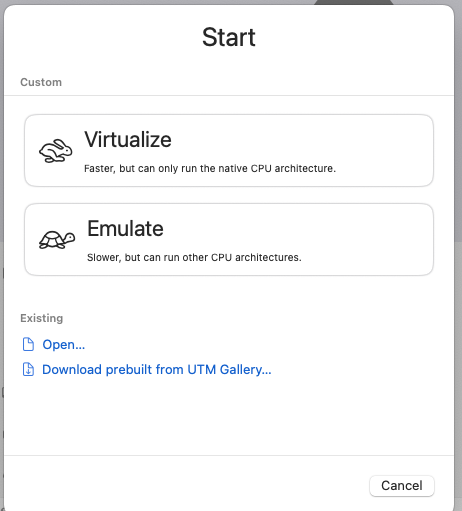
good news, i’m installing utm for virtualization instead of emulation with quemu !!
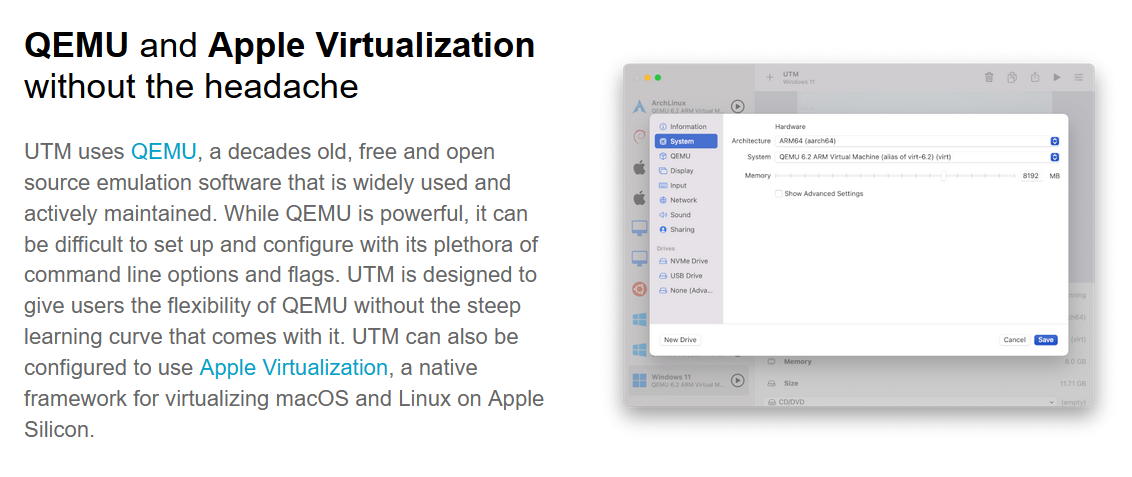
UTM is just QEMU with a GUI
PhilippeP
September 7, 2025, 11:42am
6
that’s what i saw too when i went too fast, i ‘ve installed only quemu, but UTM uses apple virtualisation techno plus a gui
The Emulate part is QEMU. “Virtualize” uses Apple Virtualization Framework if your need allows it.
PhilippeP
September 8, 2025, 10:34am
8
well gave up dealing with chat gpt or claude trying to run raspi as virtulisation, waste too much time already, raspi image has problem with finding video card
well anyway, ended up installling debian, raspi os is just debian after all
on M4 debian runs very fast, can watch youtybe smoothly incredible !
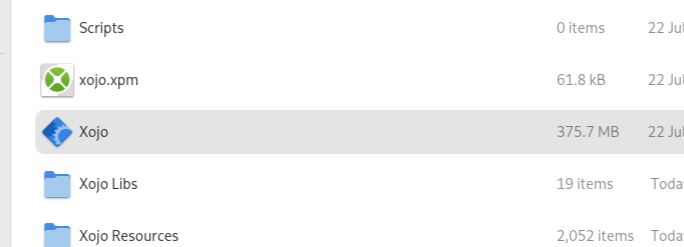
only problem, it can’t launch xojo ! it does nothing
btw why is there a icon on side, it’s not used ?
thanks
PhilippeP
September 8, 2025, 11:47am
9
!!! even full screen 4k youtube video run smoothly !! crazy
can’t wait to run xojo
Greg_O
September 8, 2025, 1:01pm
10
You know about remote debugging, right?
PhilippeP
September 9, 2025, 6:42am
11
yes i heard of it, but i have 5 comps in a 1 meter radius, didn’t see the need for it
i’ve installed to see latest ubuntu 25 in UTM
and same, i wasn’t able to launch xojo, does nothing i’ve tested some apps on Ubtunu, pretty cool
Greg_O
September 9, 2025, 6:45am
12
What happens if you launch the IDE from a terminal?
PhilippeP
September 9, 2025, 6:53am
13
sorry noob in terminal, don’t know how to do that
Greg_O
September 9, 2025, 11:15am
14
Open the terminal in the vm
go to the directory where Xojo is
cd <directory>
Run Xojo
./Xojo
PhilippeP
September 10, 2025, 10:10am
15
maybe in VM in need to insal somehing ?
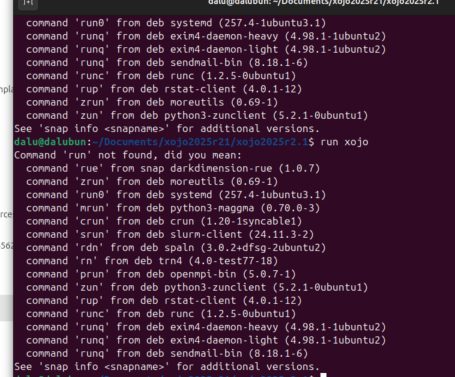
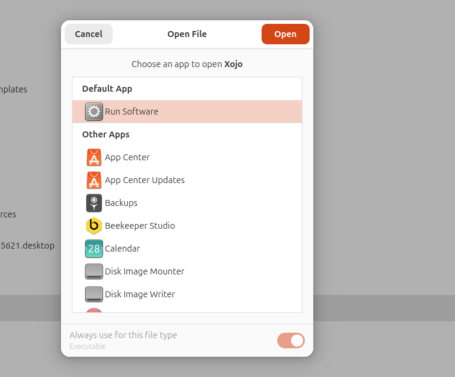
funny, i can “run” “when i right click it “with open with, stil does nothing
Tim_Parnell
September 10, 2025, 10:28am
16
Copy exactly what Greg provided. There is no “run” you just provide an executable path.
PhilippeP
September 10, 2025, 10:49am
17
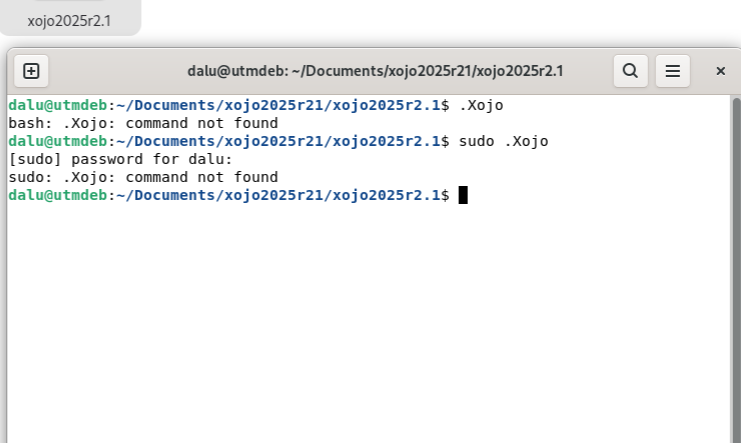
excuse my noobiness, how do you two type 2 lines before exetuting it ?
like
Run Xojo
./Xojo
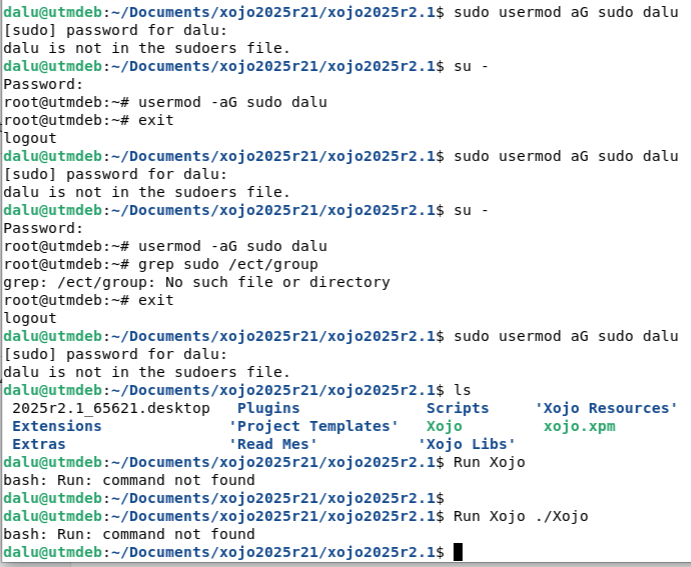
on my debian VM i try to add myself to sudoes, it says i san’t sudo run
it’s because im not in sudoer group ? well i can’t get anything lol
Greg_O
September 10, 2025, 11:51am
18
Dude.
just type what I highlighted, nothing more, nothing less. Just:
./Xojo
 Performance comparison
 i only have problem with xojo… refuse to start on both debian and ubuntu VM…