We try to add some Windows Store classes for next plugin version.
Who would want to test them?
We so far got a few classes in a plugin and a little test project.
But I have no account with the Windows Store myself, so I can’t much test it for now.
We try to add some Windows Store classes for next plugin version.
Who would want to test them?
We so far got a few classes in a plugin and a little test project.
But I have no account with the Windows Store myself, so I can’t much test it for now.
I was precisely thinking about that the other day.
It would be great to have. The freemium model is considered the best to sell downloads.
Count me in 
Would be nice to know what classes and functions are needed.
My contact was Matteo.Pagani@microsoft.com, he contacted me when they were desperate for apps and we were able to take my Windows app InnoSetup Installer exe and convert that to a WAS app. I put a couple of apps in the store and it had less objections than the MAS. They even let me use PayPal inside the app to collect fees. I have not updated the apps in a long time.
What actions are you suggesting plugins to perform? Building for the Windows Store? Collecting funds, subscriptions, checking in-app purchases, etc?
An AppWrapper equivalent would be useful if it does all the command lines behind the scenes.
Here is what I found:
The Desktop applications are described in there, with the extra steps needed.
I already started and implemented a few classes:
and so you can query license for current license, request purchase and rating.
The question is what other classes and methods developers may need.
Subscriptions and consumables?
We can look into those. But please read yourself the MSDN website to let us know what me may be missing.
and uploaded 20.4pr4 plugin:
https://www.mbs-plugins.de/archive/2020-08-17/MBS_Xojo_Plugins_version_204pr/monkeybreadsoftware_blog_xojo
I’ll add WindowsStoreSKUMBS class, so you can query SKUs for a product, pick one which is subscription and start purchase. Maybe someone can try this soon?
I don’t plan on going the subscription model.
But I would certainly like to implement the freemium one.
I would post a free version that has limits, such as it can print only one check per minute.
The user could buy the full version inside, and lift all limitations.
After which, the app would be able to check at launch if the license has been bought and lift limitations.
So, I have no real idea about which plugins are necessary from the list you posted.
I thought you can read on MSDN how this should work with a trial and in-app purchase.
Then you can check our classes.
Probably you only need the queries in our new WindowsStoreContextMBS class to check WindowsStoreAppLicenseMBS and check for the trial flag and remaining time.
And offer a button to start purchase in the app.
If you need more methods (show on MSDN) compared to what I added to the plugin, please let me know.
I am going to experiment and get back to you.
I am stuck in Android development for a few days. I will get to Windows next.
Hi Christian,
I am looking at your example windowsstore.xojo_binary_project.
It is a bit unclear where I should enter critical data, like the product identity.
For instance, GetAppLicense needs to know which app needs to verify current license. Same thing for GetStoreProductForCurrentApp.
Likewise, I don’t see how to get the customer to the review page. Note that this part, I already do simply by pointing the user browser to the review page.
I tried to look at your site, but I am still uncertain what for instance the product property of
WindowsStoreProductMBS expects :
* 3 properties
* property ExtendedError as Integer
* property Handle as Integer
* property Product as WindowsStoreProductMBS
* method Constructor
Your example does not give a clue.
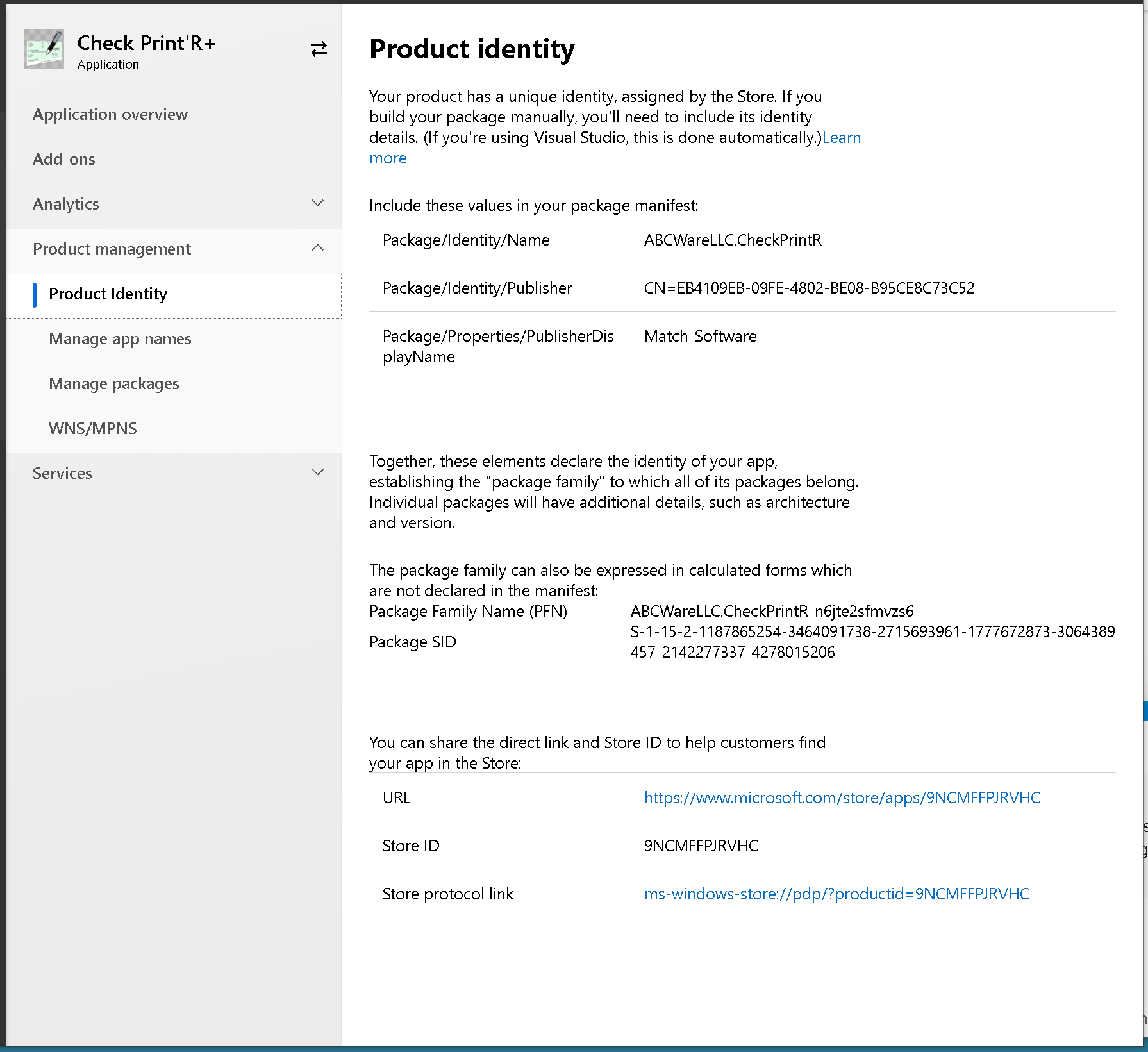
In Product Identity on the Windows Store, I have several possible values:
Which one does the plugin expect in the Product property?
We’ll upload newer plugins later today.
But you should already be able to use WindowsStoreContextMBS class and call RequestPurchaseAsync passing the Store ID for your product to order.
Great. I will experiment.
Thank you Christian 
Christian, I am sorry, I cannot make heads or tails from the description at https://www.monkeybreadsoftware.net/topic-windowsstore.shtml or the example project.
Here is what I need to do:
I suppose I need to provide the Store ID.
If the result is positive, I will unlock all features in the app.
I will provide the store ID, and probably use StorePurchaseMBS.
I thought I could quickly modify your example project to do these two things, or that your web site would provide examples and snippets. Unfortunately, neither one make it easy.
Perhaps I am thick, but I have been at that for a day, now, with no result whatsoever.
Please help.
TIA
Well, you would first run GetAppLicenseAsync to learn the license status and see whether it’s in trial mode or not.
Then on a purchase button you call RequestPurchaseAsync method and pass a method via addressOf. You pass Store ID of the article for full version.
this delegate then gets the purchase result. And there you check the status property to see whether you got a successful purchase completed.