We have a windows desktop application running on W11Pro using Xojo 2025v2.1
It makes use of 2 displays - the main (1920x1080) and a smaller screen aligned on the left (1200x600).
The application contains several ‘customer facing’ windows which are displayed on the secondary display - each window is sized to exactly 1200x600.
At runtime, there’s a small method which checks for more that one display connected (the smaller screens can be temperamental so sometimes disconnect or get switched off by staff even). If a second display is detected, the position of the window is modified to shift it left by (-width) pixels.
Sub ShowOnClientScreen (Extends Window as DesktopWindow, AlwaysDisplay as Boolean)

If DesktopDisplay.LastDisplayIndex>0 Then

  //position window on small monitor to left
  Window.Top = app.kSecondaryScreenTop (480 which is 1080 - 600)
  Window.Left = app.kSecondaryScreenLeft (-1200)

Else

  If Not AlwaysDisplay Then
    //hide if no extra display detected
    Window.Hide
  End If

End IF
This sort of works fine but we’ve noticed a few pixels are overlapping the main screen, or we even see a white bar on the bottom and left of the second screen in one instance. Lots of testing leaves us puzzled as to what’s actually going on.
By way of highlighting the issue, I added a small yellow square in 2 corners of one window layout as shown..

..and modifed the runtime method to just move the window to 0,0 which should be the top left of the main display. It seems this is problematical as shown - at runtime, the window is clearly moved beyond the left and top, leaving behind a white area.
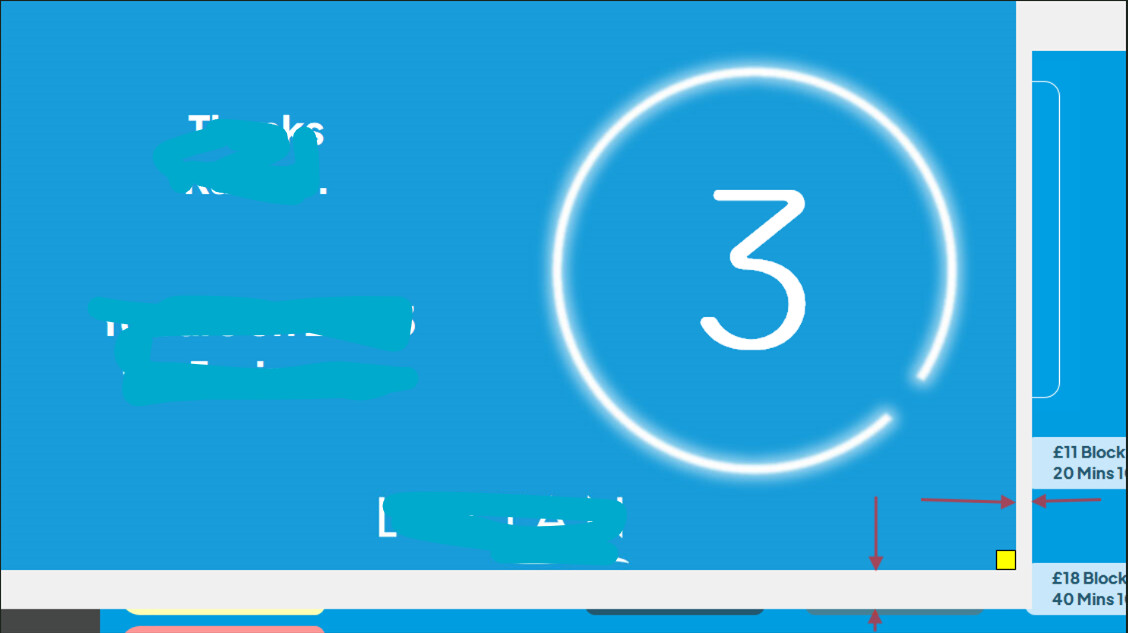
A system.debuglog of the window’s size and position returns 1200x600 and 0,0 as expected.
Potentially related, a different window seems to have gained a white border, although it doesn’t look like it’s been shifted in this case. This is a modal window whereas the one above is not.
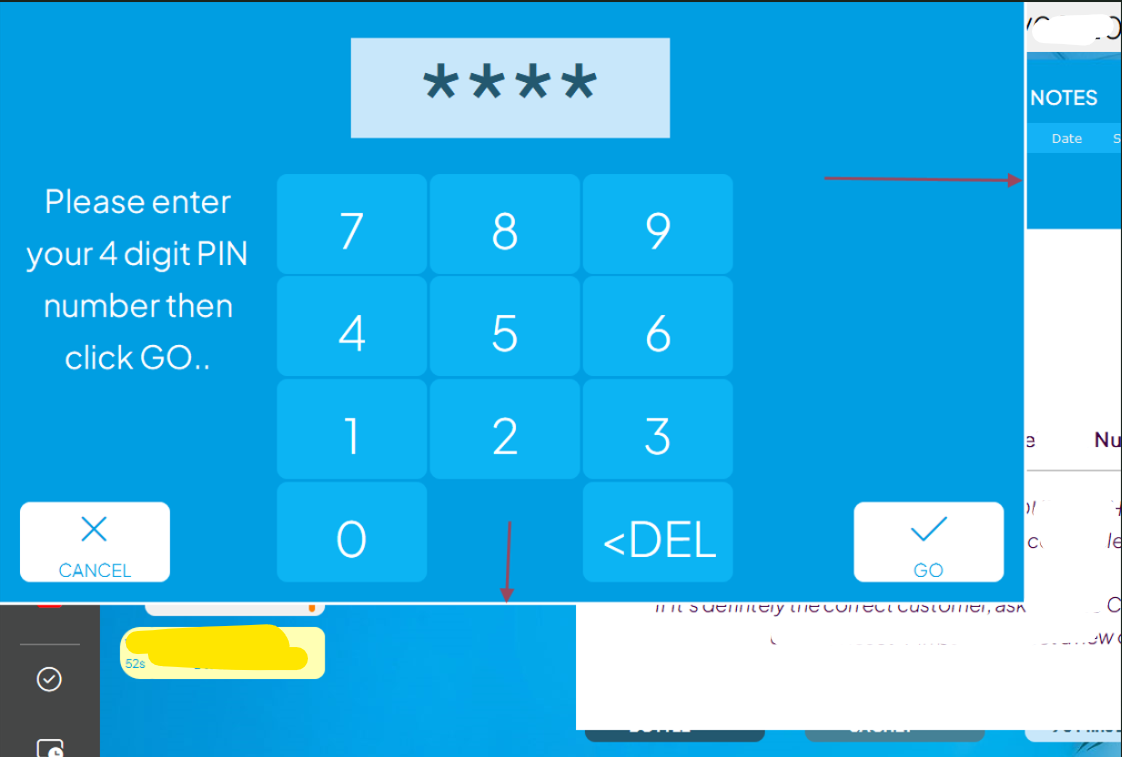
I should add that these windows do not have ‘explicit instance’ selected as they have a ShowX method to open them with some passed parrameters.
Sub ShowX(PinNumber as integer)

PinOK=False
ClientPIN=PinNumber

If PinNumber=-1 Then
  //prompt for a new pin
  ConfirmTitle.Text="Enter a new 4 digit PIN number then click GO.."
Else
  //prompt for existing pin
  ConfirmTitle.Text="Please enter your 4 digit PIN number then click GO.."
End If

self.ShowModal
I guess Windows is intervening somehow but can anyone explain exactly what’s going on here please and more importantly, how to accurately position a window? We’ve tried various settings for Window Type and Default Location but are unable to identlfy the issue or any logic.
Any help appreciated, Thanks
