So I am finally able to test my app on Windows. Been developing it on my Mac, which is how I normally work and I’ve never seen anything like this. This app is the first time I’ve used Popovers, and I’m not sure what’s happening here.
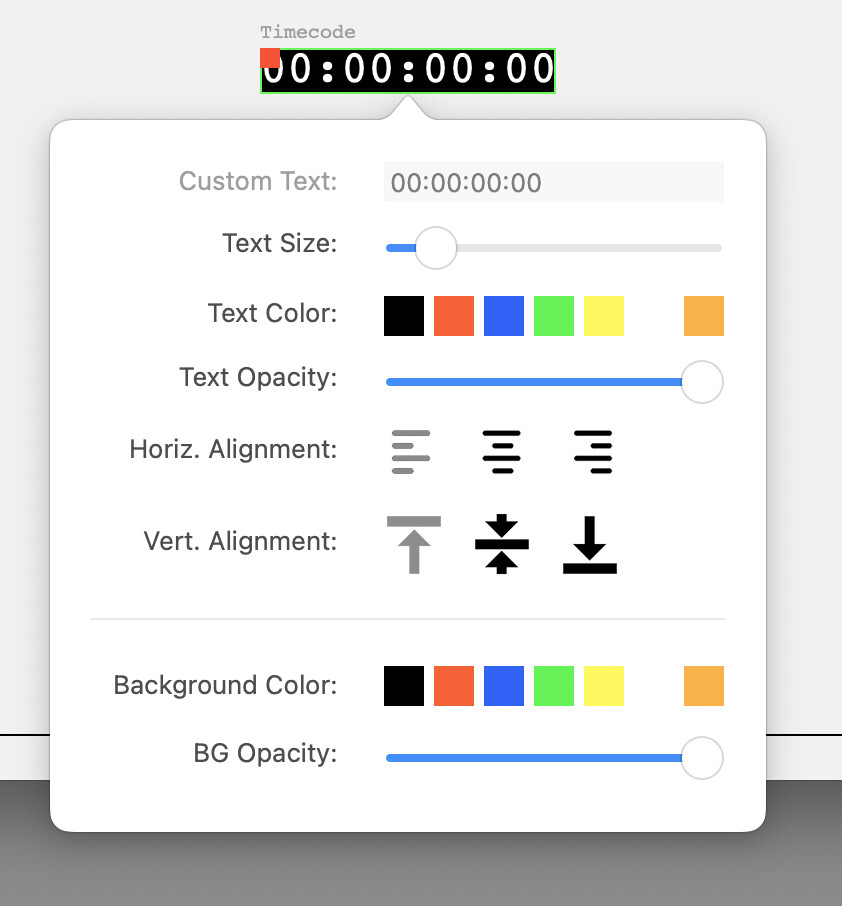
This is what it looks like when I run the app in the debugger on the mac:
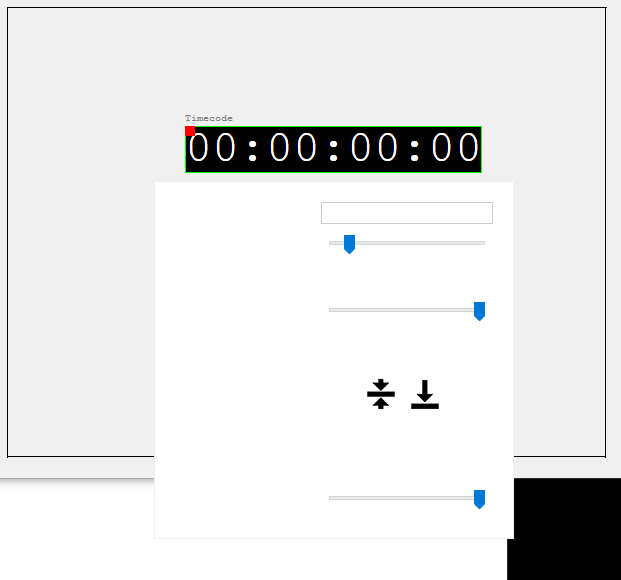
And the color picker and alignment buttons in my popover are containers embedded in the window. As you can see, in Windows some of the buttons in those containers show, some do not. All work correctly on the mac.
I’m calling the popover with the animation and detachable arguments both set to false. The window type is global floating as suggested in the documentation.
I’m building a 64bit Windows app. The version of Xojo I’m on is 2024 r4.2. I’ve tried two Windows 10 machines: one is a generic Windows 10 Pro workstation. The other is the machine that’s the actual target, running Windows 10 Enterprise LTSC. All users of this app will be on the latter.
What code? This is a window that’s called as a popup with two lines, that’s basically copied from the documentation:
Var w As New wTextSettingsWindow
w.ShowPopover(me,DesktopWindow.DisplaySides.Bottom, false, false, r.X+(r.Width/2), r.y+r.Height )
The window is entirely designed in the IDE using the library and inspector, none of this is generated from code.
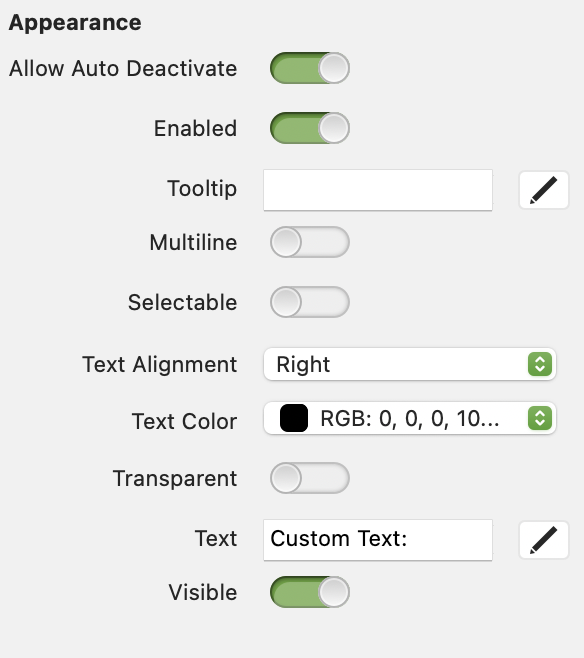
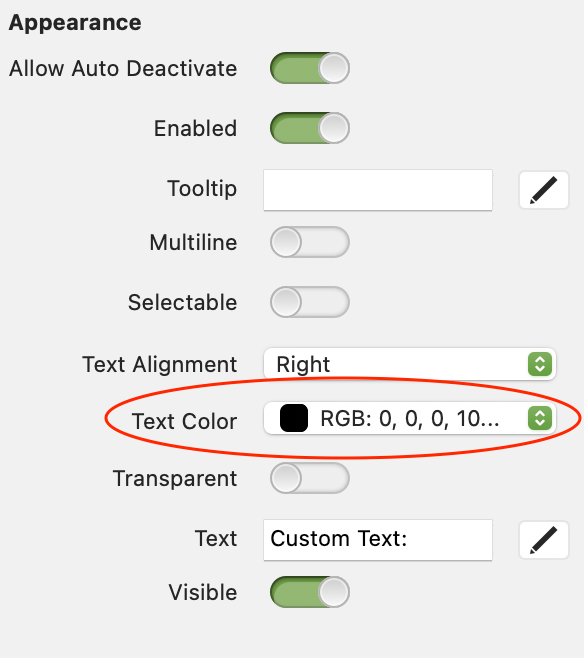
The value is 0,0,0,100 (where 100 is 100% opacity according to the color picker window that opens when you select that).
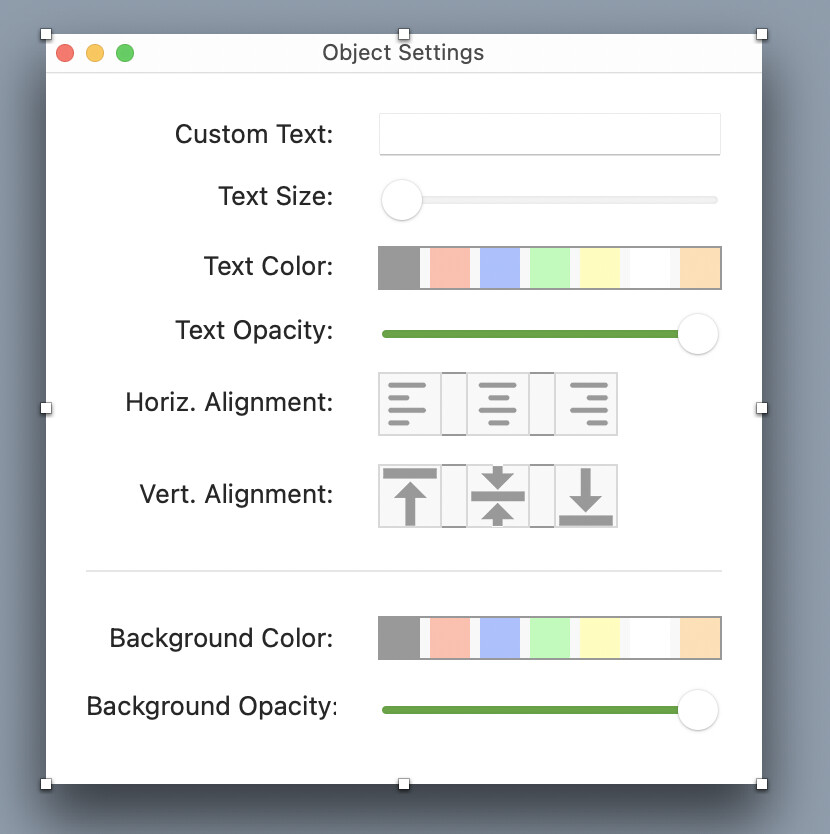
The sliders in here have no bearing on the issue at hand. They control the opacity of text and the background in the object on the canvas behind it, and have nothing to do with the text or the text labels on the popover window itself. They are set to 0% Opacity (fully transparent) on the left, and 100% Opacity (no transparency) on the right.
So to be clear, the issue here is that the text labels on the popover window, which are set to black and 100% opaque in the inspector, and some --but not all-- of the container controls are invisible on Windows. This is what the window itself looks like in the IDE:
The controls for Text Color, Horizontal Alignment, Vertical Alignment, and Background Color are all containers that are embedded into this window. As you can see from the screenshot in the original post, on Windows, only the center and bottom vertical alignment buttons actually show up, out of these 4 containers.
I’ve seen a similar issue with a popup using only custom drawing on a canvas. On Mac everything fine. On Windows no drawing at all, just an empty popup. Workaround for me was to open that window as a normal window placed where the popup should be, but of course that’s not really a solution.
Pure black and pure white are treated differently in Xojo. It was done as a way of making easy implementation of Dark mode support. In light mode black is black and white is white. In dark mode white is black and black is white (if you see what I mean). As Anthony points out if you want black that is alway black then use something very very close to black without it actually being black. I’m not saying this is what’s wrong but it is a possibility.
OK. That narrows it down. Something’s just hinky in how popovers work on Windows and we’ll have to wait for Xojo to address it. If you haven’t opened a feedback case with an example, you should do so now so that a fix can hopefully make it in to R3.
There are a number of issues with Popovers, that’s why I stick with my GraffitiMenuWindow that provides much of the same experience as popover.
Looking again at the screenshots, I suspect the issue lies in the window masking to provide the tip and rounded corners of the popover. I’ve seen it before when masking windows.
Thanks. So I built a simple app to test popovers over a canvas that has a rectangle drawn on it, as well as under a button outside the canvas. It works perfectly in that app on Windows.
I noticed something else, and maybe this is a clue: In my simple popover test app, the popovers have the little triangle showing the origin point of the popover window. On my main app, it does not display that. I copy/pasted the code from my main app to the test app for initiating the popover, so it’s not that. As far as I can tell the window settings on both apps are the same (Global Floating Window, and all the same attribute settings in the Inspector). Yet it works as expected in the test app but doesn’t work in the main app.
The Canvas in my main app is more complex in that it has several objects drawn on screen, and it also has several more event handlers: ConstructContextualMenu, ContextualMenuItemSelected, DoublePressed, KeyDown, MouseDown, MouseDrag, MouseUp, Opening, Paint.
In the test app it’s just DoublePressed and Paint. Since @Ulrich_Bogun mentioned above that this problem happens with the popover over a canvas, could it be that either one of these event handlers or the more complex paint event code in my main app is gumming things up?
I could be wrong, but I think popover windows should be set to the default for window style, so Document. Their settings are overridden anyway for display, but it’s possible something isn’t being done correctly. Could also have something to do with the window style of the parent of the popover.
Either way, it’s all guesswork without being able to actually inspect what you’re doing and what the result is.
To make sure your popover displays in front of any global floating windows, set the Type property to GlobalFloating.
I don’t have any global floating windows but might so I set this. But I saw the same issue with it set to Document. The underlying window is also a Document type.
I guess I’ll keep building up the test app until I find something? Unfortunately I can’t share the full code here as it’s a commercial app.
I would reverse the process. Make a copy of your main project and start whittling it down until you have a reproducible example that doesn’t contain things you can’t share.