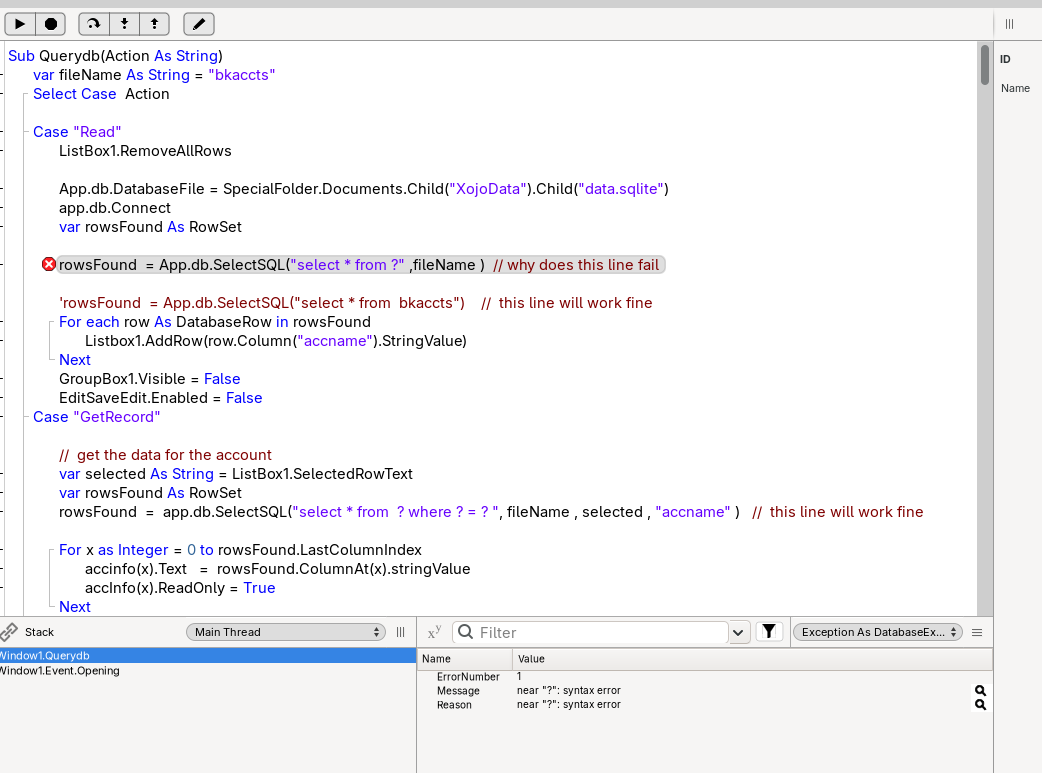
I am learning and experimenting with SQLite syntax trying to learn the correct way to use it .
Experimenting with substitution … why does one line work properly and the first line give a sql syntax error ?
See question in comment below
IIRC you cannot use a prepared statement placeholder for the table name, only values. The table name is a known, as such you shouldn’t be accepting table names as input from users, so shouldn’t need to be sterilized.
But it work fine in the lower line
rowsFound = app.db.SelectSQL("select * from ? where ? = ? ", fileName , selected , "accname" ) // this line will work fine
That’s interesting. Let me test. According to the SQLite docs, it shouldn’t, and I wouldn’t expect it to in Xojo as table and column names are an integral part of the schema that should be known.
I can’t verify that the second line works. It certainly doesn’t for me.

Maybe I’m overlooking something simple as I’m quite tired today:
var db as new SQLiteDatabase
db.Connect
var filename as String = "bkaccts"
var selected as Boolean = true
var rows as RowSet = db.SelectSQL("select * from ? where ? = ? ", filename , selected , "accname" )
This results in the DatabaseException syntax error on the prepared statement placeholder in my testing.
This, however, works:
var db as new SQLiteDatabase
db.Connect
var filename as String = "bkaccts"
var selected as boolean = true
var rows as RowSet = db.SelectSQL("SELECT * FROM bkaccts WHERE ? = ? " , selected , "accname" )
I am trying to learn to make the reading a writing sub universal to use on any data base
and for me that second line works just fine … why the differance ???
The second line shouldn’t work. How do you know it works? You hit a DatabaseException before the code ever executes the second line. Can you show me the test case where it does function?
if I change the first line as shown in the code the program runs with out an error.
Anyway, the point here is that you shouldn’t be accepting table names from users that need to be sterilized using a prepared statement. As long as you’re not doing that, you can use concatenation:
var db as new SQLiteDatabase
db.Connect
var filename as String = "bkaccts"
var selected as boolean = true
var rows as RowSet = db.SelectSQL("SELECT * FROM " + filename + " WHERE ? = ? " , selected , "accname" )
If you absolutely have to use a variable identifier, wrap the identifier in quotation marks. Be sure to also escape quotation marks in the identifier.
Var TableName As String = "table"
Var Rows As RowSet = db.SelectSQL("SELECT * FROM """ + TableName.ReplaceAll("""", """""") + """;")
You need all those quotation marks because Xojo escapes them the same way SQLite does.
I’ve got two other unrelated tips since you’re new to SQLite.
; terminator. The way Xojo handles SQL, this isn’t a hard requirement, but it can help you catch some subtle syntax errors.INSERT INTO some_table (column_1, column_2) VALUES (?1, ?2); and UPDATE some_table SET column_2 = ?2 WHERE column_1 = ?1;’ and supply the parameters in the same order for both statements. Meaning you could store the statement in a variable depending on the required action and use SelectSQL(Statement, Value1, Value2)and it’ll work. Of course, this exact use case could be done with anINSERT OR REPLACE INTO` statement too, but this feature is really handy should you ever need to duplicate placeholders. You can use alphanumeric placeholders too, but things get weird and I find them not useful with Xojo’s positional values.deleted post
Thanks for the suggestion, I think the line discussed earler works because I am using Linux and most people here are using Mac or Windows … and the compiler must be slightly different .
I learned a lot from refactoring my db query code about Xojo and SQLite.
This is my current db query … if you see anything wrong or a way to improve it .. comments requested
//   Querydb(Action As String, fileName As String = "dataSqlite", tableName As String = "bkaccts", tableColumn As string = "accname")

Var filePath As string = "XojoData"
Select Case  Action

Case "Read"

  ListBox1.RemoveAllRows
  App.db.DatabaseFile = SpecialFolder.Documents.Child(filePath).Child(fileName)
  app.db.Connect
  var rowsFound As RowSet
  rowsFound  = App.db.SelectSQL("select  *  from " +  tableName )
  For each row As DatabaseRow in rowsFound
    Listbox1.AddRow(row.Column(tableColumn).StringValue)
  Next
  GroupBox1.Visible = False
  EditSaveEdit.Enabled = False

Case "GetRecord"                 //  get the data for the account and display it on the window

  var selected As String = ListBox1.SelectedRowText
  var rowsFound As RowSet
  rowsFound  =  app.db.SelectSQL("select * from  ? where ? = ? "  ,tableName, selected, tableColumn)

  For x as Integer = 0 to rowsFound.LastColumnIndex
    accinfo(x).Text   =  rowsFound.ColumnAt(x).stringValue
    accInfo(x).ReadOnly = True
  Next
  // fill graphic box
  Var f As FolderItem =  SpecialFolder.Documents.Child(filePath).Child(accinfo(7).Text)
  If f <> Nil Then
    ImageViewer1.Image = Picture.Open(f)
  End If
  GroupBox1.Visible = True

Case "Write"

  Try
    Var columnSchema As RowSet = app.db.TableColumns(tableName)
    If columnSchema <> Nil Then
      var x as Integer =  0
      var mySQL As String    =  " UPDATE " + tableName +" SET "
      For Each row As DatabaseRow In columnSchema
        mySQL = mySQL  +  row.Column("ColumnName").StringValue + " = "  + "'"+ accInfo(x).Text +"'" + ",  "
        x = x+1
      Next
      mySQL = mySQL.left(mySQL.Length -3)          // remove last comma and space from string
      mySQL =  mySQL  + "  Where    accname = " + "'" + ListBox1.SelectedRowText + "'"
      App.db.ExecuteSQL(mySQL)

    End If
  Catch error As DatabaseException
    MessageBox("Error Editing columns: " + error.Message)
  End Try

Case "New"   // add new record with default values
  Try
    APP.db.ExecuteSQL("INSERT INTO bkaccts DEFAULT VALUES")
  Catch error As DatabaseException
    MessageBox("Error: " + error.Message)
  End Try

case "Delete"
  var alias As String = ListBox1.SelectedRowText     // get the account alias
  App.db.ExecuteSQL("DELETE FROM bkaccts  WHERE " +  tableColumn + " =  ? ", alias )
end Select
I’d recommend Eugene Dakin’s book on SQLite SQLite with Xojo – API 2 – Scientific Specialties
thanks I will look at that 
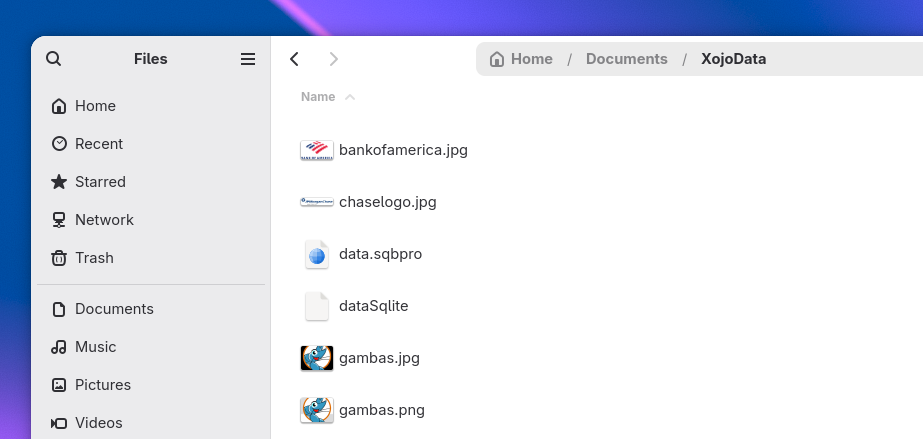
IS THAT REALLY A PATH ? (I am telling that for: XojoData)
So, XojoData is a name of a Folder.
Do you plan to use that same folder for your others applications ?
I can recommend you dont use that path for your data. After many years of ‘using a folder in documents’ myself, I can tell you that eventually iCloud will screw you over. If the files aren’t used for a while, they go to the cloud. And then if you try to open them using Xojo , the file open can fail/ stall.
Always put your data into specialfolder. applicationdata
i think this ? put a string content into the query and put single quote around
select * from mytable where myfield = 'xyz'
if it looks like this it is not a correct syntax, i guess
select * from 'mytable'
according to web it could be
SELECT * FROM mytable
SELECT * FROM "mytable"
SELECT * FROM [mytable]
SELECT * FROM `mytable`
the last are backtick