New Mac app built with AI in 2 weeks

Hey guys

Thought I’d share my latest app built with Xojo, Reflect Video.

This Mac app was created with Cursor AI writing directly to a Xojo project.

ChatGPT, Gemini, NightCafe and Jade were also used for different tasks, including logo generation and web page source code.

Below is the timeline from thinking of the idea. I needed an app to manage and play a huge number of education videos on my computer.

Timeline 2 weeks

  • 3 days development from initial idea
  • 1 day design and layout
  • 1 day testing and bug fixes
  • 1 day sandbox, hardening and notorization
  • 1 day webpage and App Store pages and descriptions
  • 1 day testing on OS26
  • 1 day logos and icons
  • 1 days generating courses and content, and sourcing demo videos
  • 1 day screen shots and content for website and App Store
  • 1 day recording and editing the video preview for App Store
  • Today submit for review on the App Store

Functionality

This is version 1.0 so we have lots of plans to improve, including the design! I know it’s basic, but this is what it does so far:

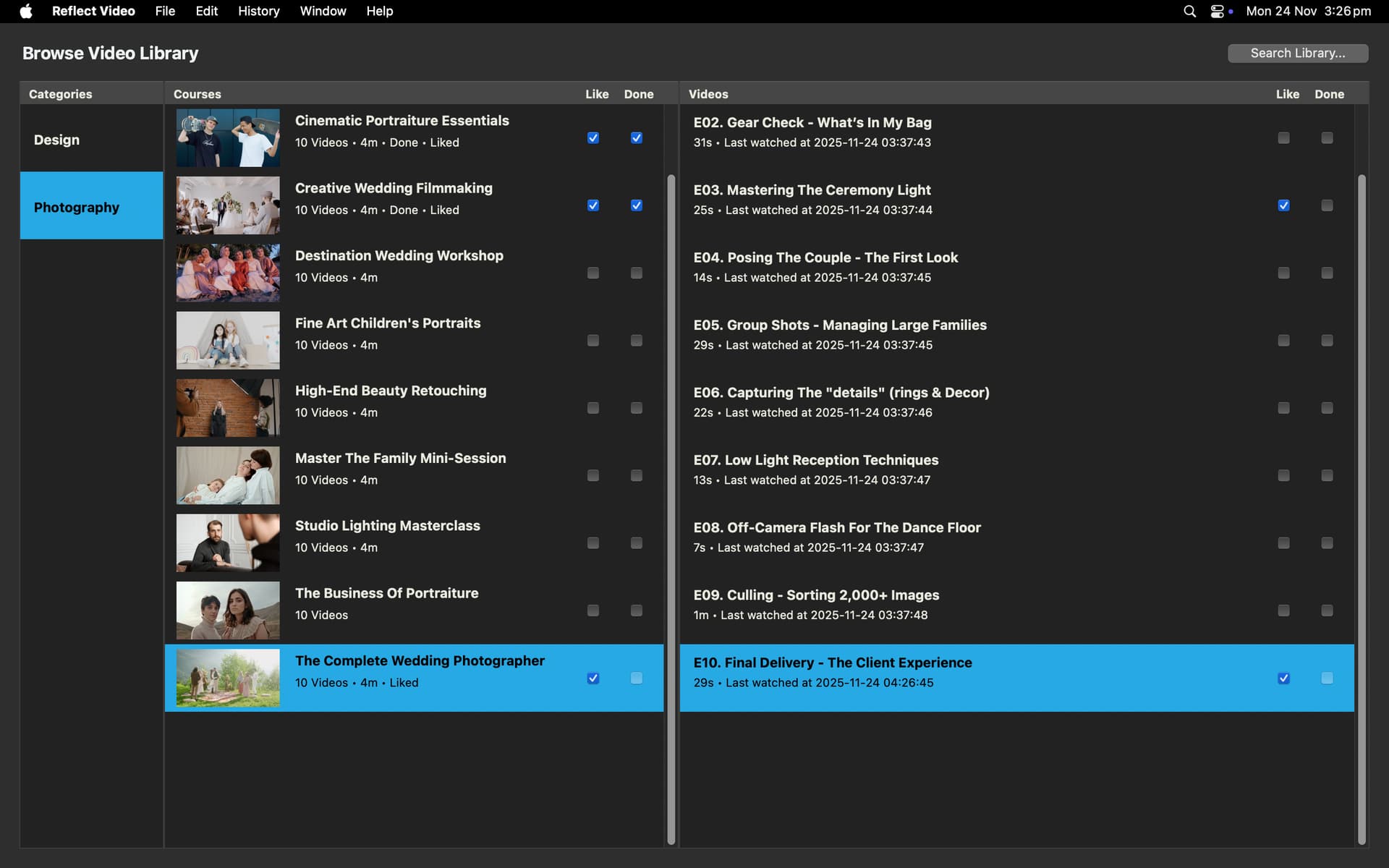
  • Creates a library from course folders and videos on your file system.

  • Starts playing the first video in the first folder and autoplays the videos for each folder in order in a video player window.

  • On the video player, you can add bookmarks, to-do items and notes, each with timestamps that return to that place in the video.

  • Videos save their start time and their last-watched time.

  • Videos can be marked as Liked and Done so you can easily see if you want or need to view it again, or not.

  • Provides a files button for each video to open and view the files and support materials in each course folder.

  • There’s a browser window for navigating the library of categories, courses and videos.

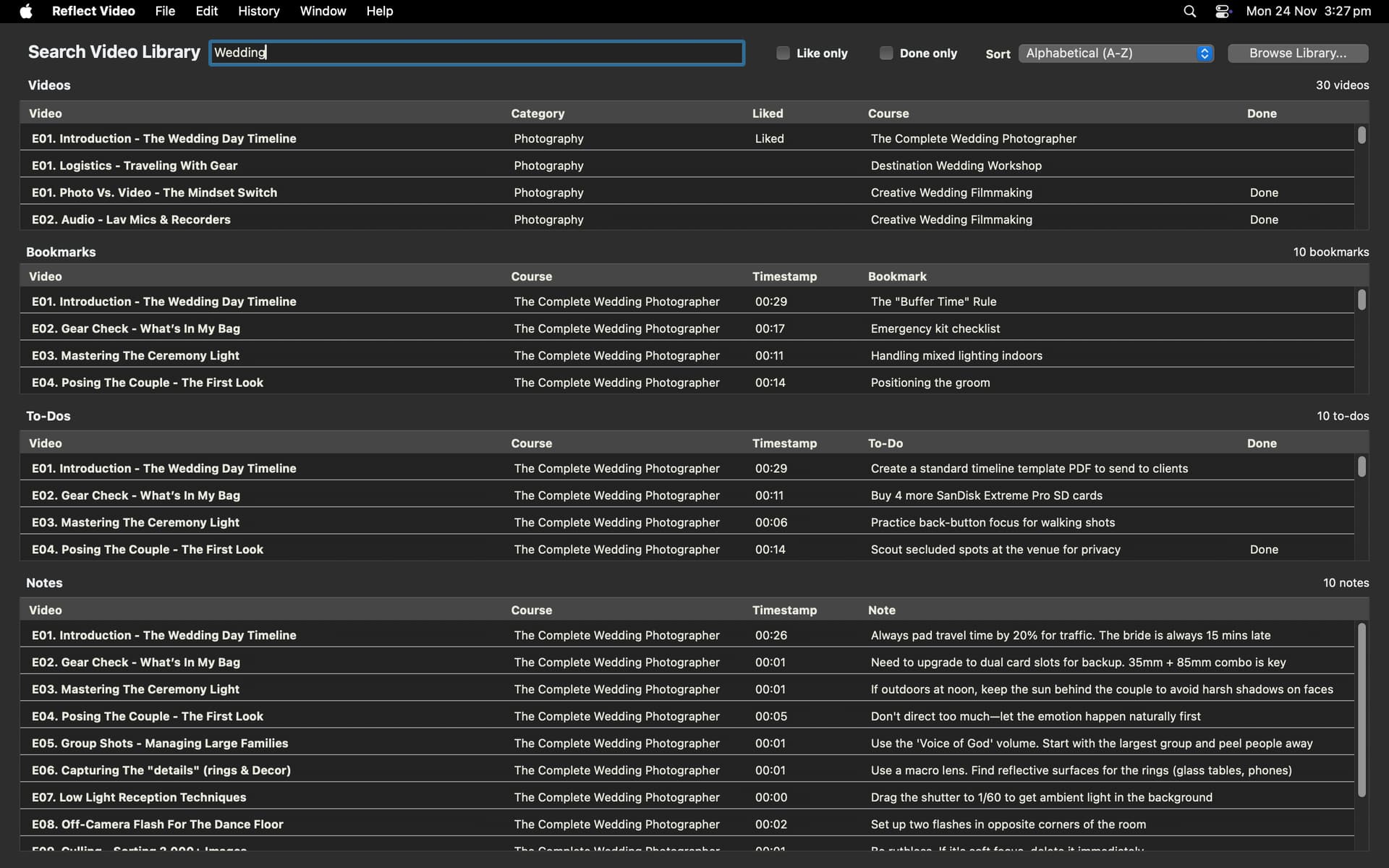
  • There’s a search window to search video titles, bookmarks, to-do tasks and notes. This includes, liked and done, and full sorting.

  • You can navigate from any window to any video which continues playing from where you left off.

  • You can play and pause with a space bar from any window so you can listen in the background and do other things.

  • When the app starts it immediately continues playing the last played video.

  • From a video you can skip forward or back 10 seconds or go to the previous or next video.

  • Keyboard shortcuts are supported for adding bookmarks, to do tasks and notes as well as navigating in the video player window.

I think AI (esp Cursor AI) is great for Xojo development now.

I’d love any feedback if you are on a Mac and interested in beta testing.

If anyone has any questions, I’d be happy to discuss.

11 Likes

I use Cursor with Xcode a lot. It’s integrated very well.

But as far as I know, it is not with Xojo. How did you do this?

1 Like

I created a starter Xojo desktop app project and pointed Cursor at it, I gave Cursor 2 docs, a link to Xojo documentation, and the Xojo project formats. I added the project to GitHub. Then I told Cursor what to build feature by feature, step by step, and it did.

Each time, you need to close the Xojo project and reopen to run and test the changes. You must make sure to commit each completed step to GitHub so you can revert at any time. It writes code so quickly, it is easy to get carried away. Also try and stick with one thing at a time so it can be tested sufficiently.

The most important thing to remember is to close the project and re-open, so you don’t write over any Cursor changes (but even if you do, you can ask it to do it again).

Most times it writes code that compiles perfectly, sometimes it gets an old API, but I correct it and it remembers. I mostly stayed in one chat so it has the full context.

When I make changes, I tell Cursor to review my work, so it knows. I often tell it not to change my code without telling me. I ask it to tell me what it wants to do, and we discuss solutions. But then it can write code so fast, as well as documentation, and supporting files, like updating databases then writing code to migrate the changes.

I must say, you need to be a reasonably experienced developer to know what to ask it and to check it did what you asked. Sometimes neither of us knew and would have to research a solution. It was like working alongside a peer, not a junior.

I have been testing AI for a couple of years, but these last couple of weeks have shown me we are there. It was a great experience, and I already have plans for the next app to build this way.

4 Likes

Happy for you.

But I have never felt more sympathy for the original Luddites.

2 Likes

I use claude code directly on a xojo text project folder. and I use github desktop to have a local repository in that folder. it works like a charm. it writes code at amazing speed. I use my app to get any xojo compile errors as text and paste them in claude code. it can fix hundreds of compile errors in no time.

sometimes it makes calls to api1 although I told it to use api2, but you can ask it to check all project for api2 and it finds its own errors.

where did you get the xojo project format documentation ?

I just added the getting started section of the documentation Using the IDE — Xojo documentation

Actually, not really necessary since that is covered by the Xojo documentation (5040 pages indexed by Cursor as of today).

Yes, same with Cursor. Just paste in those compile errors and go make a cup of tea.

I guess the Luddites were afraid of losing their jobs, but I am more convinced that experienced designers and developers can be much more productive, even working on their own, with AI.

Mostly because humans will never change, and the client/user almost never knows how to identify and explain what they want/need and they don’t have the time and patience to learn.

2 Likes

If they still have jobs, though.

1 Like

They might not if they put all their trust in vibe coding :grin:

“There is no trust, there is only testing and git.”

Vibe coding implies that there is no defined outcome, that it’s ‘we’ll see as we go’ and that’s just not sensible. I don’t call this vibe coding, I think it is more like Agile pair programming, but fun.

For young designers and developers, I would recommend learning problem solving, solution design, interface design, database design, game design, HIG, AR, VR, AI. They need to know what the end solution will look like.

But AI is here (for now), and I will take advantage of it to build all those apps I have been too busy to do.

1 Like

Yes AI is Here (and had been for a long time) but now is commercially successful.

I use AI in my workflow especially for finding documentation that would take me hours if not more to find.

Of course if one can work through the code generated by AI and test thoroughly before even thinking of brining it to a production environment then A-OK

Just not sure of the social environment of new junior (future) Dev’s relying on AI (currently) to build and hold hand for them.

1 Like

I mean I have 38 years of programming experience, someone starting out is going to have to catch up quickly. I think by using AI to research or test or even confirm solutions from another AI, but definitely need AI to get there, or they won’t be hired. We are all ‘AI Whisperers’ now.

I like writing instructions to the AI about what I like and don’t like, ie. a style guide. Then it can help, not just write code. Code is not the outcome, making sure the app works is the outcome. Although Cursor has made me write better code just to keep consistent with its output!

My message to Xojo users is, a month ago trying this failed, this month it works. Also the annual cost of Cursor is equivalent to one developer hour. I guess, give it a go and make up your own mind :smile:

3 Likes

Hi @Michelle_Parker , this is pretty much how I work now too. Cursor + Claude + Xojo is very productive. I played with a lot of “AI things” over the last few years with poor results, so I don’t blame anyone who hasn’t tried this particular combo and is skeptical. A few months ago I gave Geoff a demo of how I work with Cursor + Xojo, and I talked to him about things that could be improved in Xojo to assist us in working this way, including the problem of reloading projects to see the changes (something that isn’t required in Xcode).

Your app looks great, clean and well laid out.

Can you explain with a bit more detail how this works? I’m not keen on uploading my whole projects to the internet, let alone give it fully to the overlords.

1 Like

Thanks Gavin! One thing I think would be useful is for there to be a “Xojo coding with AI” Xojo page, that we can point the AI at so it knows clearly about the code generation and a starter project with example code for the AI to learn. Also to separate the current documentation completely so it only references the current APIs. The biggest problem with Xojo is the years of old API/obsolete posts on the internet. They can be very confusing!

Hi Beatrix

The project is on your computer, and source code management system (e.g. GitHub). Cursor sends what it needs to answer the question or do the work. Here is a link Does cursor copy code from my machine? - #3 by 1_more_rat - How To - Cursor - Community Forum

But if you’re worried about sharing your proprietary information, then you could have a separate project for Cursor to work in, and just copy that work to your main project, ie. just get it to work on separate parts.

An example of this is I had Cursor write an Android Firebase library for push notifications on myAndroid app. That was completely independent of my Xojo Android project.

I have a Cursor Pro license that is ~$200/yr. It is limited but I haven’t hit a limit yet :smile:

Of course you can user Cursor for any code. I have multiple Cursor workspaces going: Android, multiple Xojo, Swift, and even my website.

is this way of working possible with Visual Studio Code, Claude Pro and Xojo as well. Not using cursor ?

Visual Studio Code and Claude Pro works so very well with writing python scripts that run inside DaVinci Resolve (video editing program).

1 Like

You know that’s not the case though right? LLMs have a limited context size and will periodically summarize everything that’s happened up til “now”. That’s why you can be going along well and then all of a sudden it loses its mind and drives off a cliff. Because the summary it makes is just not detailed enough. I see this all the time when the conversation goes past that limit (it varies by LLM).