I am learning xojo and DBKit got part of an app working But as soon as I add a Edit button using DBKit and try to use it the program Crashes .
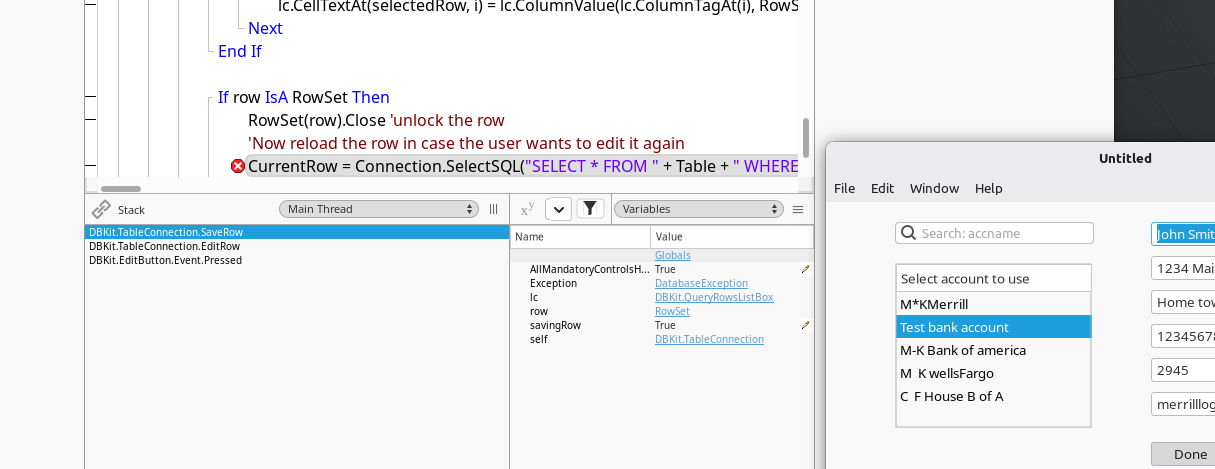
Thats not a crash, but an exception, what does it say in debugger? Sample code would help a lot, too.
1 Like
database exception: so your sql at this place is wrong
You mean my SQL database is the problem ?
It can not be my code .. I have not written any code I am using DBKit
what is exactly after “SelectSQL(” ? paste here the complete line
what are the values of variables (like Table) which must be in the “self” value in the debugger ?
Your app is closing because of an exception.
As soon as the debugger pauses on an exception (as seen in your screenshot), click on the exception item in the list if variables.
In your case it will be a DatabaseException
You will then see more information about the error in the Message field.
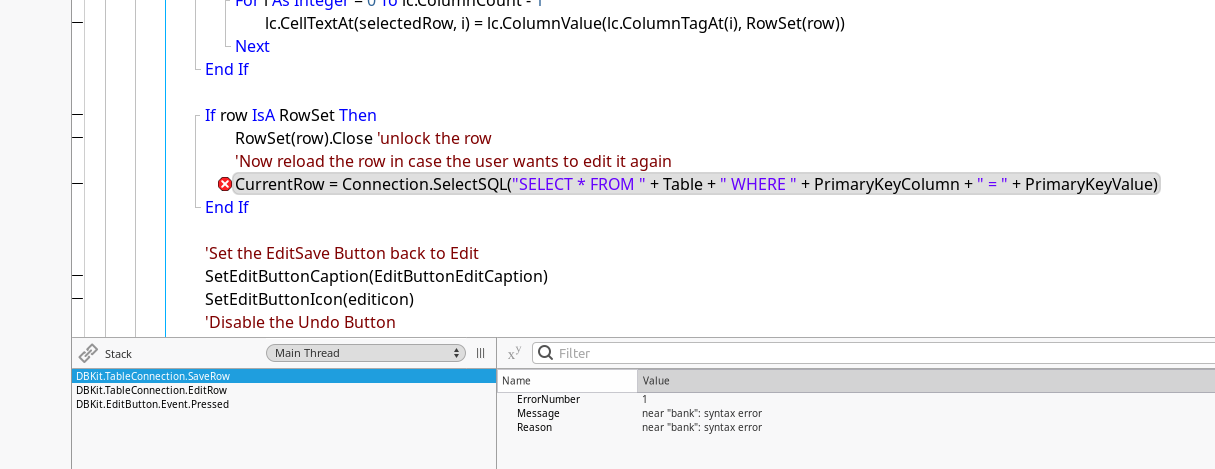
If that is unmodified DBKit code then everyone needs to stop using DBKit immediately.
2 Likes
yes virgin DBKit I have not written a single line
But you are using a database of your own? Does the tables have a primary key? May you found a bug, DBKit is labeled as beta.
Yes the SQLite data base has a primary key .. it is what the search is using to fill the listbox
it works fine until I press done after the Edit button changes to Done:
A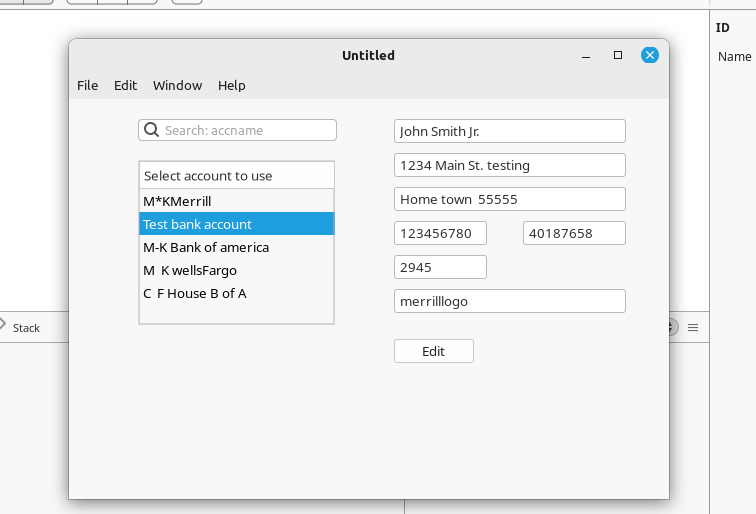
again what are the value read from the debugger of “table” “primarykeycolumn” and “primarykeyvalue” ?
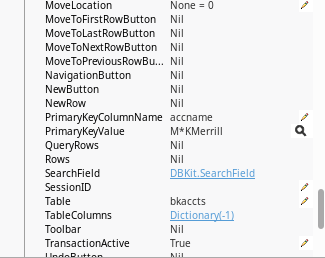
Looks like that is the problem … the use of “*” in the Data in the sqlite file good call
I will edit the data in the database and see if the makes it function 
NO changing the primary key to remove the * did not make any differance 
primarykeyvalue is a string so you need single quotes around it
SelectSQL("SELECT * FROM " + Table + " WHERE " + PrimaryKeyColumn + "='" + PrimaryKeyValue+"'")
I did not write the code … it is part of DBKit … Don’t blame me for that …. time to forget about DBKit and write my own code .
Yeah, blindly assuming that the primary key is an integer type is definitely not right and should be updated in DBKit.
I agree that you’re probably better off writing your own code. It’ll be easier to maintain in the long run.
1 Like
I don’t blame you i just explain why you get the error
1 Like
so the problem is that I am using a text string as a primary key and not a integer for the primary key
Now I understand WHY
1 Like
it’s a good practice in db to have a unique id integer for each record in a table
and this is usually the primary key so very often it is an integer
2 Likes