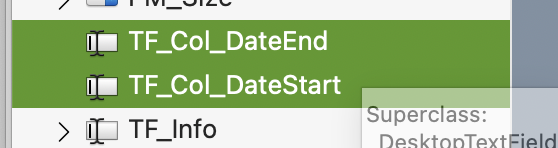
2019r1.1 does not move
2025r2.1, 2025r3.1, 2026r1 moves
I’m pretty sure that for the last few years they move with the arrows just not draggable. (I don’t have versions between 2019r1.1 and 2025r2.1)
Are-you serious or do you really do not understand ?
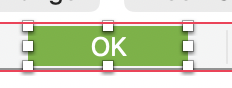
If the later, download a more recent Xojo to see that, and here’s a news: if you choose a Default Button, it appears as green in the IDE…
A green default button in a window; in Properties, it appears as Blue (!).
Locked: it was not. After a reboot, I was able to move it (as I already say), but after I rename one, this stopped to move (and as I wrote too: while selecting the Control for rename it, Ifully selected it: it was green).
For those who do not noticed, in the Navigator, there are two selection mode:
a. You can type (or select) Code,
b. You can with a second clic in the same Control the selection color change to green. This mode allows to select more Controls at once. (As you can see above).
I have never selected a TextField control (inside the Window) that turns green background. You never said that you selected it in the navigator.
Now we have more information, thank you.
I have never been able to move a TextField by selecting the name in the navigator (making the background green). I always move the TextField by clicking on it in the Window (design area, not sure if it is called that).
When I click on the control in design window, then the navigator is no longer green and I can move the control.
And it’s fairly logical: the focus is either in the navigator or in the design area. Only the latter accepts moving the control using the keyboard, as expected.
What I know is that Alberto was earnestly trying to help and you have a habit of sensational posts. That is really a discussion a moderator needs to have with you privately.