Hello,
it may be a stupid question, sorry.
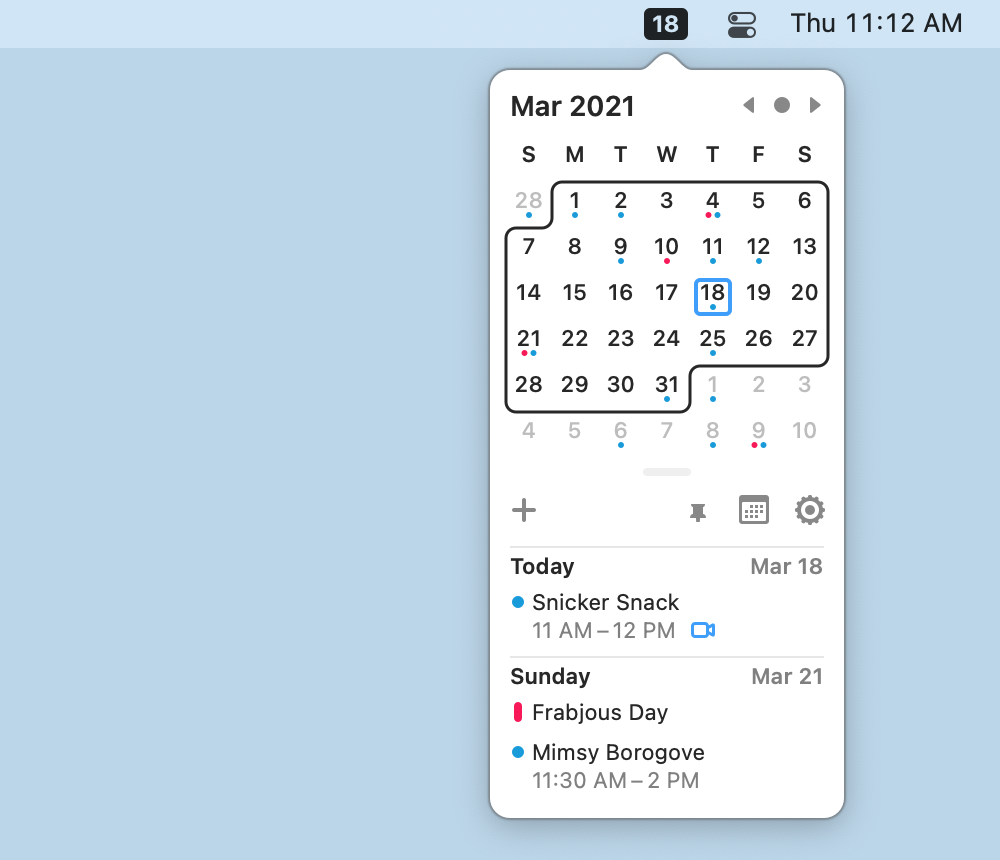
But is there a way to develop menubar apps for macOS? Like Shazam for macOS or Itsycal, for example.
I looked in the docs and also here in the forums, but I couldn’t find information about that topic. Maybe, I overlooked something.
It is possible, but you’ll need to either invest in a plugin or find a 3rd party library to create the status item and the Popover that is displayed in that screenshot.
The menubar thingy itself is easy to do with the MBS plugin. I never got the popovers to work fine with any control other than a label.
Popovers have never worked right in Xojo, I think I have at least one feedback, but here we are. I recall I diagnosed the problem as being a co-ordinate issue, when I captured the events from the OS myself they were correct, but when they filtered down to Xojo’s runtime they were offset.
It created a lot of work to get a listbox or canvas behave on Popovers.
I just want to create the menubar “item” (just like in the picture above) where all the other menubar apps are. And if you click the icon, I want to open a specific window, for example the configuration window. The app itself should not be displayed in the application dock at the bottom.
I think we have an example for that. See NSStatusItemMBS class
And check /MacCocoa/NSStatusItem/Statusitem with PopOver example.
there is a nsstatusitem example in macoslib
so it seems available with a couple of declares.
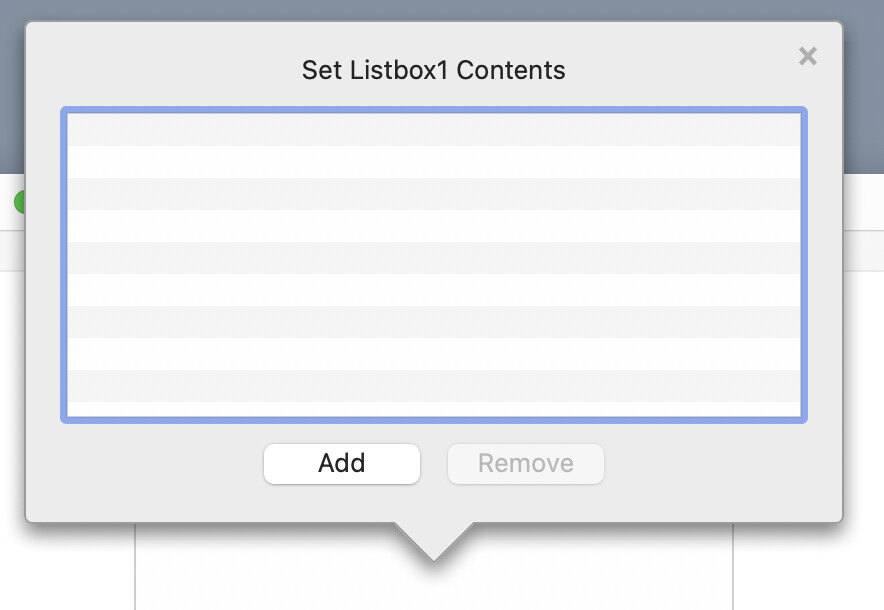
In the Wojo IDE, they use PopOver with ListBox:
I don’t think that is a NSPopover, it looks different to me.
Edit: You can fake a popover by hacking a window to operate like one.
Thank you for the tip, it worked!