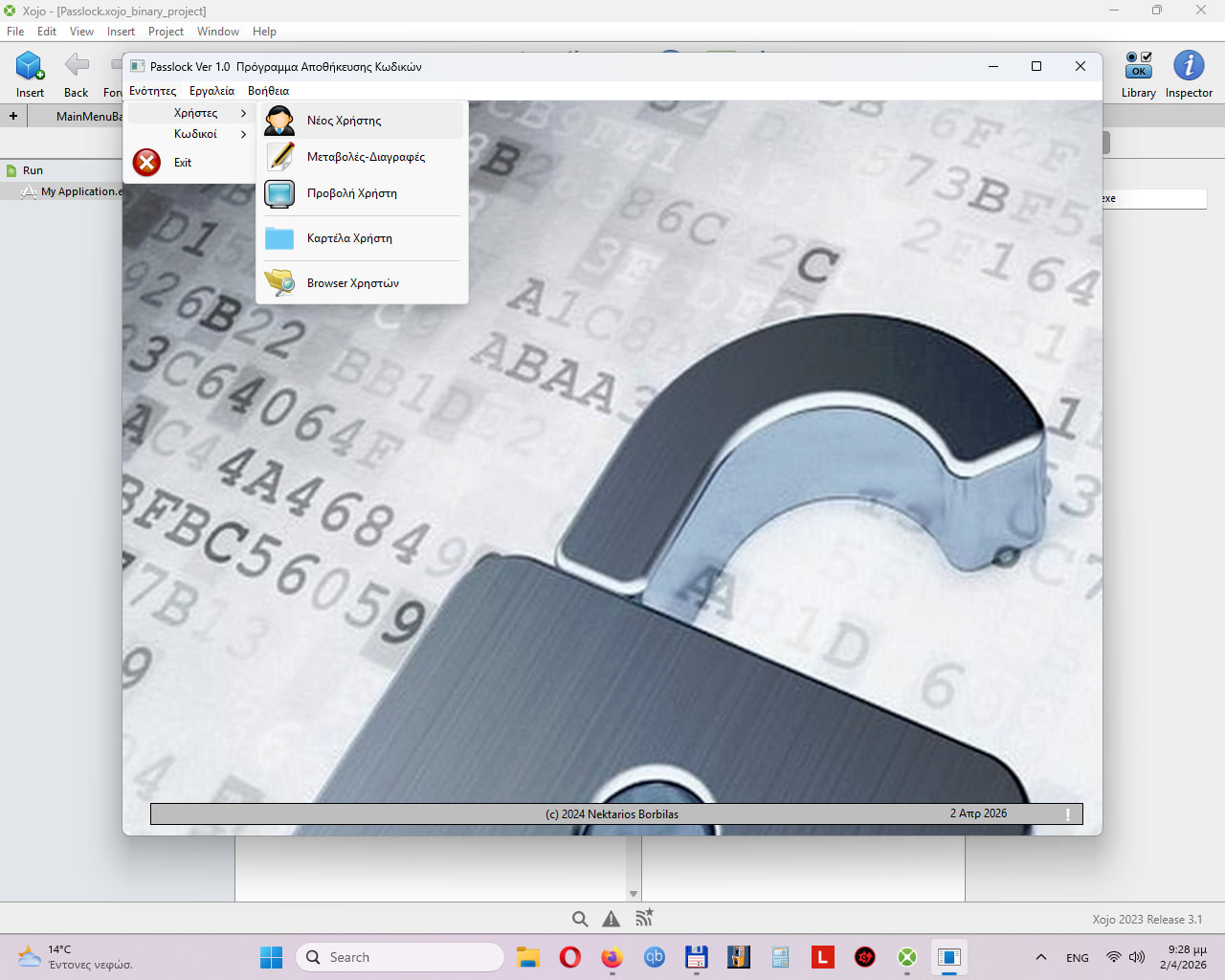
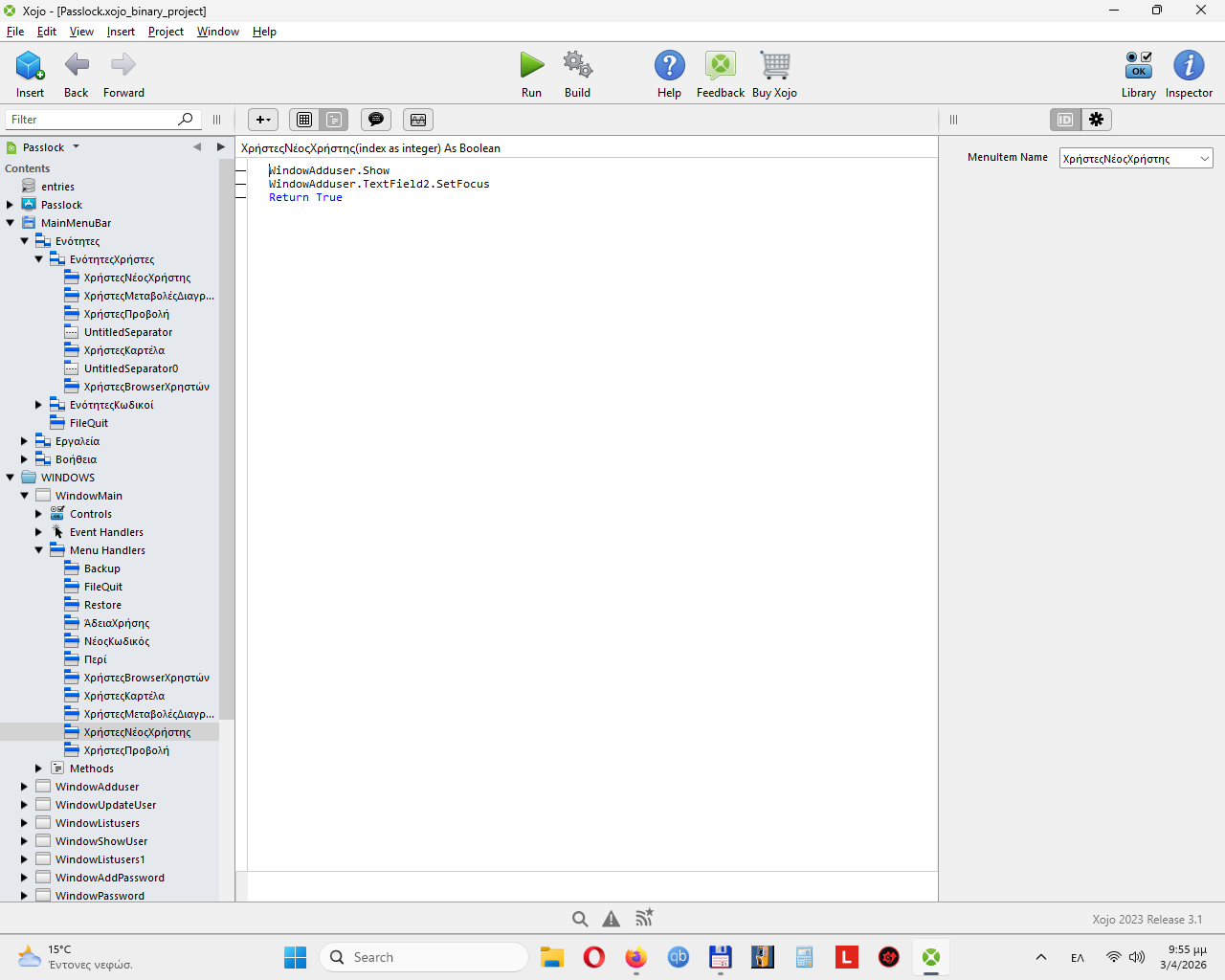
and when i am in the editor the menu bar shows correctly and when i focus on a line it has background while when i run the program and i navigate thru the manimenu bar the background is fade.
I used xojo 2023 release 3.1 and also xojo 2026 release 1 but the problem remains.
Either set the menu item to AutoEnabled or use the MenuBarSelected event to decide if you need it enabled or disabled. AutoEnabled will only activate if you define the menu handler for the given window.
The Xojo preview is just emulated and is custom drawing Xojo does to give you a rough idea of the menu. I don’t think there’s anything Xojo does about the runtime display of the menu because that’s supposed to be system native behavior.
It really wasn’t clear what your issue was and it sounded mostly like the highlight color. That screenshot is miles away from anything related to a menu.
Could you write up a detailed post in your native language, run it through a translator, and post something that might be more clear what your actual issue is?
That’s super helpful, it clarifies you’re concerned about the blue menu highlight.
The menus are supposed to be native, so I would start by checking the Windows accent color settings. They have a switch that controls whether the windows have a colored frame or not, it might affect the menu highlight.
Beyond that though, I wonder if maybe there’s a Windows expert with declares that can override the highlight color.
Thank you for the answer. You really helped me.
It is correct it is a windows problem.
I wonder if i can modify existing xojo menu by classes or i can make my own menu by classes so i can modify colours, behavior etc.
It should be the same no matter the platform. Did you add a menu handler for the menu item in question?
If you always want the menu item enabled for this class of window, set AutoEnabled to true. Add a MenuHandler for the given menu item and Xojo should do the rest.
If you want to decide in code to enable or disable the menu item. Set AutoEnabled to false. Add or alter the MenuBarSelected event to the window and add code to deal with your menu.
If SomeCondition then
MyMenu.Enabled = True
Else
MyMenu.Enabled = False
End If
I think the OP’s issue isn’t about the availability of the menu item (it’s correctly enabled, but just visually not what the user expects). I may be wrong, but that’s how I understand it.