I guess I should start with what I’m trying to accomplish and lead into my issue.
I’m writing an app that uses data from a CSV file and numerous images from a folder. None of this data will be editable by the user, and I would like the existence of these files to be transparent . Thus, no “open” dialog box to find and select the file(s). I’d like these files to “just be there” at the first use of the app.
My anticipated ‘solution’ based on reading the docs is to use SpecialFolder for this. I’ve read examples on how to access files from the special folder, and how to (programmatically) add files to the special folder. However, the piece I’m missing is that it seems to me I would want the physical folder mapped to Xojo’s “special folder” to be created and loaded during the “install” process. There is probably some documentation on this, but I feel like I’m not describing the issue adequately enough to find it. I would like to have a Windows as well as a Mac version of my app. With Windows, I suppose there’s the opportunity to create an “installer” to do this. On Mac, it seems a DMG containing the app bundle gets copied to the applications folder. In either case, I’m unsure as to how the special folder gets created and loaded prior to running the app. Is there a tutorial or on-line example of this somewhere?
There’s a bunch of ways to do this, but given that you are targeting cross-platform deployment, I think the best is a managed installation process. You have a zip file on your remote server that you download on first launch (and can restore if the data is missing or has become corrupted) and expand to something like SpecialFolder.ApplicationData.Child("YourAppBundleIDHere").
Building out this system also affords you the opportunity to build an update mechanism where you can make changes to the images available to users at any time simply by updating the remote zip file and a JSON data file (containing version info and the URL to download the zip file) on the remote server. Keep your local version number of this bundle in your settings or a local JSON file inside your ApplicationData folder.
I have a number of applications in the wild that use this method with great success and prefer it to distributing bloated installers full of resources and I can build it as granular as I want by defining smaller packages and providing a means for the user to select what they want to download in some scenarios.
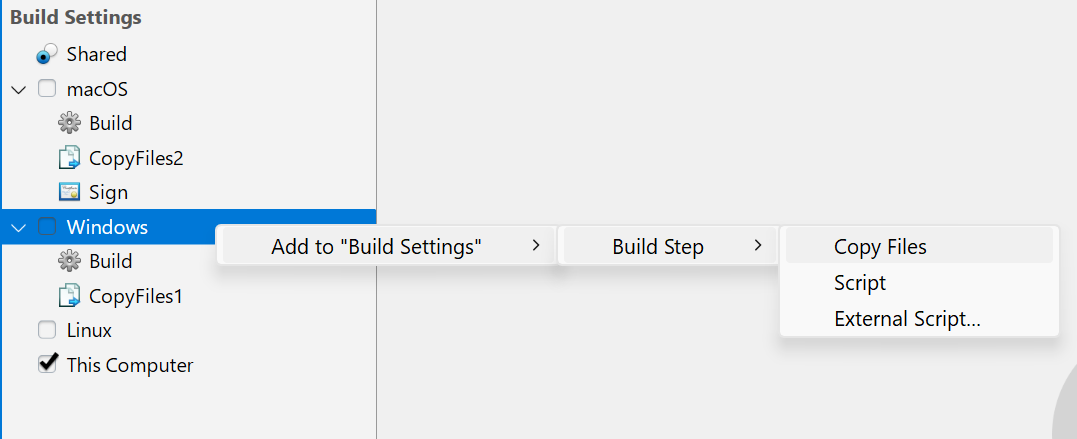
It’s unclear whether you’re including these folders at build time or at run time (e.g. by downloading them somewhere). Others have addressed the former case, i.e. use of Build Steps.
In any case, there is no single “SpecialFolder” in Xojo - there’s a whole slew of them, as described in the documentation:
You select the one appropriate to your use case and access it in your code with dot notation, e.g.
Var f As FolderItem = SpecialFolder.ApplicationData
or
Var f As FolderItem = SpecialFolder.Resources
etc.
Xojo returns the FolderItem appropriate for your target OS.