Hello friends,
I apologize for asking what is likely a basic question, but despite extensive searching and help from AI, I haven’t managed to resolve this issue.
When I populate a listbox with all these columns and rows, the first row appears highlighted or at least blue.
When I use the scrollbar, that blue highlighting disappears.
I would like the first row to maintain the same appearance as the others.
You can always set the selected row index to -1, this will remove the highlight from the first line
me.SelectedRowIndex = -1
We have placed this command in various places, but it’s not working.
I have the 2024 version of Xojo.
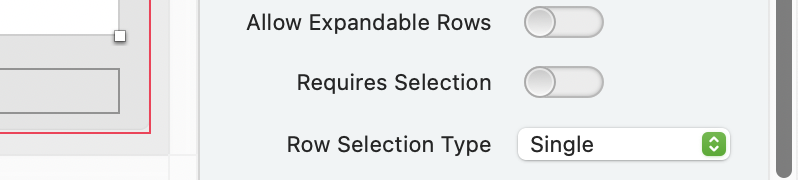
Jeff,
I have exactly the same settings as you and the command MyListBox.SelectedRowIndex = -1 at different places, but nothing works.
In the SelectionChanged event, put a breakpoint in there to see if there is code elsewhere setting the selection
Emily-Elizabeth,
I only have a listbox and a loop to populate it.
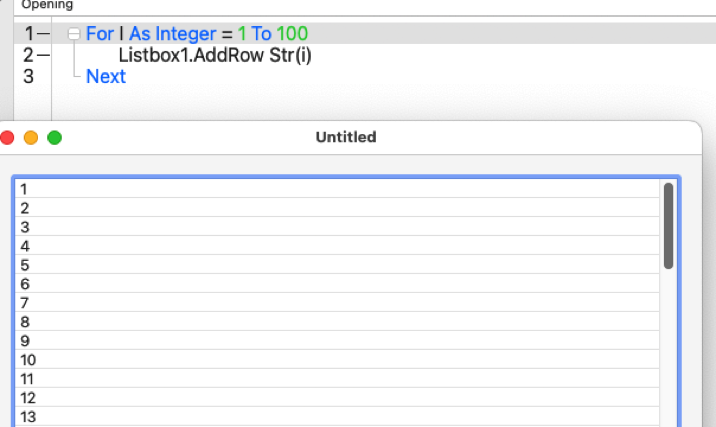
It should only be at the end of the population code.
Search your project for
MyListBox.SelectedRowIndex =
Delete all the others, and be especially vigilant for any such row where the equals sign is followed by anything other than -1
Do you have any Cell…Paint Events with any Code you can show us?
Can you share a sample project (you can upload a zip here) that shows the problem?
Sorry for the trouble, but as is often the case for me, the error lay elsewhere.
To replace the black line under the Listbox header that seemed to be missing, I had drawn a rectangle with a height of 1; elsewhere, I had drawn another rectangle, and in some old code, I was using yet another one (via copy-paste) with different values.
However, if you have a different solution for that missing line under the header which doesn’t seem to be showing up, I’d certainly be interested.
Do you know you can draw a background color in the Header Row ?
So, if you want, you can draw a light grey there (once and for all, for this DesktopListbox) and no more “needed” black line…
I saw that Emile, but I never thought to draw that line 2 pixels above the bottom of the header, I had stopped at 1 but after your question, I ran a few tests.
Thanks to you.