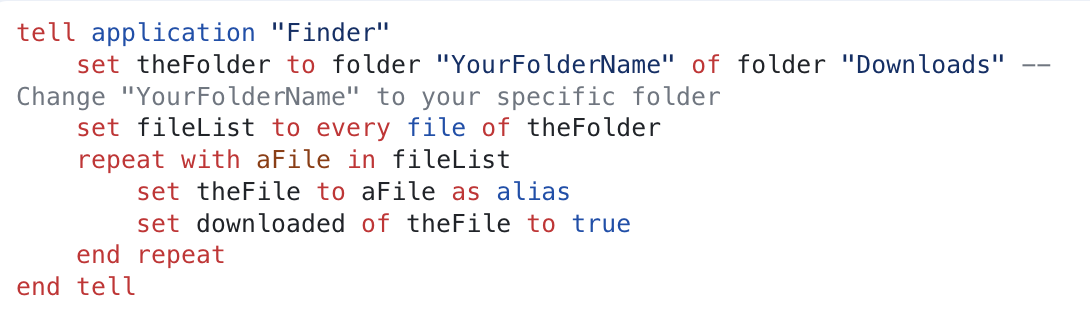
It is now possible to right click on a file in MacOS and choose ‘keep downloaded’
Is there something like a file attribute we can use to set that in code ?
MBS?
It is now possible to right click on a file in MacOS and choose ‘keep downloaded’
Is there something like a file attribute we can use to set that in code ?
MBS?
It’s probably some undocumented xattr. I haven’t ever seen the “Keep Downloaded” item, so on a file you do see it run xattr -l {file} and see if anything jumps out. From there, if you find something of value, you might be able to set it on files you choose. I’m not sure whether that could be done with declares, MBS, or if it would require you to Shell out to xattr.
I haven’t found an API to do this. Otherwise I would have added it to our plug-ins.
So far you can check status and request download.
I think this resume feature is in the Terminal command to download a file.
Before REALbasic, nearly 30 years ago, I used an AppleScript to download files, and this chimes something from my memory (I forgot the command name, of course).
Even if that works, it won’t be permanent. Apple doesn’t let a program do that except for the files it creates.
xattr doesnt indicate any detectable change when run.
Isn’t “keep downloaded” meant for files in cloud folders, managed by Apples FileProvider framework?
The file provider seems to have a flag for that.
But I don’t see an API for users.
I appreciate my needs are unusual. But I am getting tired of fighting Apple at every turn.
I can browse for a file using Xojo or MBS file selectors. If a file is in a part of the drive that iCloud is synching, and hasn’t been used in a while, it may only exist in the cloud. So having selected ‘it’, the folderitem returned by a Xojo action is incomplete or zero bytes in size. Then iCloud wakes up and downloads it, so a second attempt works. End user experience is not great.
I now use coordinateReadingItemAtURL to mitigate this, but seriously..?
My real problems come when listing the contents of a folder containing many files, of which I may need to examine the contents. If they too have been taken into the cloud, it’s really slow. I don’t think coordinateReadingItemAtURL is a suitable solution there.
On my own machine, I refuse to allow iCloud this kind of control. I backup to external drives and avoid iCloud as much as possible.
So if I can flag saved files as Keep Downloaded, most of those issues go away transparently.