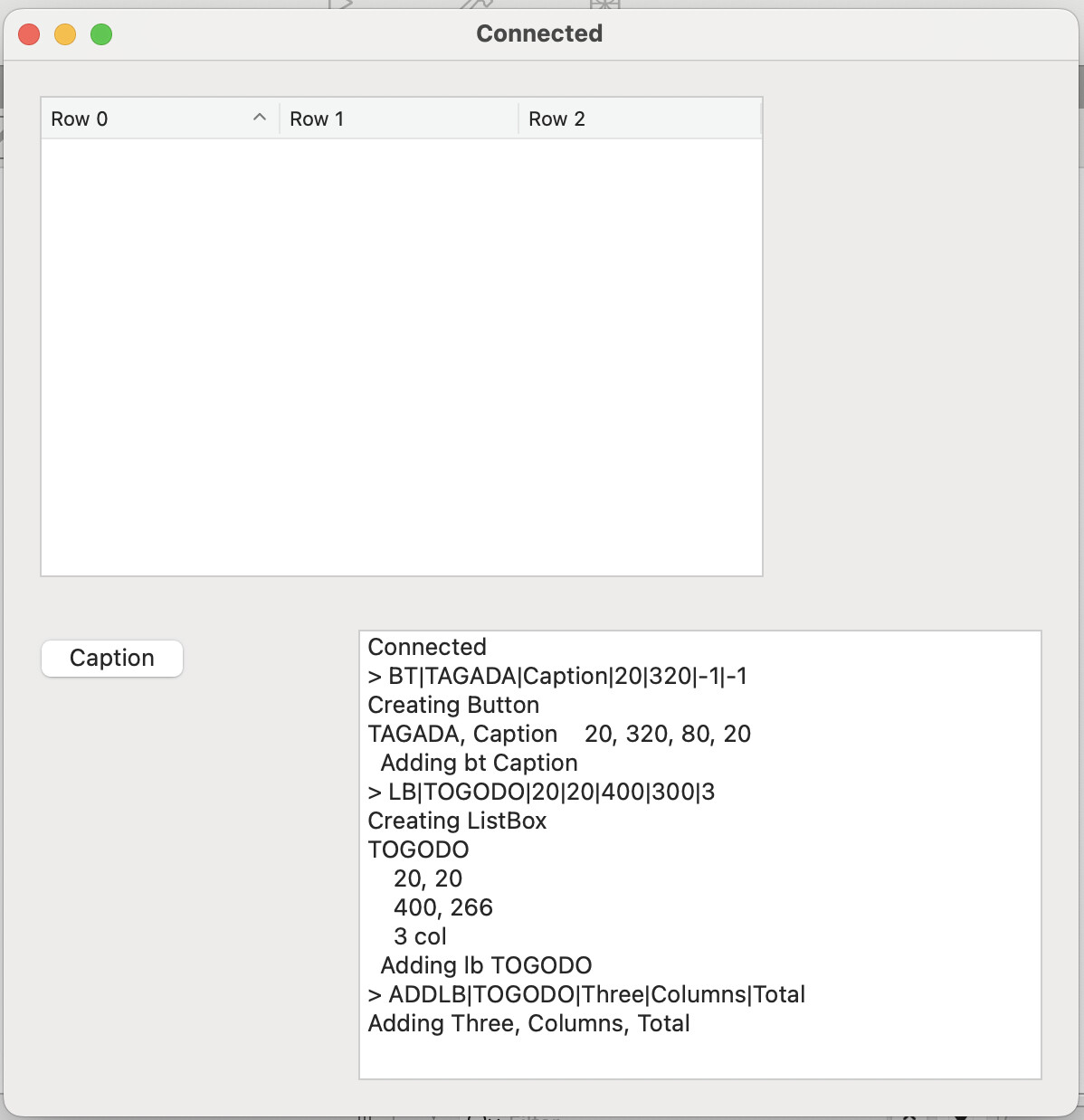
I have a custom ListBox, and a custom PushButton (the lb doesn’t have much in terms of customization, just some events pre-populated). I have the app talking to another app via IPC, and controls are cloned from these classes on demand.
Creation works fine. The button and listbox are created and displayed. Clicking the button activates the proper handler. All good. But when the app receives an instruction to add a row to the listbox (it has 3 columns), the logs show me that the row is created properly, a breakpoint shows the listbox has the contents as expected, but on the screen the listbox stays empty.
I checked that the object I am dealing with has the window as Parent, and has the row. I have the lb in a Dictionary, and I also tried by going through the controls inside the window, and finding it manually. I also tried doing the addrow from within the lb, from a custom method. No dice. What could I be missing?
If I remember correctly (and without testing), you need to set the DefaultRowHeight to -1, which should be the default but the inspector default property values are not applied when you programmatically instantiate controls, so it gets a value of 0.
I feel like embedding individual controls was originally absent by design. This problem is new and exclusive to the ability to use DesktopControl EmbedWithin.
Had OP been doing dynamic controls as they were originally designed, as control sets, this wouldn’t have been a problem.
It’s been brought up before, but I don’t expect it to change whether it’s a bug or not. I, personally, would prefer that the property value defaults be applied regardless of how the instance is constructed.