I sometimes get a Method from AI or some other developer. It will be simple text.
I use the binary format to save my Xojo applications – .xojo_binary_project
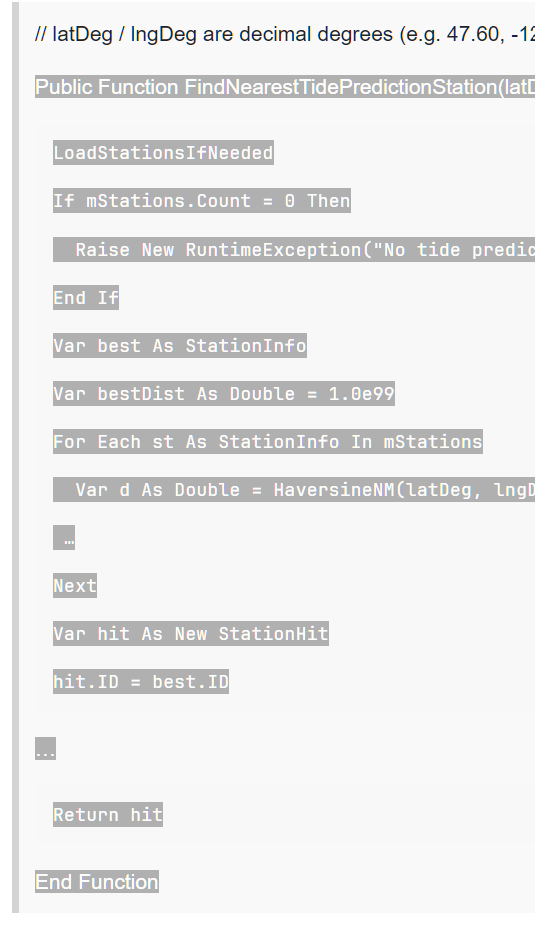
If I get a Method formatted like this example:
// latDeg / lngDeg are decimal degrees (e.g. 47.60, -122.33)
Public Function FindNearestTidePredictionStation(latDeg As Double, lngDeg As Double) As StationHit
LoadStationsIfNeeded

If mStations.Count = 0 Then

  Raise New RuntimeException("No tide prediction stations available in cache.")

End If

Var best As StationInfo

Var bestDist As Double = 1.0e99

For Each st As StationInfo In mStations

  Var d As Double = HaversineNM(latDeg, lngDeg, st.Lat, st.Lng)

 …

Next

Var hit As New StationHit

hit.ID = best.ID
…
Return hit
End Function
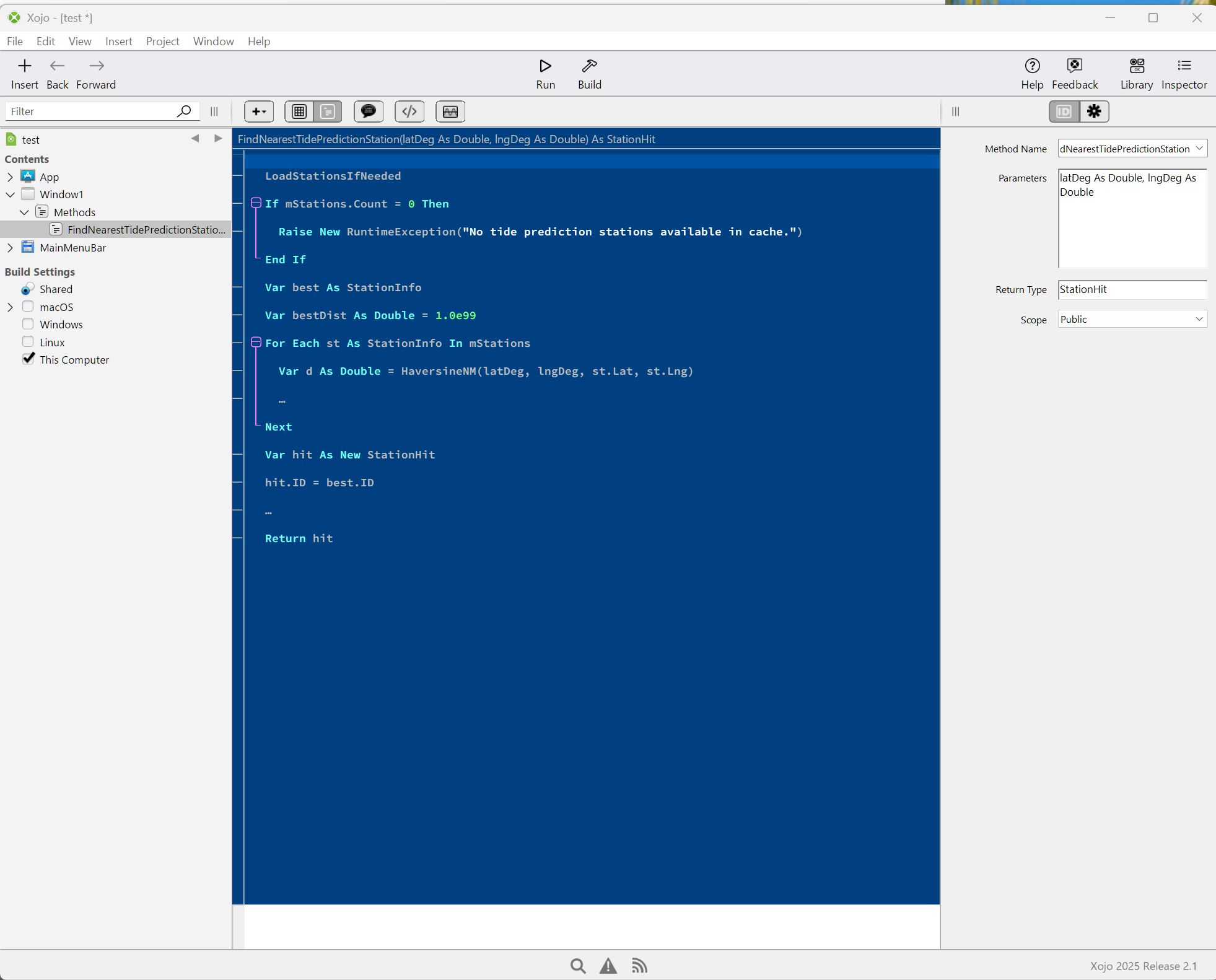
What I do is go to the IDE and insert a new (blank) Method in the appropriate place. Then I past all this text in. Then I go through the steps of taking the name (FindNearestTidePredictionStation) and pasting that in the correct location. I take the parameters (latDeg As Double, lngDeg As Double) and paste them. I take the Return value (StationHit) and paste that. Then I erase the lines: ( Public Function FindNearestTidePredictionStation(latDeg As Double, lngDeg As Double) As StationHit & End Function)
This is not the end of the world, but is there a more efficient way of accomplishing my goal than all this pasting and erasing?
I’ve never been successful when pasting directly into the Navigator., but on a Mac at least, you can:
copy the entire method definition text to the clipboard
create a new method manually (option-cmd-M)
paste the entire method definition into the Name field in the inspector and then tab out of the field
paste the entire method definition into the code editor
Pasting into the name field will parse out the declaration, and pasting into the code editor will parse out the actual code.
There are many classes, methods and control sub-classes that I use over and over that, while the details vary, all follow the same basic structure. I ended up writing an app that generates the code I need, and then i would use the above method to copy-and-paste from my app back into the IDE. Saves a lot of time and errors.
I have recently started to play around with the IDE Communicator. I am going to incorporate the communicator into my code generator app so that it can pull the info it needs directly from the IDE and send back all the new classes, methods, etc directly into the IDE. No typing, no cut-and-paste. It will be glorious!
you really don’t need that… just use claude code !
make a new project in xojo. save it as text (xojo project, not xojo binary project)
let claude code acces to this folder.
then ask claude code anything you want build in that project
it will build for you methods, class, windows, almost anything
and with almost no error, and absolutely NO copy-paste needed
if any error occurs, just use my app Xojo AI Comm - verynicesw
( or build your own it’s just a “simple” ide communicator to get the error pane as text)
and it IS really glorious.
OH and contrary to Jade you don’t need any $$$ API Key for this, and Claude really knows all that is inside your project !
I also build myself my own xojo-pro agent for claude… using claude ! it can fix badly saved source code.
i think there is still a middle ground for some people who aren’t ready to let AI loose directly into their code base, but are willing to let AI generate some code here and there.
I have some really big apps made with xojo.
I don’t want to let an AI access to it (and I think it will be too big for an AI to handle now)
I then made a small project with a few bits and pieces of the big app I need
and let Claude access to that project to build something with
then copy back the class/methods to the main big project once it’s working.
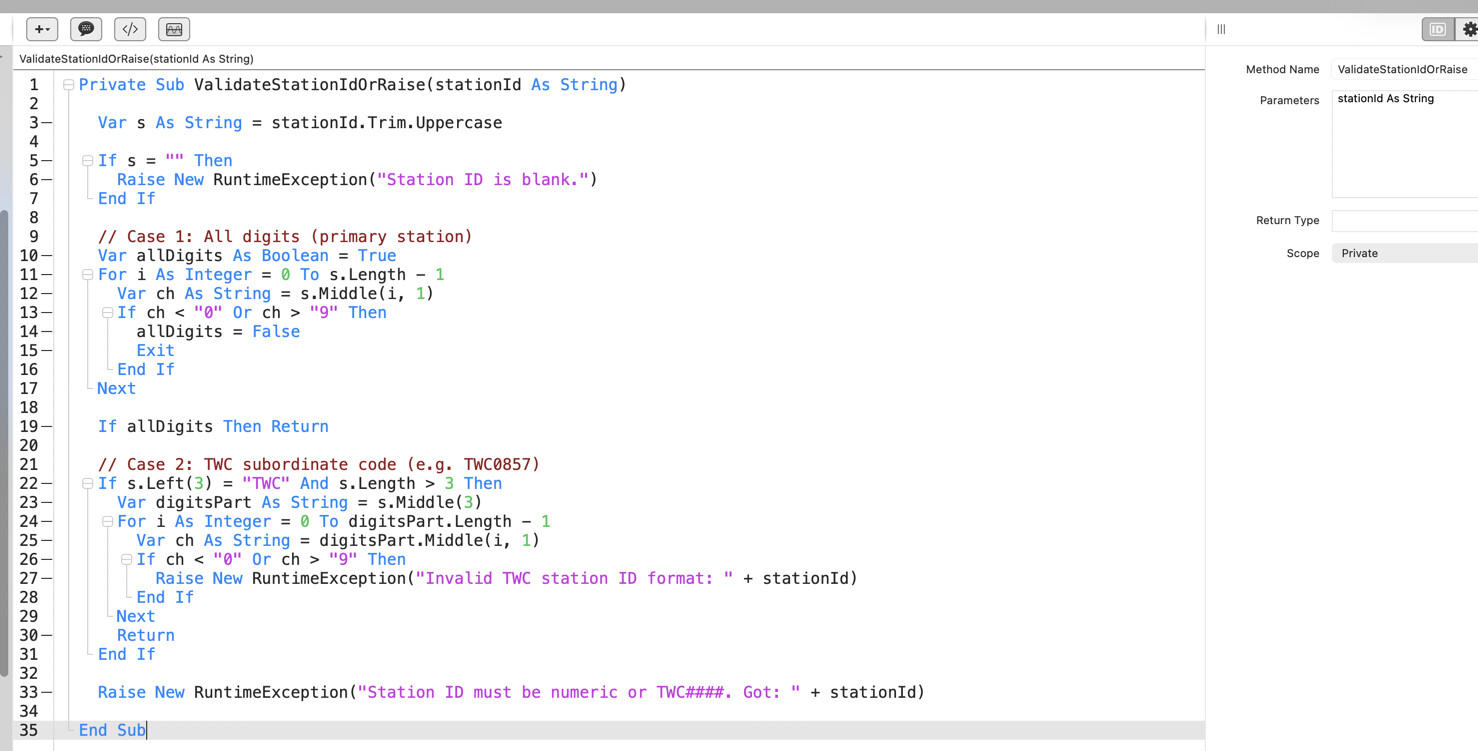
The Private Sub and End Sub: both end up in the code window and will have to be manually erased.
Clifford Antrim suggested pasting in the Method Name field and then the Code Window. Amazingly, part of that worked. At least when I have tried that so far, the Name and the Parameters and the Scope have been correctly copied.
I am inclined to agree with Jeremie_L. It needs work.
With the increasing use of AI, this issue becomes a bigger thing.