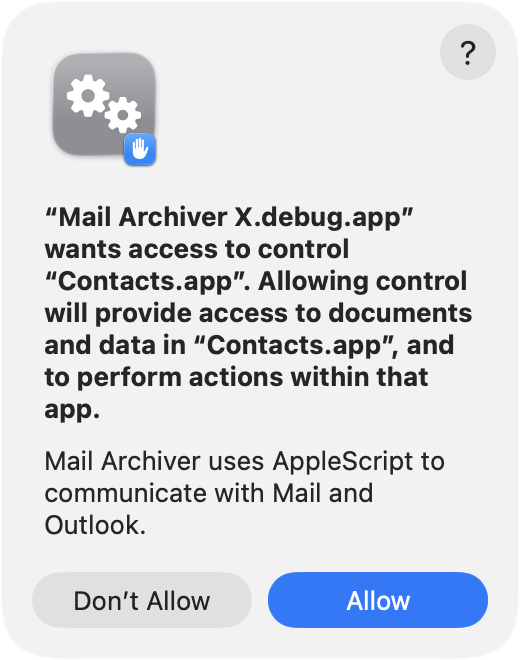
Since AdressBook has been deprecated and actally does not work anymore, and since I’m not able to implement the new Contacts API, I found an applescript that does what I need, i.e. it imports all contacts from Contacts app.
Now, the script saves the contacts-file on the desktop, while I’d like to have the file saved in my app’s “applicationData” or at least to “temporaryfolder”. Can somebody look at the script and tell me how to set it right, and at the end to make Contacts app quit? Thanks.
BTW: the last line of the script (quitting Contacts app) has been added by me, but may be there is a better way to do it?
However, if you want to access the contacts then the correct way is with the API. That sucks because the contacts API is confusing as heck. You need the entitlements which sucks even more. I did that for my newest app so I know that this works.
Thanks. But meantime I stumbled into an unforseen problem: till now I tested the script from the desktop and my app adressed the script’s created file output and populated a listbox. Now that I have dragged the script into the app, calling it asks for permission to access the desktop folder, opens Contacts but no output file is created anywhere.
The call is at present in the action event of a pushbutton: importContacts
tried also: var s as string = importContacts.
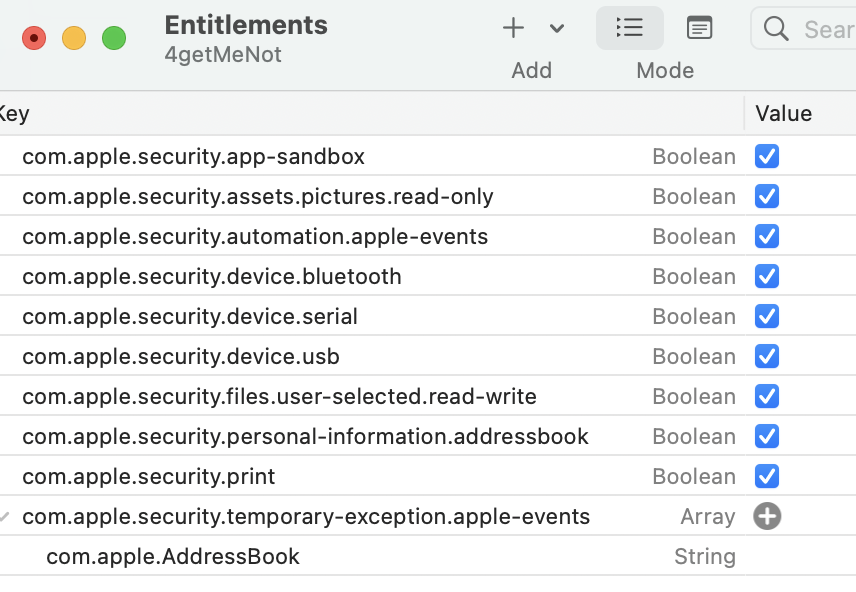
And I have plist file that sets permission to address Contacts.
The script is probably running into some problem that isn’t happening when it is run in Script Editor. Wrap your AppleScript in an error handler like this:
try
   //do stuff
on error errorMessage
   return "error: " & errorMessage
end
In your Xojo app, you need to store the result for inspection:
var errorMessage as string

errorMessage = myScript
The errorMessage variable will contain whatever is returned from the AppleScript. It will be empty unless you explicitly use AppleScript’s return statement as I showed.
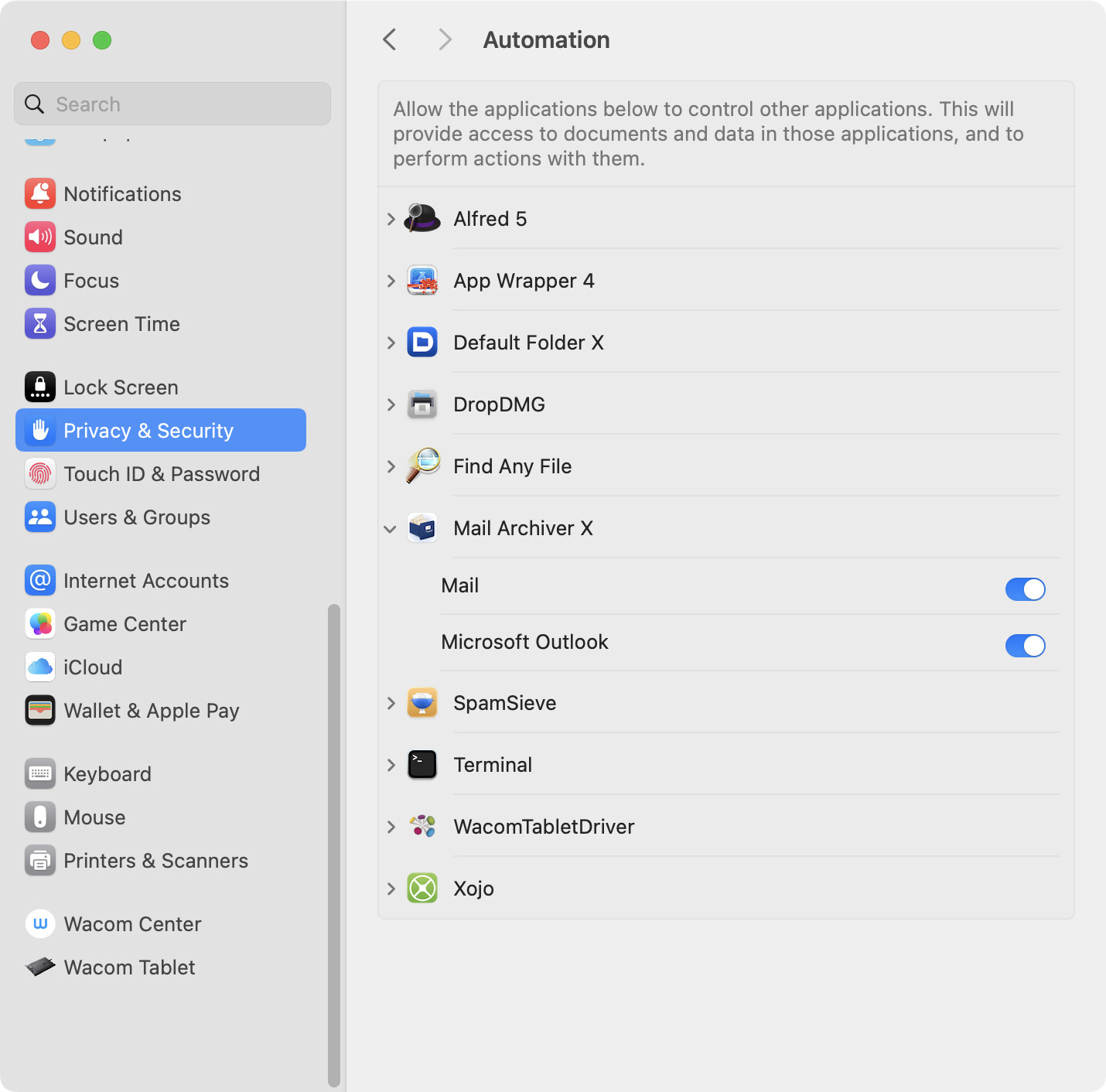
For AppleScripts you need to do the AppleScript entitlements. And as always you need to do full codesign for the entitlement dialog to show. You also need to keep a built app around so that the entitlements don’t vanish when you quit the debug app.
Public Sub PopulateGroups()
  mBook = New AddressBook
  mGroups = mBook.Groups
  mContacts = mBook.Contacts

  For Each g As AddressBookGroup In mGroups
    CLBGroups.AddRow g.Name
  Next
End Sub
CLBGroups is a listbox
Private Property mBook As AddressBook
Private Property mGroups() As AddressBookGroup
Private Property mContacts() As AddressBookContact
I am still able to read the addressbook with actual xojo (2025r21) and macos sequoia.
If you can be sure of anything is that the behavior is NOT erratic. You gnash your teeth, you tear some hair out and you put your head on the desk and then it works.
I added your script to my app where I have the entitlements for AppleScript.
If you don’t see that or you get “You don’t have approval for AppleScript” or something then your entitlements are not correct. As I said above you MUST codesign your app and you need a built version.
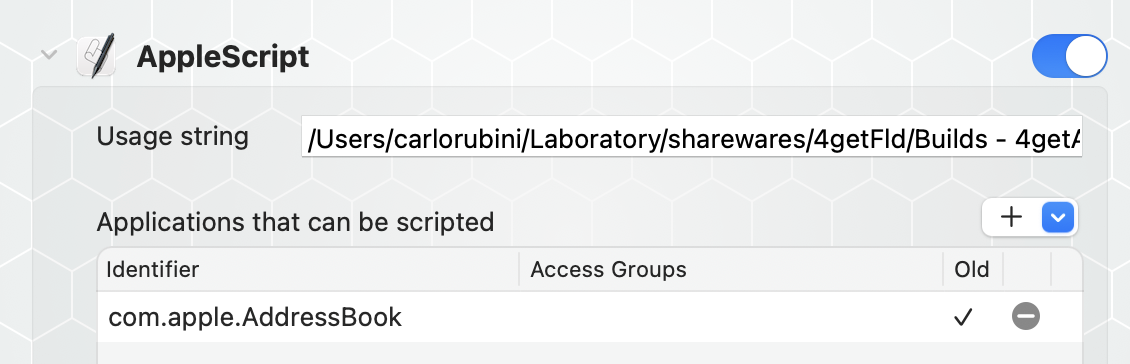
I saw the exact screenshot. But, since I did not get the expected output-file, I carried on modifying the content of the AppleScript section in AppWrapper. So I no loger remember how I got it.
Ar present it looks like this, but in one of the previous trials the usage string was just: importContacts.scpt; and sometime importContacts. And in the box below no app was added. Advice welcome. Thanks.
Now the good news: changing the name of the applescript, things started working again, even from the debugger. I noticed that putting the output file into temporary items, the app cannot open it. So I moved it (filr.moveTo) top my applicationData. Working on it.
Meantime, thank you again for your patience anf your advices.
Again, good news: both debugging and the wrapped app work. I thought maybe the applescript, when sandboxed, had not permission to write on the Desktop. So I made the script write the output file in temporary items, and although a few hours ago it would not work, now it works all right.
Thank again to all who have kindly given their time.